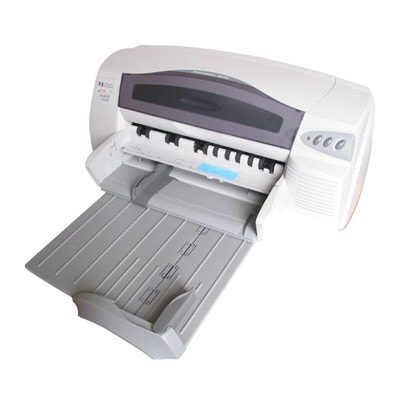
HP DeskJet 1220cps (C8100A) – a proven A3 workhorse for home and office If you use the HP DeskJet 1220cps (also searched as HP 1220cps, 1220 cps, 1220CPS or C8100A), you already know why this model is still popular: reliable inkjet printing, solid color reproduction and the big advantage of A3 format support. It’s a great choice for everyday documents, presentations, school materials, charts, and occasional photo prints. To keep it running at its best, you simply need the right ink cartridge for HP DeskJet 1220cps—and that’s exactly what we focus on in this category. Ink for HP DeskJet 1220cps – what matters most in daily printing Choosing ink for printer HP DeskJet 1220cps is about more than just “black or color”. The right cartridge affects print sharpness, color consistency, drying time, and—most importantly—reliability over long periods of use. The 1220cps commonly works with two key cartridges: a black cartridge and a tri-color cartridge. Together they cover most business and home needs, from crisp text to vibrant graphics. In our selection of ink cartridges for HP 1220cps, you’ll find options designed for: - Clean, readable text for invoices, contracts and everyday office documents
- Natural-looking color for charts, school projects, marketing materials and A3 layouts
- Stable performance even if you print occasionally (helpful when the printer stands unused for a while)
- Cost control thanks to multipacks and value sets
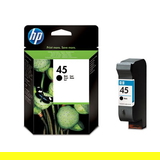
Compatible and Original OEM cartridges – wide choice in one place We know different customers have different priorities, which is why we offer both Original OEM and Compatible options. If you want manufacturer-branded certainty, Original OEM cartridges are a safe, classic solution. If you want excellent print quality with better cost efficiency, our compatible ink cartridge for HP DeskJet 1220cps is a smart alternative—especially for frequent printing. Importantly: compatible cartridges from DrTusz.pl are designed to deliver results that are as good as the originals in normal everyday use, while helping you reduce printing costs. You can pick what fits your printing style and budget without compromising your workflow. Popular picks for HP 1220cps ink cartridges in this category To make selection easier, here are some of the most frequently chosen items for ink for HP DeskJet 1220cps: - Compatible Ink Cartridge 45 for HP (51645AE) (Black) – a practical choice for crisp black text and office printing
- Original OEM Ink Cartridge HP 45 (51645AE) (Black) – for customers who prefer original manufacturer supplies
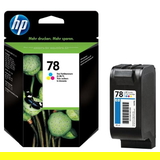
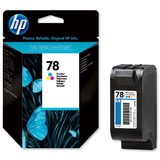
- Compatible Ink Cartridge 78 for HP (C6578AE) (Color) and Compatible Ink Cartridge 78 for HP (C6578DE) (Color) – reliable color printing for graphics and mixed documents
- Original OEM Ink Cartridge HP 78 (C6578AE) (Color) and Original OEM Ink Cartridge HP 78 (C6578DE) (Color) – OEM color options for consistent, predictable results
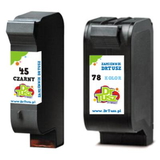
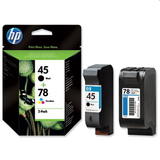
- Compatible Ink Cartridges 45 + 78 for HP (SA308AE) (multi pack) – a convenient set when you want to replace both cartridges at once
- Original OEM Ink Cartridges HP 45 + 78 (SA308A) (multi pack) – an OEM bundle for complete replenishment
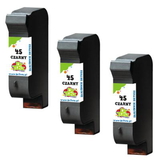
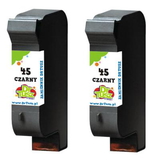
- Compatible Ink Cartridges 45 for HP (CC625A) (Black) (2-pack) and Compatible Ink Cartridges 45 for HP (SA294A) (Black) (3-pack) – ideal if you print lots of text and want fewer reorders
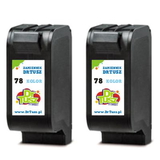
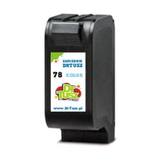
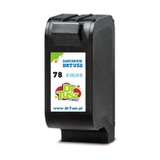
- Compatible Ink Cartridges 78 for HP (C8725A) (Color) (2-pack) – a cost-effective option for frequent color printing
Thanks to multipacks, you can match your supply to your workload—whether you print occasionally at home or regularly in a small office. How to choose the right cartridge: Original OEM vs Compatible When choosing an ink cartridge for HP 1220cps, start with your printing habits: - If you print occasionally (e.g., a few pages weekly), consider replacing both black and color together to keep colors balanced and avoid “one empty cartridge” downtime.
- If you print mostly text, choose a black-focused option such as a 2-pack or 3-pack—this usually brings the best price-per-page.
- If you print mixed content (text + charts + graphics), a multi pack with black + color is the most convenient.
Original OEM cartridges are produced by HP and are a straightforward pick for customers who always use brand-original consumables. Compatible cartridges from DrTusz.pl are a great alternative when you want strong quality and better economy. For most users, compatible cartridges provide the same day-to-day satisfaction—sharp text, stable blacks and vivid colors—while keeping printing costs under control. Common HP DeskJet 1220cps cartridge issues – and how we help you avoid them Printers like the HP DeskJet 1220cps can run for years, but users often report a few typical situations. Here’s what to watch for when buying ink for printer HP DeskJet 1220cps: - Confusing model searches: the printer may appear as 1220 cps, 1220 CPS, HP 1220cps or C8100A. In this category we group the correct cartridge options for this device.
- Color shifts or faded prints: replacing an aging color cartridge (or choosing a fresh multipack) often restores vibrant output.
- Interrupted printing due to an empty cartridge: multipacks and 2-packs/3-packs are a simple way to keep a spare ready.
- Infrequent use leading to print problems: if you print rarely, it’s worth doing a small test print from time to time and keeping a spare cartridge on hand.
If you’re not sure which ink cartridge for HP DeskJet 1220cps is best for your needs, we’re here to help—just contact us and we’ll guide you based on what and how often you print. Order ink for HP DeskJet 1220cps and keep your A3 printing ready We encourage you to explore our full range of ink cartridges for HP DeskJet 1220cps—both Compatible and Original OEM. Choose a single cartridge, a convenient multi pack, or a cost-saving 2-pack/3-pack and enjoy smooth, reliable printing without unnecessary downtime. CTA: Browse the products in this category, pick the best option for your printing style, and place your order today. If you need help selecting the right ink for HP 1220cps, contact us—we’ll be happy to assist. Fast delivery options are available so you can get back to printing as soon as possible. |