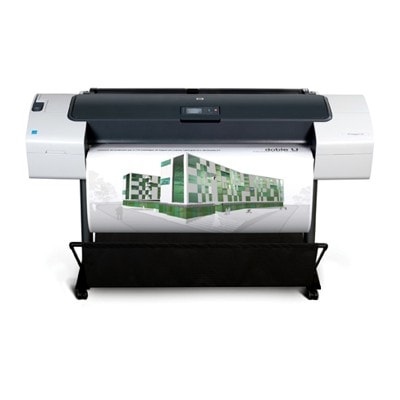
Reliable printing with HP DesignJet T770 (CQ306A) – made for precision If you work with an HP DesignJet T770 - CQ306A (also searched as HP T770 or HP Designjet T770 Series), you already know this plotter is built for accurate linework, consistent color, and large-format output that has to look right the first time. It’s a popular choice for CAD drawings, GIS maps, technical documentation, and presentation prints—where sharp details and stable color tones matter. That’s why choosing the right ink for HP DesignJet T770 - CQ306A and the right HP 72 printhead is not a small decision; it directly affects clarity, drying, durability, and overall workflow speed. Ink cartridges and printheads for HP T770 – what matters in daily work The HP 72 ink system used in the T770 relies on a combination of ink cartridges and dedicated printheads. In practice, this means you can maintain excellent quality over time—provided you replace consumables on schedule and match them correctly to your needs. When you choose an ink cartridge for HP DesignJet T770, pay attention not only to the color, but also to capacity (standard vs XL) and the type of black used for your typical jobs. For technical and graphics environments, the benefits are clear: - Clean lines and readable micro-text for CAD and architectural plans.
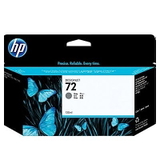
- Smooth transitions thanks to Gray support—useful for monochrome renderings and shading.
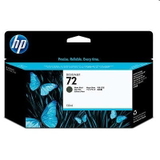
- Optimized blacks (Photo Black vs Matte Black) to match coated media and plain paper.
- Predictable results when you use the correct HP 72 printhead and keep ink flow stable.
If your output must be repeatable across projects, using proven, well-matched consumables is the simplest way to reduce reprints, head cleaning cycles, and downtime. Original OEM HP 72 ink for HP DesignJet T770 – popular choices in this category In this category we focus on Original OEM solutions—so you can stock up on exactly what your printer expects. You’ll find both standard and XL options, making it easy to plan purchases around your print volume. Here are some of the most frequently selected items for the HP DesignJet T770 - CQ306A: - Original OEM Ink Cartridge HP 72 XL (C9403A) (Matte black) – a great pick for strong, crisp output on plain and matte media.
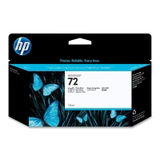
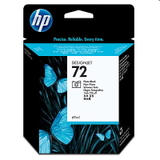
- Original OEM Ink Cartridge HP 72 XL (C9370A) (Black Photo) – ideal when you need deep photo blacks on coated papers.
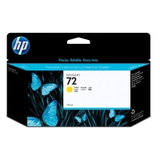
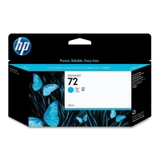
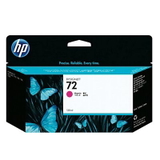
- Original OEM Ink Cartridge HP 72 XL (C9371A) (Cyan), (C9372A) (Magenta), (C9373A) (Yellow) – dependable core colors for everyday production.
- Original OEM Ink Cartridge HP 72 XL (C9374A) (Gray) – useful for neutral tones, grayscale drawings, and smooth shading.
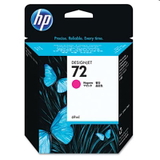
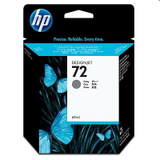
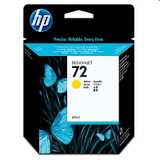
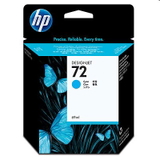
- Standard capacity versions such as HP 72 (C9397A) Black Photo, (C9398A) Cyan, (C9399A) Magenta, (C9400A) Yellow, (C9401A) Gray – practical when you want to balance stock levels or print less frequently.
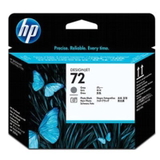
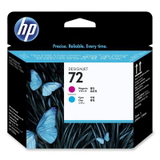
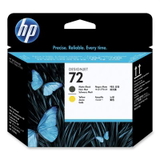
To keep the system running at its best, we also offer dedicated printheads: - Original OEM Printhead HP 72 (C9380A)
- Original OEM Printhead HP 72 (C9383A)
- Original OEM Printhead HP 72 (C9384A)
Choosing the correct printhead is essential when you notice fading lines, missing colors, or repeated cleaning prompts—problems that can slow down production and increase ink usage. How to choose the right ink cartridge for HP Designjet T770 Series We encourage you to choose ink for HP T770 based on what you print and how you print. A few proven rules make ordering easier: - Pick XL if you print regularly (batch CAD sets, office production, frequent deadlines). You’ll reduce interruptions and often optimize cost per ml.
- Choose the right black: Matte Black for plain/matte media and crisp technical output; Photo Black for coated media where deep black density is crucial.
- Watch Gray levels if you print monochrome drawings or presentations—Gray helps maintain neutral tones and smoother gradients.
- Replace printheads when symptoms persist: if banding, missing nozzles, or color inconsistency continues after standard maintenance, the HP 72 printhead may be the real cause.
Common user issues with HP DesignJet T770 (CQ306A) and how the right consumables help Over time, large-format printers often face similar challenges. With the HP DesignJet T770 - CQ306A, customers most often report: - Banding or broken lines on CAD drawings – often linked to a worn printhead or inconsistent ink delivery.
- Color shifts between prints – can happen when one color is running low or a head is near end-of-life.
- Frequent cleaning cycles – sometimes caused by long idle periods; keeping fresh, correctly stored cartridges helps keep the system stable.
- Choosing the wrong black for the media – results may look “washed out” or not dense enough.
That’s why we recommend keeping a sensible запас of key colors and replacing printheads when quality drops—this is often cheaper than reprints, wasted paper, and missed deadlines. Compatible vs Original OEM – what you should know In many categories, customers compare compatible ink for HP DesignJet T770 with OEM options. In this specific selection, we offer Original OEM cartridges and printheads listed above, intended for customers who want manufacturer-grade consistency and straightforward maintenance planning. If you are looking for compatible solutions, we can help you choose them as well—our compatible cartridges from DrTusz.pl are designed to be as good as originals in everyday performance, with strong value for money. If you tell us what you print (CAD, posters, maps) and how often, we’ll recommend the best route. Order HP 72 ink and printheads with confidence We encourage you to explore our full selection of ink cartridges for HP DesignJet T770 - CQ306A and HP 72 printheads and build a set that matches your workload. If you’re unsure whether you need HP 72 XL or standard capacity, or which black will suit your media, contact us—we’ll help you choose quickly and correctly. Add the right items to your cart today and keep your HP Designjet T770 Series ready for every deadline with fast delivery options and friendly support from our team. |