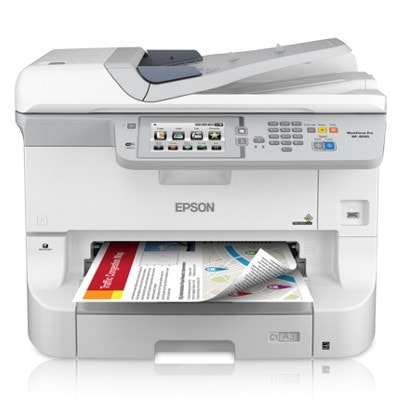
Epson WorkForce Pro WF-8590DTWF – built for busy offices The Epson WorkForce Pro WF-8590DTWF (also searched as Epson WF-8590DTWF, WF-8590DTWF, WF 8590 DTWF or WF8590DTWF) is a high-performance business inkjet designed for fast, cost-effective printing in small and medium offices. It’s valued for sharp text, reliable color output and efficient operation in everyday workloads—reports, invoices, presentations and marketing materials. To keep this printer performing at its best, choosing the right ink for Epson WorkForce Pro WF-8590DTWF is essential. In our store we offer both Original OEM and high-quality Compatible solutions, plus the service essentials your device needs: Ink Cartridges, Maintenance Kits and Waste Ink Tanks. Ink cartridges for WF-8590DTWF: what they deliver in daily use Whether you print mostly black documents or full-color graphics, the right ink for WF-8590DTWF ensures consistent quality from the first page to the last. Properly selected cartridges help you achieve: - Crisp black text for contracts, shipping labels and office correspondence (Black cartridges).
- Accurate color reproduction for charts, photos and presentations (Cyan, Magenta, Yellow).
- Reliable performance during high-volume printing—fewer interruptions and stable results.
- Lower risk of streaking or fading when using correctly matched inks and timely maintenance.
In this category you’ll find popular cartridge families dedicated to the Epson WorkForce Pro Series: T754, T755 and T756 (Black/Cyan/Magenta/Yellow). This makes it easy to select the exact model number you need and keep your Epson WF-8590DTWF ready for work. Our range: Original OEM and Compatible inks, plus essential service parts We keep the offer broad so you can choose what fits your printing style and budget. Among the most frequently selected products are: - Original OEM Ink Cartridge Epson T7541 (C13T754140) (Black) and Original OEM Ink Cartridge Epson T7551 (C13T755140) (Black) – trusted options for professional monochrome output.
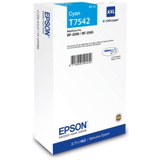
- Original OEM Ink Cartridge Epson T7542 (C13T754240) (Cyan), T7543 (C13T754340) (Magenta), T7544 (C13T754440) (Yellow) – consistent colors for office graphics.
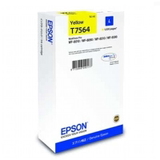
- Original OEM Ink Cartridge Epson T7561 (C13T756140) (Black), T7562 (C13T756240) (Cyan), T7563 (C13T756340) (Magenta), T7564 (C13T756440) (Yellow) – another dedicated set for Epson WorkForce Pro WF-8590DTWF.
- Compatible Ink Cartridge T7551 for Epson (C13T755140) (Black), Compatible Ink Cartridge T7552 for Epson (C13T755240) (Cyan), Compatible Ink Cartridge T7553 for Epson (C13T755340) (Magenta), Compatible Ink Cartridge T7554 for Epson (C13T755440) (Yellow) – excellent value without compromising everyday print quality.
- Compatible Ink Cartridge T7541, T7542, T7543, T7544 – dependable alternatives for users who want to optimize printing costs.
- Original OEM Maintenance Kit Epson T6712 (C13T671200) – helps keep the printer in good condition over time.
- Original OEM Waste Ink Tank Epson T6712 (C13T671200) and Compatible Waste Ink Tank T6712 for Epson (C13T671200) – essential when the printer indicates the waste ink tank is full.
Thanks to this mix, you can build the exact setup you need: original ink for Epson WorkForce Pro WF-8590DTWF for maximum brand consistency, or compatible ink for Epson WF-8590DTWF for smart cost control—plus the maintenance items that keep the whole system running smoothly. How to choose the right ink for Epson WorkForce Pro WF-8590DTWF Dear Customer, if you’re deciding between Original OEM and Compatible cartridges, we recommend matching your choice to your printing priorities: - Choose Original OEM ink for Epson WorkForce Pro WF-8590DTWF if you want manufacturer-certified consistency, especially for brand-critical color documents.
- Choose Compatible ink for WF-8590DTWF from DrTusz.pl if you want excellent everyday quality and reliable operation at a more budget-friendly cost. Our compatible cartridges are designed to match the printer’s requirements and perform just as well in typical office printing.
- Mix wisely: many customers print mostly text in black and use color occasionally—selecting black and color cartridges according to real usage can be the most economical approach.
Before ordering, always verify the cartridge code printed on your current cartridge or in the printer menu: T754 / T755 / T756 for inks and T6712 for the maintenance/waste ink tank items. If you’re unsure, tell us what you currently use and we’ll help you pick the correct ink for WF-8590DTWF. Common WF-8590DTWF user issues—and what usually helps In office environments, the Epson WorkForce Pro WF-8590DTWF can run for long periods, so some recurring situations are normal. Here’s what customers most often ask about when buying ink for Epson WF-8590DTWF: - Printer message about low ink or cartridge replacement – replacing the correct color (Black/Cyan/Magenta/Yellow) with the matching T754/T755/T756 code resolves it quickly.
- Faded colors or streaks – often linked to very low ink levels or overdue maintenance. Keeping fresh cartridges installed and using the appropriate Maintenance Kit can restore stable output.
- Waste ink tank full warning – the solution is a replacement Waste Ink Tank T6712 (C13T671200) (Original OEM or Compatible). Having one in stock prevents downtime.
- Office downtime due to missing colors – because business documents often require all colors to be available, keeping a spare set of inks is a simple way to stay productive.
If you describe the message on the printer display or share which cartridge codes you currently use, we’ll guide you to the right product in this category. Order inks and supplies today—keep your WorkForce Pro running We encourage you to explore our selection of ink cartridges for Epson WorkForce Pro WF-8590DTWF—Original OEM and Compatible—along with Maintenance Kits and Waste Ink Tanks. With a well-chosen setup, your Epson WorkForce Pro Series printer can deliver fast, clean and cost-effective printing every day. CTA: Add the right ink for Epson WorkForce Pro WF-8590DTWF to your cart now or contact us for help selecting the correct T754/T755/T756 cartridge or T6712 waste ink tank. We’re here to make sure you get the best fit, quick delivery and a smooth purchasing experience. |