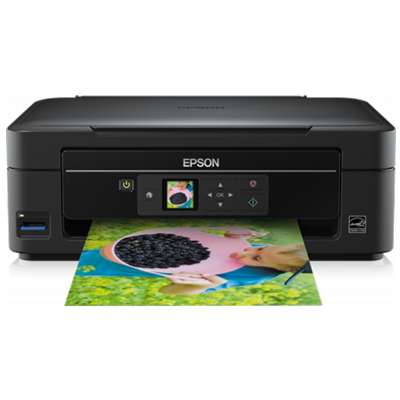
Epson Stylus SX230 – a compact all-in-one made for everyday printing The Epson Stylus SX230 (also searched as Epson SX230, Epson Stylus SX Series or code C11CB17311) is a popular home inkjet printer with scanning and copying functions. It’s valued for simple operation and good colour reproduction in day-to-day use—school assignments, bills, office documents, and family photos. To keep this model working reliably, it’s crucial to choose the right ink cartridge for Epson Stylus SX230 and replace it on time. Ink for Epson Stylus SX230 – what matters most In this category we offer ink cartridges for Epson Stylus SX230 in two proven options: Compatible and Original OEM. Both are designed for the SX230 cartridge system, and both are a convenient way to restore sharp black text and vivid colour prints. Whether you print occasionally or you run through pages every week, choosing the right ink for Epson SX230 helps you maintain: - clear, readable text in black prints,
- consistent colours for charts, graphics and photos,
- smooth performance during everyday printing,
- easy replacement without complicated steps.
The SX230 typically uses separate cartridges for each colour, so you replace only what you actually used. This is practical and cost-effective—especially if you print a lot of black documents or a lot of colour materials. Our selection: compatible and original OEM cartridges (T128 / T129 series) We make it easy to find the right product by offering both multi-packs and single colours for your ink for printer Epson Stylus SX230. Here are some of the most popular choices from this category: - Compatible Ink Cartridges T1285 for Epson (C13T12854010) (multi pack) – a convenient complete set for regular home use.
- Compatible Ink Cartridges T1295 for Epson (C13T12954010) (multi pack) – a great option if your printer uses the T129 series.
- Original OEM Ink Cartridges Epson T1285 (C13T12854010) (multi pack) and Original OEM Ink Cartridges Epson T1295 (C13T12954010) (multi pack) – for customers who prefer manufacturer cartridges.
- Black ink: Compatible Ink Cartridge T1281 (C13T12814010) (Black), Compatible Ink Cartridge T1291 (C13T12914010) (Black), plus value bundles like 4x Compatible Ink Cartridge T1281 (Black).
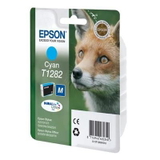
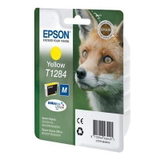
- Colour inks: Compatible Ink Cartridge T1282 (Cyan), T1283 (Magenta), T1284 (Yellow) and their T129 equivalents (T1292, T1293, T1294), also available as Original OEM versions.
- Extra savings for frequent printing: 3x Compatible Ink Cartridges T1285 (multi pack) – a smart way to stock up.
Thanks to this variety, you can quickly match the cartridge to your exact need: one missing colour, a full set for the next months, or a cost-saving multi-pack for higher print volumes. How to choose the right ink cartridge for Epson Stylus SX230 When selecting ink for Epson Stylus SX230, we recommend checking the cartridge symbol currently installed in the printer or shown in the printer software. This model may use the T128 or T129 cartridge family, so choosing the correct series (e.g., C13T12814010 vs C13T12914010) is key. Still deciding between Original OEM and Compatible? - Original OEM ink cartridge – manufacturer solution for customers who prefer Epson-labelled consumables and want a straightforward 1:1 replacement.
- Compatible ink cartridge – a cost-effective alternative. Our compatible cartridges from DrTusz.pl are made to deliver print quality that’s as good as the originals in everyday use, while helping you reduce printing costs—especially when you print frequently.
Common SX230 printing issues – and how the right cartridge helps Users searching for ink for Epson SX230 often report a few typical situations: colour suddenly missing, faint black text, streaks, or the printer indicating an empty cartridge sooner than expected. In many cases, the solution is simple: replace the depleted colour with the correct cartridge (black, cyan, magenta or yellow) and perform standard maintenance in the printer menu (like nozzle check/cleaning) if needed. If you’re unsure which cartridge you need—single colour or a multi-pack—we’re here to help you pick the best option for your printing habits and budget. Order ink for printer Epson Stylus SX230 with confidence We encourage you to explore our full range of ink cartridges for Epson Stylus SX230—both Compatible and Original OEM. Choose a multi-pack for convenience, or select individual colours to replace only what’s necessary. Add your cartridges to the cart and keep your Epson SX230 ready for every print job. CTA: Browse the available cartridges in this category and order today—if you have any questions about T128/T129 compatibility or choosing between original and compatible ink, contact us and we’ll guide you quickly. We provide fast delivery options and helpful customer support, so you can get the right ink for Epson Stylus SX230 without stress and get back to printing right away. |