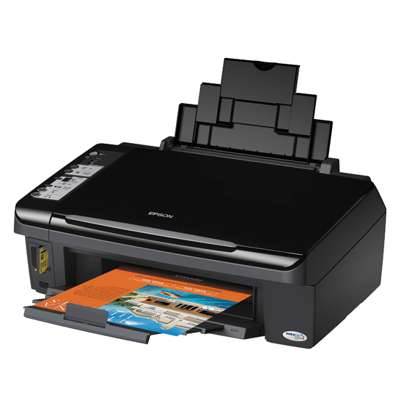
Epson Stylus SX200 – a reliable all‑in‑one for everyday printing Dear Customer, the Epson Stylus SX200 (also searched as Epson SX200, Epson Stylus SX Series or by code C11CA21304) is a compact inkjet multifunction designed for home and small office use. It’s perfect for homework, invoices, forms and occasional photos. To keep this model printing smoothly, choosing the right ink for Epson Stylus SX200 is essential—both for quality and for trouble‑free operation. Ink cartridges for Epson SX200 – what to expect from the right ink In this category you’ll find ink cartridges for Epson Stylus SX200 in two options: Original OEM and Compatible. The SX200 works with popular Epson families such as T0711–T0714 / T0715 multipack and also T0891–T0894 / T0895 multipack (depending on your printer’s required series). With the correct cartridge set, you can count on crisp black text, vivid colour graphics and consistent results from the first to the last page. Typical uses where good ink for Epson SX200 matters most: - documents with sharp black text (contracts, school prints, shipping labels),
- colour charts and presentations,
- everyday photos and mixed graphics,
- frequent small print jobs where ink flow stability is important.
Compatible and Original OEM ink for Epson Stylus SX200 – choose your best match We offer both Original OEM ink cartridge options from Epson and carefully selected compatible ink cartridges. Original cartridges are the manufacturer’s solution for users who want to stay with OEM supplies. Compatible cartridges are a smart choice when you want excellent print quality and better cost control—especially if you print often. Importantly: the compatible ink for Epson Stylus SX200 available in our range is designed to deliver results comparable to OEM. If you’re looking for the best balance between quality and savings, compatible cartridges are often the most practical option. Popular cartridges in this category – singles, multipacks and value sets To make shopping easier, we stock single colours and convenient bundles. Here are some of the most frequently chosen products for this printer: - Compatible Ink Cartridge T0711 for Epson (C13T07114010) (Black) and Original OEM Ink Cartridge Epson T0711 (C13T07114010) (Black),
- Compatible Ink Cartridges T0715 for Epson (C13T07154010) (multi pack) and Original OEM Ink Cartridges Epson T0715 (C13T07154010) (multi pack),
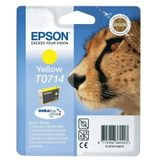
- colour singles: T0712 Cyan, T0713 Magenta, T0714 Yellow – available as both compatible and Original OEM,
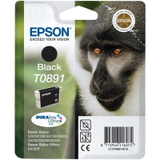
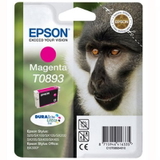
- alternative series options: Compatible Ink Cartridges T0895 (multi pack) and Original OEM Ink Cartridges Epson T0895 (multi pack), plus singles like T0891 Black, T0892 Cyan, T0893 Magenta, T0894 Yellow,
- great-value bundles such as 3x Compatible Ink Cartridges T0715 multipack and Original OEM Epson T0711 (C13T07114H10) (Black) (2-pack),
- high-demand sets like Compatible Ink Cartridges T0711 (DT-AE-711/F) (Black) (4xpack) for frequent black printing.
This variety means you can buy exactly what you need—one colour, a full set, or a multipack that keeps you covered for longer. How to choose the right ink cartridge for Epson Stylus SX200 When selecting ink for printer Epson Stylus SX200, we recommend three quick checks: - Confirm the cartridge code currently used in your printer (e.g., T0711/T0712/T0713/T0714 or T0891/T0892/T0893/T0894). You’ll find it on the existing cartridge label or in the printer menu/software.
- Decide on OEM vs compatible: choose Original OEM if you prefer the manufacturer’s cartridge, or choose compatible if you want excellent quality with a more economical cost per page.
- Pick the most convenient format: single cartridge when only one colour is empty, or a multipack when you want consistent colour balance and fewer repeat orders.
Common Epson SX200 printing issues – and how the right cartridge helps Users of the SX series sometimes report issues such as fading colours, missing lines, or the printer not recognising a cartridge after replacement. These problems are often related to normal inkjet maintenance and installation details. Our practical tips: - Missing lines / streaks: run a nozzle check and head cleaning from the printer utility—this is especially helpful after long breaks between prints.
- Wrong colours or weak colour output: ensure each cartridge is installed in the correct slot and replace any colour that has run dry.
- Cartridge not recognised: re-seat the cartridge, check that any protective elements were removed, and restart the printer.
- Fast ink usage: consider multipacks and cost-effective compatibles; also print in draft mode for internal documents.
If you’re unsure which ink cartridge for Epson SX200 you need, we’re here to help—tell us your cartridge code or printer identifier (C11CA21304) and we’ll guide you to the right choice. Order ink for Epson Stylus SX200 today – fast, safe and convenient We encourage you to explore our full selection of compatible and Original OEM ink cartridges for Epson Stylus SX200. Whether you need a single black cartridge for everyday documents or a full colour multipack for home and office printing, you’ll find a well-matched option here. Add your cartridges to the cart and stock up in advance—this printer performs best when you always have the right ink on hand. Need assistance before buying? Contact us—together we’ll choose the best ink for Epson SX200 for your printing needs and budget. |