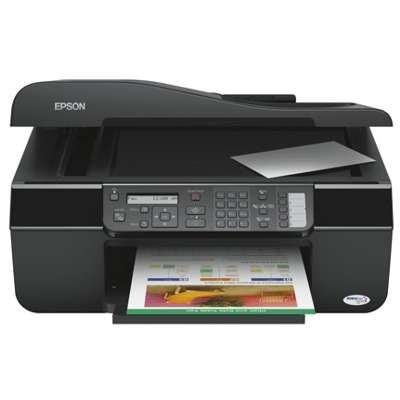
Epson Stylus Office BX300 F – a reliable all‑in‑one for everyday work The Epson Stylus Office BX300 F (also searched as Epson BX300 F, BX300F, BX300 f or code C11CA17301) is a practical inkjet multifunction device designed for home offices and small businesses. It prints documents, scans and copies efficiently, and thanks to separate ink tanks it lets you replace only the colour you actually use up. To keep this printer working at its best, you simply need the right ink for Epson Stylus Office BX300 F—and that’s exactly what we focus on in this category. Ink for Epson BX300 F: what matters in daily printing When choosing an ink cartridge for Epson Stylus Office BX300 F, most customers look for three things: crisp black text, clean colour graphics and stable performance over time. This model typically uses sets from the T071x and T089x families, so it’s worth matching the cartridge series to what your printer supports and what you print most often. In our range you’ll find ink cartridges for quick everyday documents, invoices, school prints and occasional colour pages. We also offer fluids for cleaning—a smart add‑on if your printer has been unused for a while or if you notice gaps in printouts. Compatible, Original OEM and refill components – one place, many options We want you to have freedom of choice. That’s why in the “Ink cartridges for Epson Stylus Office BX300 F – compatible and original OEM” category we combine: - Original OEM ink for Epson Stylus Office BX300 F – manufacturer cartridges for those who prefer factory solutions.
- Compatible ink for Epson BX300 F – carefully selected replacements. Our compatible cartridges from DrTusz.pl are as good as the originals in everyday use: reliable, cost‑effective and designed to deliver clear prints.
- Refill components – for users who like to plan ahead and optimise printing costs.
- Cleaning fluids – helpful when print quality drops due to dried nozzles or long breaks between prints.
Popular cartridges and sets for Epson Stylus Office Series (BX300 F) To make shopping easier, we stock both single colours and convenient multi packs. Customers often choose complete sets to avoid running out of a colour mid‑job. Among the most popular products you’ll find: - Compatible Ink Cartridges T0715 for Epson (C13T07154010) (multi pack) and 3x Compatible Ink Cartridges T0715 (multi pack) – great for regular printing with a balanced colour set.
- Compatible Ink Cartridge T0711 (C13T07114010) (Black) and the cost‑saving Compatible Ink Cartridges T0711 (DT-AE-711/F) (Black) (4xpack) – ideal if you mainly print text.
- Compatible Ink Cartridge T0712 (Cyan), T0713 (Magenta), T0714 (Yellow) – convenient when you only need to replace one colour.
- Compatible Ink Cartridges T0895 (C13T08954010) (multi pack) and Original OEM Ink Cartridges Epson T0895 (multi pack) – complete colour solutions for users who want everything in one box.
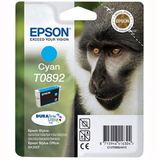
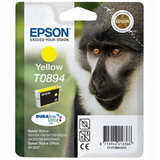
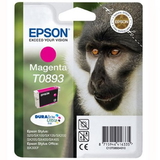
- Original singles such as Original OEM Ink Cartridge Epson T0891 (Black), T0892 (Cyan), T0893 (Magenta), T0894 (Yellow) and also Original OEM Ink Cartridge Epson T0711 (Black) plus Original OEM Ink Cartridges Epson T0711 (Black) (2-pack).
- Specialistic Fluid for Cleaning Heads Epson 250 ml (Universal) – a practical choice when the printer starts printing faintly or with missing lines.
How to choose the right ink cartridge for Epson BX300 F If you’re not sure which ink for Epson BX300 F is best, we recommend this simple checklist: - Check the cartridge symbol currently installed (most often T0711–T0714 / T0715 or T0891–T0894 / T0895).
- Choose Black wisely: for frequent documents, a multi‑pack or black value pack (e.g., 2‑pack or 4xpack) reduces the cost per page.
- Decide between Original OEM and Compatible: Original OEM is the classic manufacturer option; our compatible ink cartridge for Epson Stylus Office BX300 F is a strong alternative if you want excellent quality while keeping printing costs under control.
- Add cleaning fluid if you print rarely, store the printer for long periods, or see quality issues—this often saves time and prevents ink waste from repeated cleaning cycles.
Common BX300 F printing issues – and what helps With inkjet printers like the Epson Stylus Office BX300 F, the most common problems are usually ink‑related and easy to address: - Missing lines / streaks – often caused by partially clogged nozzles; a head cleaning cycle and, when needed, a cleaning fluid can help.
- Faded colours after a long break – fresh cartridges and a gentle cleaning routine restore normal output.
- Printing stops because one colour is empty – keeping a spare single colour cartridge or choosing a multi pack (T0715 or T0895) prevents downtime.
- High printing costs – switching to a high‑value compatible ink for Epson Stylus Office BX300 F or multipacks is often the simplest solution.
Order ink for Epson Stylus Office BX300 F with confidence We encourage you to browse the products in this category and select the best ink cartridge for Epson Stylus Office BX300 F for your needs—whether you prefer Original OEM, a reliable compatible option, or practical extras like fluids for cleaning. If you have any doubts about compatibility with Epson Stylus Office Series devices or you’re unsure whether your printer uses T071x or T089x cartridges, contact us—we’ll help you choose quickly and accurately. CTA: Choose your ink set today, add it to the cart, and keep your Epson BX300 F printing smoothly. We offer fast delivery options and friendly support—so you can get back to printing without unnecessary delays. |