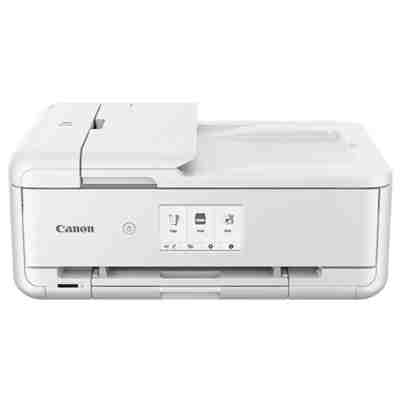
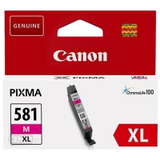
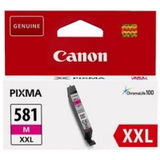
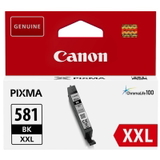
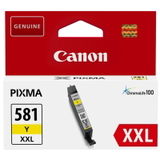
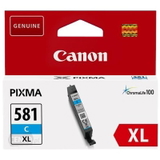
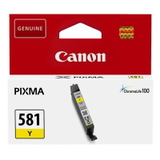
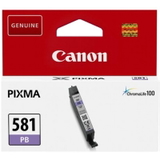
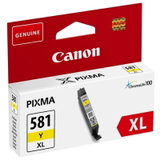
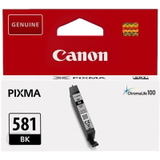
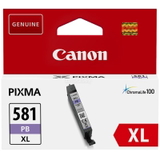
Canon Pixma TS9551C – a creative A3-capable all‑in‑one for home and small office Canon Pixma TS9551C (also searched as Canon TS9551C, TS9551 C, TS9551c or code 2988C026) is a versatile inkjet All‑in‑One designed for people who expect more than simple documents. It handles everyday printing, copying and scanning, and it’s especially valued for creative projects, photos, invitations and office materials where sharp text and rich colours matter. To keep this printer performing at its best, you need reliable ink for Canon Pixma TS9551C—and that’s exactly what we specialize in. What makes ink for Canon Pixma TS9551C so important? The TS9551C uses a separate ink system based on the PGI‑580 (pigment black for crisp text) and CLI‑581 (colour + photo black/blue photo for smooth gradients and vivid photos). Choosing the right ink cartridge for Canon TS9551C directly affects: - Text quality (deep, readable black with PGI pigment ink)
- Photo colour accuracy (CLI colours for natural skin tones and strong contrast)
- Print longevity (good ink reduces fading and streaking)
- Printer reliability (stable ink flow helps protect the print head)
Whether you print a few pages a week or run frequent A3 projects, we make it easy to match the right capacity—standard, XL or XXL—to your real printing habits. Original OEM and Compatible cartridges – one place, every option In our category you will find both Original OEM ink for Canon Pixma TS9551C and carefully selected compatible ink cartridges for Canon Pixma TS9551C. Many customers like to mix: original black for office text, compatible colours for cost‑effective everyday graphics. And if you print a lot, multipacks are an efficient way to keep all colours ready when you need them. Popular choices from this category include: - Compatible Ink Cartridge PGI-580 XXL PGBK for Canon (1970C001) (Black) – high capacity black for heavy text printing
- Compatible Ink Cartridges PGI-580/CLI-581 XXL CMYK for Canon (1970C001, 1998C005) (multi pack) – a convenient full set for frequent printing
- Original OEM Ink Cartridges Canon PGI-580/CLI-581 CMYK (2078C005) (multi pack) – official Canon set for users who want OEM from start to finish
- Original OEM Ink Cartridges Canon CLI-581 XXL CMYK (1998C005) (4xpack) – high yield colours for photo and colour-heavy work
- Specialistic Fluid for Cleaning Heads Canon 250 ml (Universal) – helpful when prints show gaps, fading or colour shifts
We also stock individual colours so you can replace only what you’ve used—cyan, magenta, yellow, photo black and blue photo—without buying a full set every time. How to choose the best ink cartridge for Canon Pixma TS9551C When selecting ink for printer Canon Pixma TS9551C, we recommend focusing on three simple factors: - Your print volume: choose XL/XXL if you print often—fewer replacements and better cost per page.
- What you print: for text-heavy documents, prioritize PGI‑580 PGBK; for photos and colour graphics, make sure your CLI‑581 colours are stocked.
- Your budget and preferences: Original OEM offers manufacturer-certified consistency; compatible is the smart choice for savings—without compromising results when sourced from a trusted store.
Our compatible cartridges from DrTusz.pl are designed to be as good as the originals in everyday use: clean prints, stable colour, and dependable performance. If you’re unsure which version fits your needs, we’re happy to help you decide. Original vs compatible ink for Canon TS9551C – practical differences - Original OEM ink: best for users who want Canon’s official solution, especially for colour-critical work and strict office requirements.
- Compatible ink: excellent for home, school and small-office printing where you want lower running costs while maintaining high print quality.
Both options in this category are clearly labeled (PGI‑580 / CLI‑581, XL / XXL, single colours or multipacks), so you can buy with confidence and avoid mismatches. Common user issues with Canon Pixma TS9551C—and how we help Even a great printer like the TS9551C can occasionally run into typical inkjet problems. The most frequent ones include: - Faded prints or missing lines – often caused by partially dried nozzles; our cleaning fluid and the printer’s cleaning cycle can restore quality.
- Wrong colours or dull photos – usually linked to an empty CLI colour or a clogged channel; replacing the right CLI‑581 cartridge helps immediately.
- Ink running out too fast – choosing XXL cartridges or a CMYK multipack typically reduces cost per page and prevents last‑minute shortages.
- Confusion over “black” inks – TS9551C uses more than one “black”: PGI‑580 PGBK for text and CLI‑581 BK for photo/colour work. We stock both in original and compatible versions.
If you tell us what you print most often (documents, photos, creative projects), we’ll suggest the best ink cartridge for Canon Pixma TS9551C configuration for your routine. Choose your cartridges, add a printer, and keep printing without interruptions This category includes not only ink cartridges (original and compatible) but also the All‑In‑One Printer Canon Pixma TS9551C itself—ideal if you’re setting up a new workspace or replacing an older device. Add to that fluids for cleaning and refill-related components, and you can build a complete, practical printing setup in one order. CTA: We encourage you to browse our full range of ink for Canon Pixma TS9551C, choose the best PGI‑580/CLI‑581 cartridges (single colours or multipacks), and stock up on cleaning fluid for peace of mind. If you have any questions about compatibility or which XL/XXL option to pick, contact us—our team will help you quickly. We also ensure fast processing and convenient delivery options, so you can get back to printing as soon as possible. |