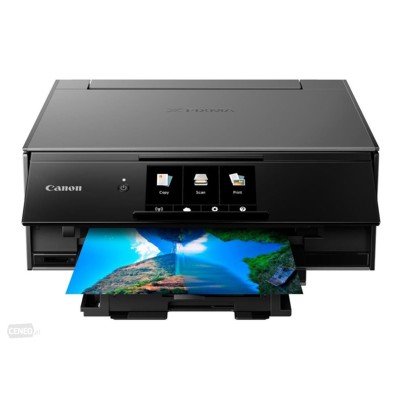
Canon Pixma TS9150 – a photo-friendly all-in-one that deserves the right ink The Canon Pixma TS9150 (also searched as Canon TS9150, Canon Pixma TS or product code 2231C006) is a compact, stylish all-in-one inkjet designed for everyday home and creative printing. It’s great at colorful documents and especially strong at photo output, thanks to its multi-ink system and precise droplet control. To keep that quality consistent, choosing the right ink for Canon Pixma TS9150 matters—both for vibrant color and reliable performance. Ink for Canon TS9150 – what you print, how you print, and why cartridges matter The TS9150 uses a combination of pigment black for crisp text and dye-based colors for smooth gradients and rich photos. This is why the right Canon Pixma TS9150 ink cartridge impacts everything: sharp letters, deep blacks, skin tones, and how well prints resist smudging. In this category you’ll find ink cartridges in multiple capacities (standard, XL, XXL), as well as color inks and a fluid for cleaning to help maintain excellent nozzle condition. - Pigment Black (PGBK) – ideal for clear text and office-style documents.
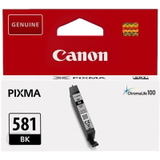
- Photo Black (BK) – supports deeper tones in images and photo prints.
- Cyan / Magenta / Yellow (C/M/Y) – vivid colors for graphics and photos.
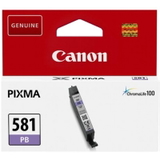
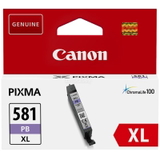
- Photo Blue (PB) – helps with smoother skies, gradients and photo realism.
Whether you print school materials, business documents, or borderless photos, we help you choose the best ink for Canon Pixma TS9150 for your needs and budget. Original OEM and compatible cartridges – wide choice, easy matching We stock both Original OEM Canon cartridges and carefully selected compatible alternatives. Many customers like to mix-and-match: OEM for critical photo jobs, compatible for everyday printing. Either way, the key is correct compatibility with the PGI-580 / CLI-581 family (including XL and XXL). In our selection you’ll find popular options like: - Compatible Ink Cartridge PGI-580 XXL PGBK for Canon (1970C001) (Black) – great for frequent text printing at a lower cost per page.
- Compatible Ink Cartridges PGI-580/CLI-581 XXL CMYK for Canon (1970C001, 1998C005) (multi pack) – a convenient set for everyday home printing.
- Original OEM Ink Cartridges Canon PGI-580/CLI-581 CMYK (2078C005) (multi pack) – a trusted OEM bundle for consistent results.
- Original OEM Ink Cartridges Canon CLI-581 XXL CMYK (1998C005) (4xpack) – high-yield color for people who print a lot.
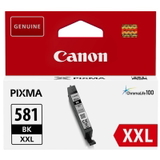
- Original OEM Ink Cartridge Canon PGI-580 XXL PGBK (1970C001) and PGI-580 XL PGBK (2024C001) – choose your capacity depending on how often you print.
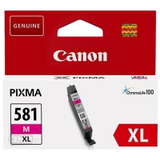
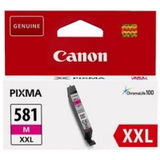
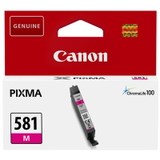
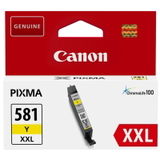
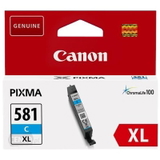
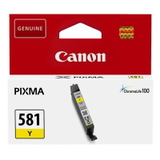
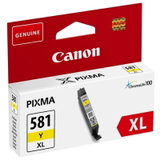
Need individual colors? We offer both compatible and OEM singles such as CLI-581 XXL C (1995C001), CLI-581 XXL M (1996C001), CLI-581 XXL Y (1997C001), CLI-581 XXL BK (1998C001), and CLI-581 XXL PB (1999C001), plus XL and standard versions like CLI-581 XL and CLI-581. How to choose the best ink cartridge for Canon Pixma TS9150 When customers ask us which ink for Canon TS9150 is “the best,” we recommend deciding based on printing style and expectations: - Print often? Choose XL/XXL cartridges to reduce replacement frequency and lower running costs.
- Print photos regularly? Make sure you include Photo Blue (PB) and Photo Black (BK) for smooth, natural-looking images.
- Prefer maximum predictability? Choose Original OEM Canon cartridges.
- Want excellent value without giving up quality? Pick our compatible cartridges—they’re designed to deliver results as good as originals in everyday use and photo printing, while keeping costs under control.
A practical tip: if your printer is used occasionally, don’t wait until every cartridge is empty. Keeping a spare Canon Pixma TS9150 ink cartridge at home helps avoid interrupted prints and rushed purchases. Common TS9150 printing issues – and how we help you fix them The Canon Pixma TS9150 is reliable, but like any inkjet, it can run into typical ink-related issues. The good news: most are easy to solve with the right supplies and maintenance. - Faded colors or missing lines – often caused by partially clogged nozzles. We recommend a cleaning cycle and, when needed, using a dedicated product like Specialistic Fluid for Cleaning Heads Canon 250 ml (Uniwersalny).
- Printer says “ink empty” too quickly – check whether you’re using a small-capacity cartridge; switching to XL/XXL usually improves cost-efficiency.
- Smudges on photos – ensure you’re using the correct paper type settings and fresh ink; photo printing benefits from the full color set including PB and BK.
- Wrong cartridge purchased – look for the codes: PGI-580 (pigment black) and CLI-581 (colors). If you search by code like 1970C001 or 1998C005, you’ll land on the exact match faster.
If you’re unsure, we’ll help you choose the correct ink for Canon Pixma TS9150—single cartridge, 4xpack, or CMYK multipack. Printers and supplies in one place – convenient shopping, expert support This category includes not only Cartridges Inkjet (original and compatible), but also the device itself: All-In-One Printer Canon Pixma TS9150. If you’re replacing your old unit or adding a home photo printer, you can match the printer and the correct Canon TS9150 ink in one order. We also offer refill components and maintenance solutions, so your printer stays in top shape for longer. Choose your Canon Pixma TS9150 ink today We encourage you to explore our full selection of ink cartridges for Canon Pixma TS9150—OEM for maximum predictability and compatible options for excellent value with quality you can trust. Add the right multipack, top up the missing color, or include a cleaning fluid to keep printing smooth and hassle-free. CTA: View the available cartridges and bundles now, and if you need help choosing the best ink for Canon Pixma TS9150, contact us—our team will quickly guide you to the right product. We ship fast and pack securely, so your inks arrive ready to print. |