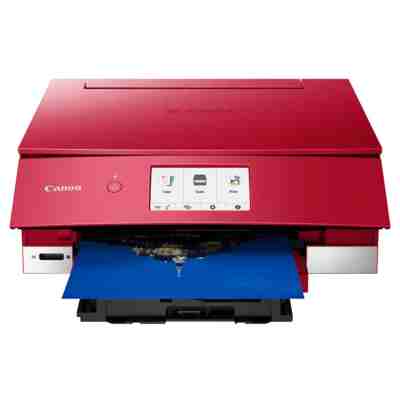
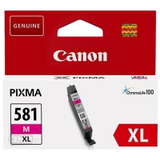
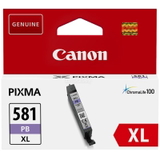
Canon Pixma TS8352 – photo-quality printing at home The Canon Pixma TS8352 is a stylish, compact inkjet printer designed for people who expect more than basic documents. It’s great for everyday home printing, school materials, creative projects, and—most importantly—high-quality colour photos. Thanks to its multi-ink system, the TS8352 can deliver smooth gradients, deep blacks and vivid colours, but it also means choosing the right ink for Canon Pixma TS8352 is essential for reliable results and cost control. What inks does the Canon TS8352 use and why does it matter? This model works with the Canon PGI-580 (pigment black for sharp text) and Canon CLI-581 colour/photo cartridges (for rich colour and photo detail). When your ink is fresh and well-matched to the printer, you get: - crisp documents (especially with PGI black),
- natural-looking photos with smooth tones (CLI colours),
- stable performance and fewer print interruptions,
- predictable colour reproduction for creative work.
In our category you’ll find ink cartridges for Canon Pixma TS8352 in several options: Original OEM, reliable Compatible cartridges (with DrTusz.pl quality you can trust), and practical refill components, plus fluids for cleaning to keep your printer in top condition. Original OEM vs compatible ink for Canon Pixma TS8352 Choosing between original Canon ink for TS8352 and compatible alternatives depends on what you print and how often. Here’s how we recommend thinking about it: - Original OEM cartridges – best if you want maximum brand-consistent colour accuracy, you print a lot of photos, or you simply prefer OEM supplies for peace of mind.
- Compatible cartridges – a smart option if you want excellent quality with better cost-per-page. Our compatible ink for Canon Pixma TS8352 is designed to perform just as well as originals in everyday use, while keeping printing affordable.
- XL / XXL capacity – ideal if you print frequently. Larger cartridges reduce how often you replace ink and usually lower the cost per page.
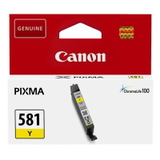
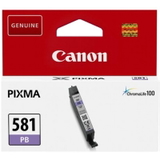
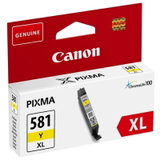
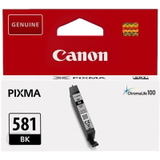
Whether you pick OEM or compatible, we make it easy to match the correct series: PGI-580 for pigment black text, and CLI-581 for photo black and colours (cyan, magenta, yellow, and photo blue in selected sets). Popular cartridges and sets we stock for TS8352 If you want convenience, multi-packs are often the most practical way to keep your printer ready. Customers printing mixed documents and photos often choose: - Compatible Ink Cartridges PGI-580/CLI-581 XXL CMYK (multi pack) – a high-capacity set for frequent printing and strong savings.
- Original OEM Ink Cartridges Canon PGI-580/CLI-581 CMYK (multi pack) – the OEM all-round choice for balanced office and photo work.
- Original OEM Ink Cartridges Canon CLI-581 XXL CMYK (4xpack) or Original OEM Ink Cartridges Canon CLI-581 XL CMYK (4xpack) – great when colour printing dominates your workload.
- Compatible Ink Cartridges CLI-581 XXL CMYK (4xpack) – a cost-effective way to keep colour inks topped up.
Prefer to replace only what’s empty? We also offer single cartridges like: - PGI-580 XXL PGBK (black) in Original OEM and Compatible versions,
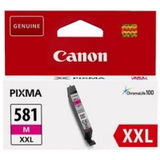
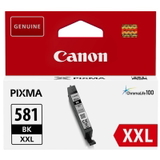
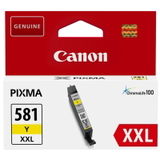
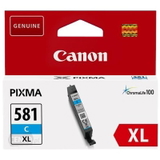
- CLI-581 XXL individual colours: Cyan (C), Magenta (M), Yellow (Y), plus Black Photo (BK) and Photo Blue (PB) in both OEM and compatible variants (depending on the exact item).
Thanks to this variety, you can fine-tune your purchase—choose an ink cartridge for Canon TS8352 exactly in the colour and capacity you need. Common Canon Pixma TS8352 ink issues—and how we help solve them Home photo printers are brilliant, but they can be sensitive to irregular use. Typical issues reported by TS8352 users include: - streaks or missing lines (often after a longer break in printing),
- faded colours or uneven photo areas,
- “cartridge not recognized” messages after replacement,
- fast colour depletion when printing photos or graphics-heavy pages.
Our practical tip: if prints start to look uneven, don’t rush into replacing everything. First, run the printer’s cleaning/nozzle check procedure. If you need extra support, we also offer maintenance supplies like Specialistic Fluid for Cleaning Heads Canon 250 ml (Universal)—a helpful option when you want to maintain printhead performance and improve ink flow (especially useful if the printer stands unused for longer periods). How to choose the right ink for Canon Pixma TS8352 To pick the best ink for Canon Pixma TS8352, we suggest a simple checklist: - Match the code: PGI-580 for pigment black text; CLI-581 for photo/colour inks.
- Select capacity: choose XL/XXL if you print often or dislike frequent replacements.
- Decide on usage: photos and creative projects benefit from complete colour sets; document-heavy users should keep a larger PGI black on hand.
- Choose OEM or compatible: OEM for brand-original workflow; compatible for excellent quality and better everyday economy—our DrTusz.pl compatible cartridges are made to be as good as the originals in real home printing.
Order today—keep your TS8352 ready for every print We encourage you to explore our full range of ink cartridges for Canon Pixma TS8352: Original OEM, Compatible, and refill/maintenance solutions, including cleaning fluids. If you’re unsure which cartridge you need (PGI-580 vs CLI-581, XL vs XXL, single colour vs multipack), contact us—we’ll help you choose quickly and correctly. Check the available Canon TS8352 ink options now, add the right cartridges to your basket, and enjoy fast, convenient delivery—so your printer is ready exactly when you need it. |