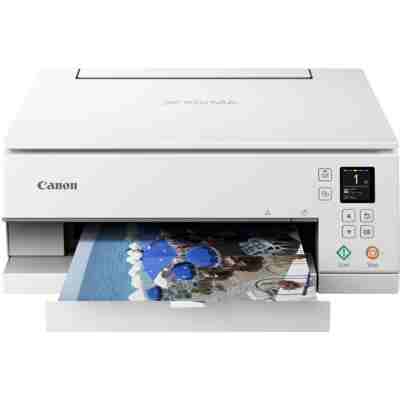
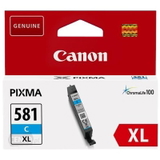
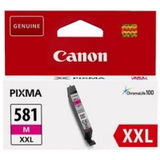
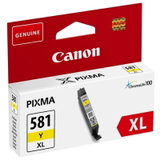
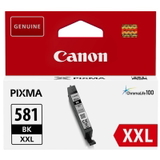
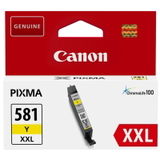
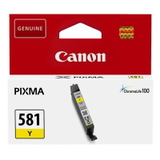
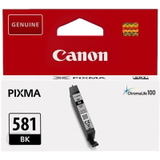
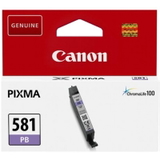
Canon Pixma TS6351 – a versatile home photo printer The Canon Pixma TS6351 (also searched as Canon TS6351 or Canon Pixma TS) is a popular all‑in‑one inkjet printer designed for everyday documents and high-quality colour prints. It’s chosen for its sharp text, vivid photos, and convenient operation at home or in a small office. To keep it printing at its best, you simply need the right ink for Canon Pixma TS6351—and in this category we’ve gathered both Original OEM cartridges and reliable Compatible alternatives, plus fluids for cleaning to help maintain print quality. Which ink cartridges does the Canon Pixma TS6351 use? This model works with the Canon PGI/CLI system: a pigment black cartridge for crisp documents and dye-based colour cartridges for smooth gradients and photo quality. Choosing the correct ink for printer Canon Pixma TS6351 means matching the series and capacity to your printing style—standard, XL, or XXL for more pages and fewer replacements. - PGI-580 PGBK – pigment black for sharp text and office documents
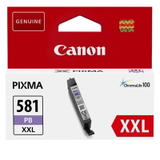
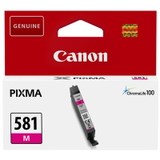
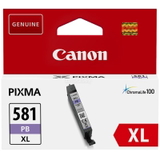
- CLI-581 colours – photo black, cyan, magenta, yellow, and photo blue for rich colour output
- XL / XXL capacities – higher yield, better convenience for frequent printing
Whether you print invoices and homework or photos and creative projects, we make it easy to choose the right ink for TS6351—original or compatible—without guesswork. Original OEM vs Compatible ink for Canon Pixma TS6351 In our store you can choose between Original OEM ink cartridges and carefully selected Compatible ink cartridges. Original OEM cartridges are made by Canon and are a great choice if you want the manufacturer’s solution and consistent results across many paper types. At the same time, our compatible ink for Canon Pixma TS6351 is designed to deliver print quality and reliability that are just as good as the originals—while helping you significantly reduce printing costs. That’s why many customers choose compatible cartridges for everyday printing and keep OEM for specific colour-critical tasks. - Original OEM: Canon-made, excellent colour accuracy and predictable performance
- Compatible: great value, strong everyday reliability, quality comparable to OEM
- Refill components: for users who want to maintain cartridges and optimise costs even further
Popular choices in this category (OEM and Compatible) We stock a wide range of inks, from single cartridges to convenient multipacks. Here are a few customer favourites for ink for Canon TS6351: - Compatible Ink Cartridge PGI-580 XXL PGBK for Canon (1970C001) (Black) – high yield pigment black for frequent document printing
- Compatible Ink Cartridges PGI-580/CLI-581 XXL CMYK for Canon (1970C001, 1998C005) (multi pack) – an easy way to restock key colours at once
- Original OEM Ink Cartridges Canon PGI-580/CLI-581 CMYK (2078C005) (multi pack) – a safe OEM set for mixed home use
- Original OEM Ink Cartridges Canon CLI-581 XXL CMYK (1998C005) (4xpack) – high yield colour pack for more printing with fewer swaps
- Compatible Ink Cartridges CLI-581 XXL CMYK for Canon (1998C005) (4xpack) – our cost-effective alternative for vivid colour output
Need a specific colour? You’ll also find single cartridges such as Compatible Ink Cartridge CLI-581 XXL C (1995C001), CLI-581 XXL M (1996C001), CLI-581 XXL Y (1997C001), as well as photo cartridges like CLI-581 XXL BK (1998C001) and CLI-581 XXL PB (1999C001)—available as Original OEM and Compatible options. How to choose the best ink for Canon Pixma TS6351 We encourage you to choose based on how you print: - For lots of text: focus on PGI-580 PGBK (preferably XL/XXL) for efficient, crisp black printing.
- For photos and colour projects: consider larger CLI-581 colour cartridges (XL/XXL) and multipacks to avoid running out mid-print.
- For convenience: choose a CMYK multipack—ideal for balanced home printing.
- For best cost per page: our compatible ink for Canon Pixma TS6351 and higher-capacity versions are the usual winners.
If you’re unsure which cartridge version is currently in your printer (standard vs XL/XXL), check the marking on the cartridge or compare it with the product names above—our descriptions make matching straightforward. Common TS6351 printing issues—and how we help Like many inkjet printers, the Canon Pixma TS6351 can occasionally show symptoms such as faded prints, missing lines, or incorrect colours—most often due to dried ink in the nozzles or long breaks between prints. That’s why, besides cartridges, we also offer maintenance products that customers genuinely use. - Streaks or missing colours: run the printer’s cleaning/nozzle check, and consider a cleaning solution if the issue persists.
- Clogged printhead after long downtime: a dedicated cleaning fluid can help restore flow and improve print quality.
- Frequent cartridge replacements: switch to XL/XXL to reduce downtime and improve convenience.
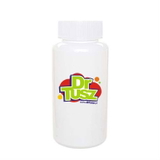
For maintenance, we recommend Specialistic Fluid for Cleaning Heads Canon 250 ml (Uniwersalny)—a practical addition for users who want stable results, especially when the printer isn’t used daily. Order your ink today – we’re here to help In this category you’ll find everything you need: Original OEM ink for Canon Pixma TS6351, high-quality compatible ink for Canon TS6351, and fluids for cleaning to keep your prints sharp and colours consistent. We encourage you to browse the available cartridges, choose single colours or a multipack, and enjoy hassle-free printing. Call to Action: Explore our selection now and pick the best ink for printer Canon Pixma TS6351 for your needs. If you want us to help you match the right PGI/CLI cartridges (or choose between OEM and compatible), contact us—we’ll guide you quickly so you can place your order with confidence. We ship fast and pack securely to make sure your inks arrive ready to print. |