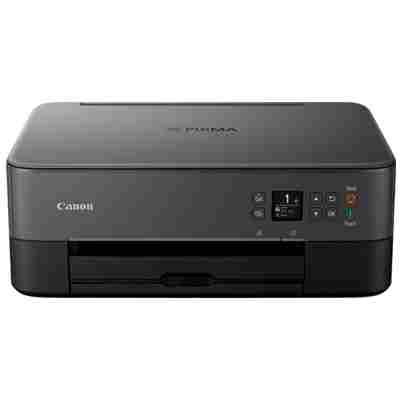
Canon Pixma TS5300 – a compact home printer that deserves reliable ink The Canon Pixma TS5300 series (also searched as Canon TS5300 or Canon Pixma TS) is a popular choice for everyday home printing. It’s designed for comfortable, fast use—documents for work or school, colourful graphics, and occasional photos. To keep your printer performing at its best, you need the right ink for Canon Pixma TS5300: consistent, efficient, and matched to the printer’s requirements. What ink cartridges work with Canon TS5300? This category includes ink cartridges for Canon Pixma TS5300 in two proven options: Original OEM and Compatible. The printer uses a black cartridge for crisp text and a tri-colour cartridge for vibrant colour prints. Depending on how much you print, you can choose standard capacity or XL versions for better cost-per-page. When you buy ink for Canon TS5300, you’re investing in: - Clear text for documents, homework and invoices (deep black, sharp edges).
- Strong colours for presentations, graphics and everyday colour printing.
- Stable performance that helps reduce smudging and fading in typical home use.
- Convenient printing thanks to the correct fit and reliable ink flow.
Original OEM vs compatible ink for Canon Pixma TS5300 – what’s the difference? Many customers ask us which option is best. The answer depends on your priorities—both choices can be excellent when selected correctly. - Original OEM ink cartridges (Canon-branded) are a safe choice if you want the manufacturer’s solution and predictable results across different print types.
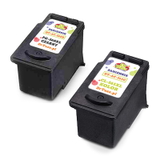
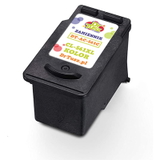
- Compatible ink cartridges are the smart option if you want to lower printing costs without giving up quality. Our compatible cartridges from DrTusz.pl are designed to deliver print quality and reliability comparable to originals—great for everyday documents and colour prints.
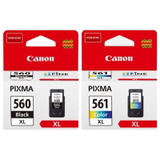
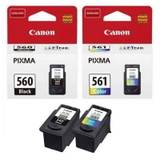
If you print frequently, we especially recommend XL capacity cartridges. Choosing an ink cartridge for Canon Pixma TS5300 in XL often means fewer replacements and a better price per page. Popular Canon Pixma TS5300 ink cartridges in our offer We make it easy to choose the right ink for Canon Pixma TS5300 by offering the most in-demand originals and high-quality compatibles in one place. In this category you’ll find, among others: - Original OEM Ink Cartridges Canon PG-560XL + CL-561XL (3712C008) (multi pack) – a great high-yield set for people who print a lot.
- Original OEM Ink Cartridges Canon PG-560 + CL-561 (3713C006) (multi pack) – a balanced choice for regular home use.
- Compatible Ink Cartridges PG-560XL + CL-561XL for Canon (3712C008) (multi pack) – maximum savings with XL efficiency in a convenient bundle.
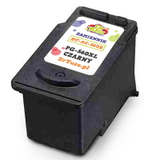
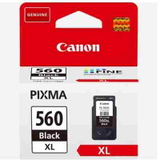
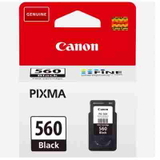
- Original OEM Ink Cartridge Canon PG-560 XL (3712C001) (Black) and Compatible Ink Cartridge PG-560 XL for Canon (3712C001) (Black) – perfect when you mainly print text.
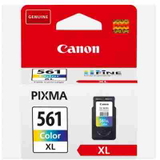
- Original OEM Ink Cartridge Canon CL-561 XL (3730C001) (Color) and Compatible Ink Cartridge CL-561 XL for Canon (3730C001) (Color) – for colourful documents, school projects and graphics.
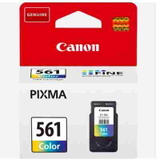
- Original OEM Ink Cartridge Canon PG-560 (3713C001) (Black) and Original OEM Ink Cartridge Canon CL-561 (3731C001) (Color) – standard-capacity originals for lighter printing needs.
Thanks to the selection of Original OEM and Compatible options, you can tailor your purchase to your printing habits and budget—without guessing. How to choose the best ink cartridge for Canon Pixma TS5300 To pick the right ink for printer Canon Pixma TS5300, we suggest a simple checklist: - Match the cartridge symbol: PG-560 / PG-560XL (Black) and CL-561 / CL-561XL (Color).
- Choose capacity: XL is ideal for frequent printing; standard is fine for occasional use.
- Think about your prints: text-heavy printing benefits from a higher-yield black cartridge; mixed printing works best with a multipack.
- Decide on OEM or compatible: OEM for manufacturer preference, compatible for excellent value—our compatibles are as good as the originals for everyday printing needs.
Common user issues with Canon TS5300 inks – and how we help With home printers like the Canon Pixma TS5300, the most common questions are practical. Here’s what customers typically experience and what to do: - “My printer says the cartridge is empty too quickly.” If you print often, choose an XL ink cartridge for Canon TS5300 to reduce replacement frequency.
- “Colours look weak or uneven.” Make sure you’re using a fresh colour cartridge (CL-561/CL-561XL). If the printer has been unused for a while, a cleaning cycle can help restore smooth colour output.
- “I mostly print documents.” Focus on the black cartridge (PG-560/PG-560XL). Many customers save the most by choosing an XL black compatible.
- “I’m not sure which cartridge fits TS5300.” Look for the product codes listed in this category and the printer phrase Canon Pixma TS5300 / TS5300 to ensure a perfect match.
If you’re unsure, we’re here to help you choose the right ink for Canon Pixma TS5300 quickly and confidently. Choose your Canon Pixma TS5300 ink today We encourage you to explore our category of ink cartridges for Canon Pixma TS5300—both Original OEM and Compatible. Whether you want maximum reliability or the best value for everyday printing, you’ll find the right cartridge or multipack here. CTA: Add the right ink for Canon TS5300 to your cart now, or contact us if you’d like a quick recommendation—we’ll help you choose the best option. We also offer fast delivery and friendly customer support, so you can get back to printing without delays. |