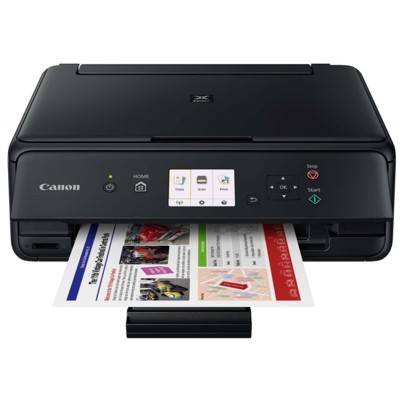
Canon Pixma TS5055 – a compact printer for everyday documents and photos Canon Pixma TS5055 (also searched as Canon TS5055, Canon Pixma TS or code 1367C009) is a popular home inkjet printer known for crisp text, vivid colour prints and convenient wireless printing. It’s a great choice for mixed use: school materials, work documents, and occasional photo printing. To keep it performing at its best, you need the right ink for Canon Pixma TS5055—and that’s exactly what we offer in this category: both Compatible and Original OEM ink cartridges. Which ink cartridges fit Canon Pixma TS5055? This model uses the well-known Canon cartridge family PGI-570 (pigment black for sharper text) and CLI-571 (dye colours for smooth gradients and photos). When you choose ink for Canon TS5055, you’ll typically combine: - PGI-570 PGBK – black for documents (also available in PGI-570 XL for higher yield),
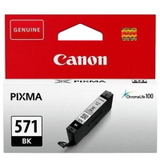
- CLI-571 BK – photo black (also in CLI-571 XL),
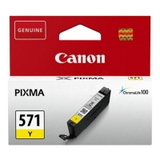
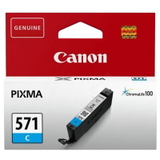
- CLI-571 C/M/Y – cyan, magenta and yellow (also in CLI-571 XL).
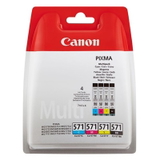
Thanks to this 5-cartridge system, you replace only the colour that runs out—saving time and reducing waste. Whether you print occasionally or frequently, we make it easy to match the right ink cartridge for Canon Pixma TS5055 to your needs. Compatible vs Original OEM – choose what fits your printing style In this category you’ll find both Original OEM Canon ink cartridges and carefully selected compatible ink cartridges. Original OEM cartridges are designed by Canon for predictable performance and consistent colour output—ideal if you want to stick to manufacturer-branded supplies. At the same time, many customers want a smart alternative without sacrificing quality. That’s why we also offer compatible options—our compatible cartridges from DrTusz.pl are as good as the originals in everyday printing: clear text, strong blacks and vibrant colours. If you print a lot (home office, school, projects), compatible ink for Canon Pixma TS5055 can significantly reduce cost per page while keeping excellent results. Popular ink for Canon Pixma TS5055 in our offer We stock single cartridges for quick replacements as well as convenient multi-packs for full colour coverage. Here are some of the most frequently chosen products in this category: - Compatible Ink Cartridges PGI-570/CLI-571 CMYK for Canon (0372C004) (multi pack) – a practical set for everyday printing.
- Original OEM Ink Cartridges Canon PGI-570/CLI-571 CMYK (0372C004) (multi pack) – the OEM choice for a complete refill.
- Compatible Ink Cartridges CLI-571 CMYK for Canon (0386C005) (4xpack) and Original OEM Ink Cartridges Canon CLI-571 CMYK (0386C005) (4xpack) – perfect if your colour cartridges run out more often than the pigment black.
- Original OEM Ink Cartridges Canon CLI-571 XL CMYK (0332C006) (multi pack) – higher-capacity colour set for frequent printing.
- Original OEM Ink Cartridge Canon PGI-570 XL PGBK (0318C001) (Black) and Compatible Ink Cartridge PGI-570 XL PGBK for Canon (0318C001) (Black) – a great option if you print a lot of text.
- Single colours in both versions, e.g. CLI-571 XL C/M/Y/BK and standard CLI-571 C/M/Y – for quick, targeted replacement.
So whether you need one cyan cartridge right now or a full set for the next few months, you can easily choose the right ink for printer Canon Pixma TS5055 without overbuying. How to pick the right cartridge (and avoid common issues) When choosing an ink cartridge for Canon TS5055, start with two questions: how much you print and what you print most often. - For frequent printing: choose XL cartridges (PGI-570 XL, CLI-571 XL). They offer higher yield and fewer replacements.
- For occasional printing: standard cartridges can be a budget-friendly option, especially in a multipack.
- For documents: make sure you have enough PGI-570 PGBK (pigment black), because it’s responsible for crisp, office-quality text.
- For photos and colour graphics: keep an eye on CLI-571 colours (C/M/Y) and CLI-571 BK.
Common user challenges with the Pixma TS series include messages about an “empty” cartridge, poor colour after long breaks, or streaks on printouts. In many cases, these are solved by: - running a nozzle check and printhead cleaning from the printer menu,
- replacing only the depleted colour (thanks to the separate tanks),
- choosing a fresh, properly matched cartridge (PGI-570 / CLI-571) and installing it carefully.
If you’re unsure whether you need 0372C001, 0318C001, 0331C001, 0332C001, 0333C001, 0334C001 or the multipacks like 0372C004 and 0386C005, we’re here to help you pick the best option for your exact printing habits. Order ink for Canon Pixma TS5055 with confidence We encourage you to explore our full selection of ink for Canon Pixma TS5055—compatible and Original OEM—so you can print reliably, economically, and with great quality. Add your chosen cartridges to the cart and stock up on the colours you use most, or pick a multi-pack for maximum convenience. Need help choosing the right ink for Canon TS5055? Contact us—our team will gladly advise you, so you can order the perfect cartridges and get back to printing without stress. We also ensure fast dispatch and secure packaging, so your new ink cartridges arrive ready for immediate installation. CTA: Check the available Canon PGI-570 and CLI-571 cartridges in this category and choose your preferred option—Original OEM or our high-quality compatible cartridges—today. |