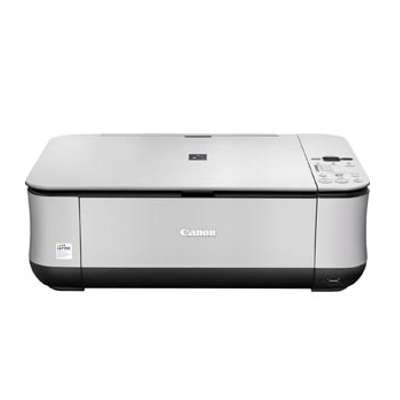
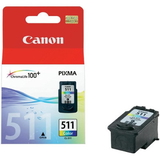
| The Canon Pixma MP250 (also found under names such as Canon MP250 and Canon MP200 Series) is a popular home all‑in‑one printer designed for everyday printing, copying and scanning. It’s valued for simple operation and good photo results on the right paper. To keep it working reliably and to maintain sharp text and vivid colour, choosing the right ink for Canon Pixma MP250 matters just as much as the printer itself. Ink for Canon Pixma MP250 – what you need to know The MP250 uses a two‑cartridge system: one black cartridge for documents and one tri‑colour cartridge for graphics and photos. In this category you’ll find both Original OEM and Compatible ink cartridges for Canon Pixma MP250, so you can match your purchase to your budget and printing style. Whether you print invoices, school materials or occasional photos, the right ink for Canon MP250 helps you achieve: - clean, readable black text for everyday documents,
- balanced colour reproduction for charts and images,
- stable performance with fewer interruptions during printing,
- easy replacement and quick return to work.
Looking for cartridge codes? This page covers popular identifiers and searches such as 3743B002 and models connected with the MP250 family. Original OEM and Compatible cartridges – one printer, two smart choices We offer two paths for your ink for Canon Pixma MP250: - Original OEM ink cartridges – Canon’s own cartridges, chosen by customers who want the manufacturer’s solution and consistent output for mixed printing.
- Compatible ink cartridges – a cost‑effective alternative. The compatible cartridges in our DrTusz.pl offer are designed to deliver print quality and reliability comparable to originals, while helping you reduce your cost per page.
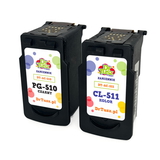
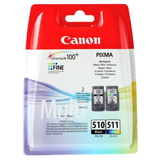
If you print frequently, compatible sets are often the best way to keep your MP250 ready for action without overspending. If you prefer to stay with the brand’s own consumables, OEM options are ready as well—either as single cartridges or convenient multi packs. Popular ink cartridges in this category (PG/CL series) To make selection easier, we stock the most commonly used cartridges for this model—both as singles and as value bundles. Here are some customer favourites: - Compatible Ink Cartridges PG-510 + CL-511 for Canon (2970B010) (multi pack) – a practical combo for everyday black-and-colour printing.
- Original OEM Ink Cartridges Canon PG-510 + CL-511 (2970B010) (multi pack) – the OEM bundle for users who want the classic Canon set.
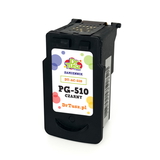
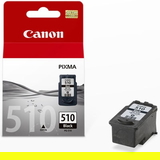
- Original OEM Ink Cartridge Canon PG-510 (2970B001) (Black) and Compatible Ink Cartridge PG-510 for Canon (2970B001) (Black) – for document-heavy printing.
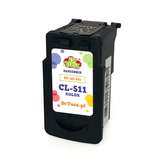
- Original OEM Ink Cartridge Canon CL-511 (2972B001) (Color) and Compatible Ink Cartridge CL-511 for Canon (2972B001) (Color) – for everyday colour graphics.
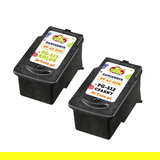
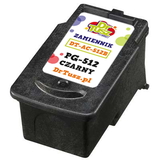
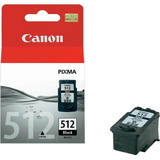
- Original OEM Ink Cartridge Canon PG-512 (2969B001) (Black) / Compatible Ink Cartridge PG-512 for Canon (2969B001) (Black) – an alternative black option for the same printer family.
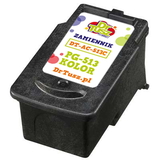
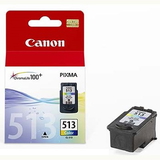
- Original OEM Ink Cartridge Canon CL-513 (2971B001) (Color) / Compatible Ink Cartridge CL-513 for Canon (2971B001) (Color) – for users who want strong colour results.
- Compatible Ink Cartridges PG-512/CL-513 for Canon (DT-AC-512/K) (multi pack) – a popular compatible set when you want a complete refresh in one purchase.
Thanks to this range, you can easily choose a single cartridge when one colour runs out, or pick a multi pack to avoid downtime. How to choose the right ink for Canon MP250 When selecting ink for Canon Pixma MP250, we recommend: - Check the cartridge symbol currently in your printer (PG for black, CL for colour; most often PG‑510/PG‑512 and CL‑511/CL‑513).
- Decide how you print: for lots of text pages, prioritise a black cartridge; for school projects and photos, keep a spare colour cartridge.
- Choose OEM vs compatible: OEM is the manufacturer’s solution; compatible is a smart way to lower printing costs—our compatible cartridges are designed to be as good as originals in everyday use.
- Consider a multi pack if you print regularly—having both cartridges ready means fewer interruptions.
Common MP250 printing issues and how cartridges can help Users of the MP200 series sometimes report problems like faded prints, missing colours, streaks, or the printer showing a low‑ink message sooner than expected. In many cases, these issues can be solved with practical steps: - Streaks or missing lines – run the printer’s built‑in cleaning/nozzle check and make sure the cartridge is properly seated.
- Faded black or weak colours – replace the specific cartridge that’s depleted (black or colour) instead of waiting for total failure.
- Ink message or recognition problems – remove and reinsert the cartridge, confirm you’ve installed the correct PG/CL model, and keep contacts clean and dry.
Choosing a fresh, well‑matched ink cartridge for Canon Pixma MP250—OEM or our proven compatible option—often restores normal print quality immediately. Order ink for Canon Pixma MP250 from us We make it easy to find the right ink for Canon MP250 by offering both Original OEM and carefully selected Compatible ink cartridges, plus best‑selling multi packs for convenience. If you’re unsure whether you need PG‑510, PG‑512, CL‑511 or CL‑513, we’re here to help you choose the correct cartridge quickly. CTA: Browse the products in this category, pick the OEM or compatible set that fits your printing needs, and place your order today. If you have any questions about compatibility with Canon Pixma MP250 or the Canon MP200 Series, contact us—we’ll guide you to the best option and help you get back to printing without delay. |