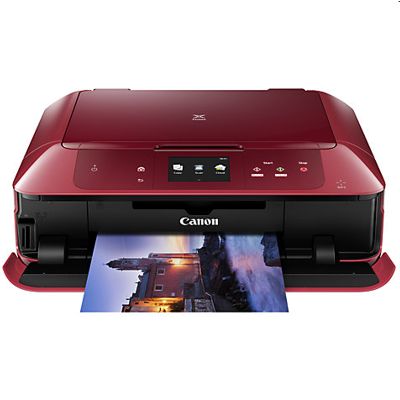
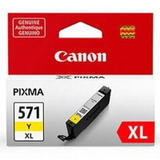
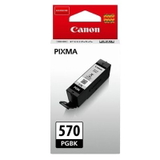
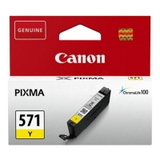
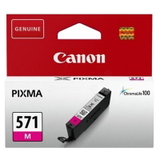
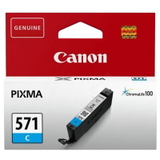
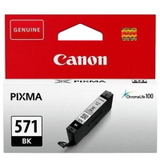
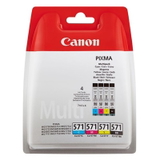
Canon Pixma MG7752 – a photo-ready multifunction printer for home and small office The Canon Pixma MG7752 (also searched as Canon MG7752 or Canon MG7000 Series) is a versatile inkjet printer designed for people who expect more than just basic documents. It’s popular thanks to its excellent colour reproduction, sharp text, and strong photo performance. To keep that quality consistent, it’s worth choosing the right ink for Canon Pixma MG7752—whether you prefer reliable Original OEM cartridges or high-quality Compatible cartridges that deliver comparable results at a better price. Which ink cartridges does Canon MG7752 use? This model works with the well-known Canon cartridge family: PGI-570 (pigment black for crisp text) and CLI-571 (dye colours for smooth photos and graphics). In our category you’ll find both standard and XL versions, single colours and convenient multipacks—so you can buy exactly what you need, without overpaying or running out at the wrong moment. - PGI-570 PGBK / PGI-570 XL PGBK – deep pigment black for documents
- CLI-571 colours (C/M/Y/BK) – vibrant dye inks for everyday colour printing
- CLI-571 XL – higher yield for frequent printing
- CLI-571 Gray (G / XL G) – better tonal transitions, especially in photos
Printing results you can see: everyday documents, school projects and photos Choosing the right ink for printer Canon Pixma MG7752 directly affects print quality. Pigment black (PGI) helps keep text sharp and readable, while the CLI dye inks produce smooth gradients and rich colours—ideal for photos, presentations, invitations, and creative work. If you print often, we recommend XL cartridges or multipacks: fewer replacements, more convenience, and a lower cost per page. Our range: Original OEM and Compatible ink for Canon Pixma MG7752 We offer a broad selection of ink cartridges for Canon MG7752 in two classes: Original OEM and Compatible. That means you can choose based on your budget and printing habits, without compromising your expectations. Looking for a quick refill of one colour? Prefer a complete set? You’ll find both here. Popular choices in this category include: - Compatible Ink Cartridges PGI-570/CLI-571 CMYK (0372C004) (multi pack) and Original OEM Ink Cartridges Canon PGI-570/CLI-571 CMYK (0372C004) (multi pack) – convenient sets for everyday printing
- Compatible Ink Cartridge PGI-570 XL PGBK (0318C001) (Black) and Original OEM Ink Cartridge Canon PGI-570 XL PGBK (0318C001) (Black) – best for high-volume text printing
- Original OEM Ink Cartridges Canon CLI-571 XL CMYK (0332C006) (multi pack) – a strong option for frequent colour printing
- Single colour replacements like Compatible Ink Cartridge CLI-571 XL C (0332C001), CLI-571 XL M (0333C001), CLI-571 XL Y (0334C001), plus matching Original OEM versions
- Photo-supporting options such as Compatible Ink Cartridge CLI-571 XL G (0335C001) (Gray) and Original OEM Ink Cartridge Canon CLI-571 XL G (0335C001)
How to choose the best cartridge: OEM vs Compatible (and when XL makes sense) If you want maximum peace of mind and the manufacturer’s specification, choose Original OEM ink cartridges for Canon Pixma MG7752. If you print a lot and want to reduce costs, our Compatible ink for Canon Pixma MG7752 is a smart alternative—our compatible cartridges are engineered to be just as good in everyday use: clear text, strong colours, and reliable operation. - Choose XL if you print frequently (work, school, photo projects) or don’t want to replace cartridges often.
- Choose multipacks if you want the best value and to keep all colours ready.
- Choose single cartridges when one colour runs out first (very common with cyan/magenta/yellow).
Common MG7752 user issues—and how the right ink helps Users of the Canon MG7000 Series often report a few typical situations: colours running out unevenly, frequent warnings about low ink, or occasional print quality drops after long breaks (faded lines, missing colour). In most cases, the solution is simple: replace the empty colour with the correct PGI-570 or CLI-571 cartridge (standard or XL), and keep a spare set on hand if you print regularly. If you print photos, adding or refreshing the CLI-571 Gray cartridge can also help maintain smooth tonal transitions. Order ink for Canon Pixma MG7752 with confidence We make it easy to choose the right ink cartridge for Canon Pixma MG7752—Original OEM or Compatible—so you can print exactly the way you want: cost-effectively, reliably, and with great quality. We encourage you to browse the products in this category, compare standard vs XL yields, and pick a single cartridge or a multipack that matches your printing style. CTA: Add your chosen cartridges to the cart now, or contact us if you want help matching the right PGI-570/CLI-571 set to your Canon MG7752. We’re here to help, and we’ll get your order prepared for fast delivery. |