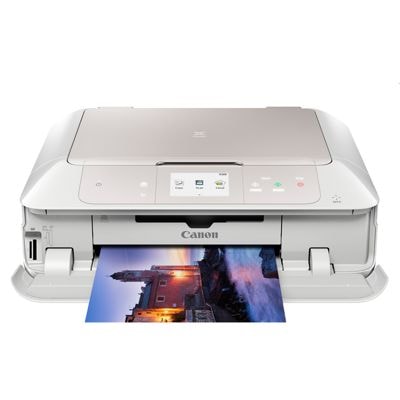
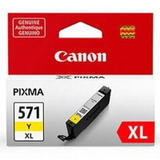
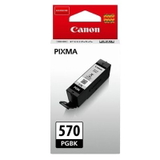
Canon Pixma MG7751 – a versatile photo-and-home office printer Canon Pixma MG7751 (also searched as Canon MG7751 or Canon MG7000 Series) is a popular all‑in‑one inkjet designed for everyday documents and high-quality colour photos. It’s valued for sharp text, smooth gradients and reliable wireless printing—provided you use the right ink for Canon Pixma MG7751. In this category we’ve gathered both Original OEM and carefully selected compatible ink cartridges that match the printer’s requirements, so you can print confidently at home, in a small office or for school projects. What ink cartridges does Canon Pixma MG7751 use? The MG7751 uses the well-known Canon system: PGI-570 for pigment black (great for crisp documents) and CLI-571 for colour printing and photo work. Depending on your needs you can choose standard or XL versions to reduce cartridge changes. When you pick ink for printer Canon Pixma MG7751 from the PGI‑570/CLI‑571 family, you ensure proper colour reproduction, stable nozzle work and predictable page yields. - PGI-570 PGBK – pigment black for sharp text and office documents
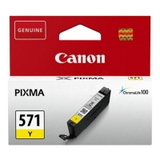
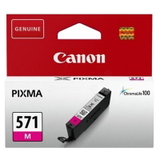
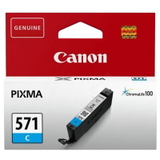
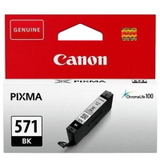
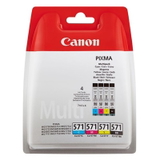
- CLI-571 colours for everyday colour prints and photos: Cyan, Magenta, Yellow, and Black
- CLI-571 XL G (Gray) – helps with smoother tones, especially in photo printing
- XL cartridges – higher capacity, better cost per page, fewer replacements
Print quality, everyday savings and the right match for your needs Choosing the right ink for Canon MG7751 depends on what you print most often. If you mainly print text, the pigment black PGI-570 is the workhorse. If you print photos, presentations, or colourful school materials, the CLI-571 colour set (and optionally Gray) gives smoother transitions and more natural shades. For many customers, XL versions are the most convenient: more pages, fewer interruptions and a lower overall cost. Compatible vs Original OEM – what’s the difference? We offer both options so you can choose what fits your priorities. Original OEM ink cartridges are made by Canon and are often chosen by customers who want to keep everything strictly brand‑aligned. Compatible ink cartridges are a great alternative when you want to reduce printing costs without sacrificing quality. Importantly, the compatible cartridges available in our DrTusz.pl offer are engineered to deliver results that are as good as the originals—with reliable performance, strong colour and clean text output. - Original OEM: predictable results, Canon-labelled cartridges, ideal for users who prefer manufacturer consumables
- Compatible: excellent value, very good print quality, a smart choice for frequent printing and budget control
- Multipacks: convenient, balanced replenishment of the most-used colours, often the best price-per-print option
Popular picks in our Canon Pixma MG7751 ink range To make shopping easier, we stock single cartridges and practical sets. Here are some customer favourites from this category: - Compatible Ink Cartridges PGI-570/CLI-571 CMYK for Canon (0372C004) (multi pack) – an easy start for everyday colour printing
- Original OEM Ink Cartridges Canon PGI-570/CLI-571 CMYK (0372C004) (multi pack) – OEM set for consistent results across black and colour
- Compatible Ink Cartridge PGI-570 XL PGBK for Canon (0318C001) (Black) and Original OEM Ink Cartridge Canon PGI-570 XL PGBK (0318C001) (Black) – high-capacity black for heavy document printing
- Original OEM Ink Cartridges Canon CLI-571 XL CMYK (0332C006) (multi pack) – a great option for frequent colour users
- Single colours when you only need one: Compatible Ink Cartridge CLI-571 XL C (0332C001), CLI-571 XL M (0333C001), CLI-571 XL Y (0334C001), CLI-571 XL BK (0331C001)
- For smoother photo tones: Original OEM Ink Cartridge Canon CLI-571 XL G (0335C001) (Gray) or Compatible Ink Cartridge CLI-571 XL G for Canon (0335C001) (Gray)
Whether you search for ink for Canon Pixma MG7751, ink for Canon MG7000 Series, or simply MG7751 ink, you’ll find both compatible and Original OEM options in one place. Practical tips and common MG7751 printing issues If your prints look faded, colours are missing, or black text isn’t crisp, the cause is often simple: an empty cartridge, a mismatched model, or an ink channel that needs a short cleaning cycle. With the Canon Pixma MG7751, customers most commonly report: - Missing colour / streaks – usually solved by replacing the depleted CLI colour and running a standard head cleaning
- Pale black text – check whether you’re using PGI-570 PGBK (pigment) for documents, and consider the XL version for frequent printing
- Frequent cartridge changes – switch from standard to XL cartridges or choose a multipack to stay stocked
- Uneven photo tones – using the full colour set (and Gray where needed) helps maintain smooth gradations
When choosing ink for printer Canon Pixma MG7751, we recommend matching the exact code (PGI‑570 / CLI‑571) and deciding between standard vs XL based on how much you print each month. If you print a mix of documents and colour materials, a CMYK multipack plus an XL black is often the most convenient setup. Order ink for Canon Pixma MG7751 with confidence We make it easy to pick the right cartridge—compatible or Original OEM—without guessing. Explore our selection of Canon Pixma MG7751 ink cartridges, choose singles or multipacks, and keep your printer ready for work whenever you need it. If you’re unsure which cartridge to choose for your MG7751, we encourage you to contact us—our team will help you match the correct ink for Canon MG7751 quickly. Add your preferred set to the cart and enjoy fast, convenient delivery straight to your door. CTA: Check the available Canon PGI-570 / CLI-571 cartridges in this category and pick the option that fits your printing style—Original OEM for brand consistency or our proven compatibles for outstanding value. |