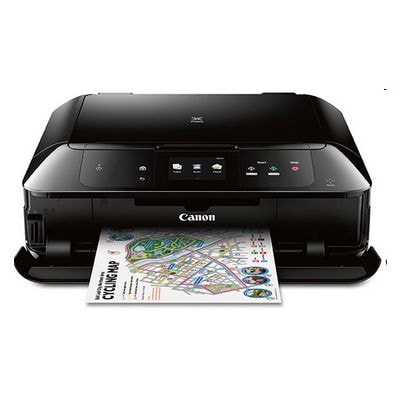
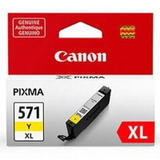
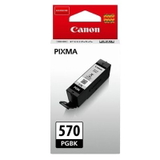
| Looking for reliable ink for Canon Pixma MG7700? The Canon Pixma MG7700 (also searched as Canon MG7700, Canon MG7000 Series or simply MG7700) is a popular home photo all‑in‑one designed for sharp documents and vivid colour prints. To keep this printer working at its best, you need the right ink cartridge for Canon Pixma MG7700—and in our store you can choose freely between Original OEM and high-quality Compatible options. Designed for photos, trusted for everyday printing The MG7700 uses the well-known Canon system based on PGI-570 (pigment black) and CLI-571 (dye colours). Pigment black delivers crisp text on plain paper, while dye inks bring smooth gradients and rich colour on photo paper. With the right ink for printer Canon Pixma MG7700, you get consistent colour, deep blacks and dependable performance whether you print school materials, invoices, labels or family photos. In this category you’ll find both standard and XL capacity cartridges, making it easy to match your printing style—occasional printing, frequent documents, or regular photo sessions. PGI-570 and CLI-571: what you actually need Choosing the correct ink cartridge for MG7700 is simple when you know the roles of each cartridge: - PGI-570 PGBK – pigment black for sharp, durable text.
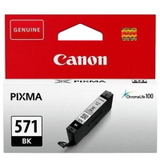
- CLI-571 BK – dye black used mainly for photos and colour mixes.
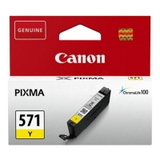
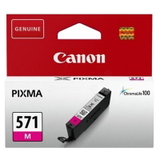
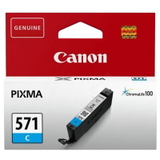
- CLI-571 C/M/Y – cyan, magenta and yellow for full colour prints.
- CLI-571 GY (Gray) – supports smoother tones and better black-and-white photos.
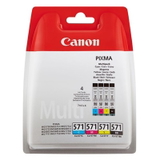
If you print a lot, consider XL versions. An XL ink for Canon MG7700 usually means fewer replacements and a lower cost per page. Popular choices in our range (Compatible & Original OEM) We stock a wide selection of ink cartridges for Canon Pixma MG7700, from single colours to convenient multipacks. Customers often choose: - Compatible Ink Cartridges PGI-570/CLI-571 CMYK (0372C004) (multi pack) – a practical set for everyday printing.
- Original OEM Ink Cartridges Canon PGI-570/CLI-571 CMYK (0372C004) (multi pack) – Canon’s original set for those who prefer OEM.
- Original OEM Ink Cartridges Canon CLI-571 XL CMYK (0332C006) (multi pack) – XL colour pack for frequent colour printing.
- Compatible Ink Cartridge PGI-570 XL PGBK (0318C001) (Black) and Original OEM Ink Cartridge Canon PGI-570 XL PGBK (0318C001) (Black) – great when black runs out first (a very common case).
- Single colours like Compatible Ink Cartridge CLI-571 XL C (0332C001), CLI-571 XL M (0333C001), CLI-571 XL Y (0334C001) or the matching Original OEM versions—ideal when you only need one colour.
- CLI-571 XL G (0335C001) (Gray) in both Compatible and Original OEM – especially useful for photo enthusiasts.
Whether you want a full refill in one go (CMYK 4xpack) or just a single cartridge, we make it easy to find the right ink for Canon Pixma MG7700 without guesswork. Original OEM vs Compatible: how to choose wisely Many customers ask us which option is better: Original OEM or Compatible ink for Canon Pixma MG7700. Both can be a great choice—what matters is your priorities. - Original OEM Canon ink – the manufacturer’s cartridges, often chosen for maximum predictability and brand preference.
- Compatible cartridges from DrTusz.pl – a smart alternative for customers who want excellent print quality and strong value. Our compatible inks are designed to work seamlessly with the Canon PGI-570/CLI-571 system and deliver results that are as good as originals in everyday use.
If you print frequently (home office, school, lots of colour), compatible or XL cartridges can significantly reduce running costs. If you print occasionally or want to stick strictly to OEM, original cartridges and multipacks are a convenient route. Common MG7700 printing issues—and how the right ink helps The Canon MG7700 series is dependable, but like any inkjet, it can run into typical ink-related issues. Here’s what we see most often and what we recommend: - Faded prints or colour shifts – usually caused by an empty colour or uneven usage. Replacing the specific CLI-571 colour (or choosing a CMYK pack) restores balance.
- Black text not sharp – ensure you’re using PGI-570 PGBK (pigment black) for documents; it’s different from CLI-571 BK.
- Printer asks to replace a cartridge even if you don’t print that colour – inkjets often require multiple colours for maintenance cycles. Keeping a spare set of ink cartridges for Canon MG7700 avoids downtime.
- Frequent replacements – switch to XL ink cartridges for MG7700 to print longer with fewer interruptions.
If you’re unsure which cartridge is needed (PGI vs CLI, standard vs XL, single vs multipack), we’re here to help you choose the best ink for printer Canon Pixma MG7700 for your exact printing habits. Get the right ink for Canon Pixma MG7700 and keep printing We encourage you to explore our full selection of Canon Pixma MG7700 ink cartridges—both Compatible and Original OEM. Choose a multipack for a complete refresh, XL cartridges for better efficiency, or individual colours for precise replacement. Order today for fast delivery and dependable support—if you have questions, contact us and we’ll guide you to the perfect match for your MG7700. |