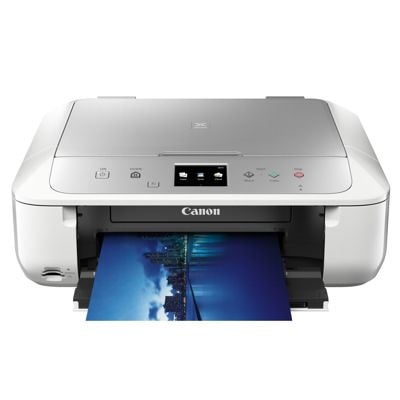
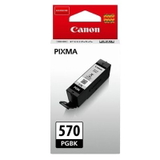
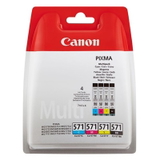
Canon Pixma MG6800 (MG6000 Series) – a versatile home photo printer The Canon Pixma MG6800 (also found as Canon MG6800 or Canon MG6000 Series) is a popular all‑in‑one inkjet printer designed for everyday documents and vibrant colour prints. It’s valued for convenient home use, Wi‑Fi printing and great photo quality on glossy paper. To keep it performing at its best, you need the right ink cartridges for Canon Pixma MG6800—and in this category we offer both Original OEM and reliable compatible ink cartridges. Ink for Canon MG6800 – what you should know before you buy This printer family works with the well-known Canon cartridge set: PGI‑570 (pigment black for crisp text) and CLI‑571 (dye colours for smooth gradients and photo prints). Choosing the correct ink for Canon Pixma MG6800 matters, because each colour plays a different role: - PGI‑570 PGBK (Black) – pigment ink for sharp documents, solid blacks and smear resistance.
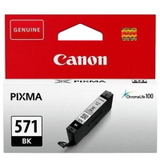
- CLI‑571 BK (Black) – dye black supporting photos and rich tones.
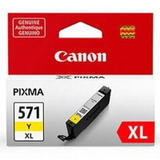
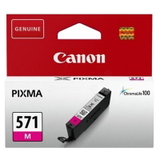
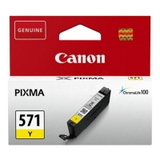
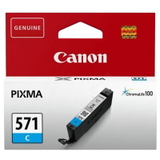
- CLI‑571 C/M/Y – cyan, magenta and yellow for accurate colour printing.
- CLI‑571 G (Gray) – helps with smoother grayscale photos and neutral shadows (available in XL).
In our store you’ll find standard and high‑capacity versions (XL). If you print often, XL ink cartridges for Canon MG6800 usually mean fewer replacements and a lower cost per page—especially when you choose a multipack. Compatible and Original OEM ink cartridges – one printer, two smart options We offer both Original OEM ink cartridges for Canon Pixma MG6800 and high-quality compatible ink cartridges. Original cartridges are produced by Canon and are a natural choice if you prefer the manufacturer’s solution. Our compatible cartridges are carefully selected to deliver print quality and reliability that are as good as the originals—with a very attractive price for everyday printing. Whether you print homework, office documents, shipping labels or family photos, you can match the cartridge type to your needs and budget—without compromising on clear text, strong blacks or vivid colours. Popular cartridges in this category – singles and money-saving multipacks To make shopping easier, we keep the most frequently chosen products for MG6800 in multiple configurations. Customers often pick: - Compatible Ink Cartridges PGI-570/CLI-571 CMYK for Canon (0372C004) (multi pack) – a practical full set for everyday printing.
- Original OEM Ink Cartridges Canon PGI-570/CLI-571 CMYK (0372C004) (multi pack) – the official Canon set, convenient and consistent.
- Compatible Ink Cartridge PGI-570 XL PGBK for Canon (0318C001) (Black) and Original OEM Ink Cartridge Canon PGI-570 XL PGBK (0318C001) (Black) – best sellers for frequent document printing.
- Original OEM Ink Cartridges Canon CLI-571 XL CMYK (0332C006) (multi pack) – XL colour bundle for heavier use.
- Compatible Ink Cartridges CLI-571 CMYK for Canon (0386C005) (4xpack) and Original OEM Ink Cartridges Canon CLI-571 CMYK (0386C005) (4xpack) – a straightforward colour set when one colour starts running low.
- Single colours when you only need one: CLI-571 XL C (Cyan), CLI-571 XL M (Magenta), CLI-571 XL Y (Yellow), plus CLI-571 XL BK (Black).
- For photo lovers: Compatible Ink Cartridge CLI-571 XL G (0335C001) (Gray) and Original OEM Ink Cartridge Canon CLI-571 XL G (0335C001) (Gray).
Thanks to singles, XL versions and multipacks, you can easily tailor your purchase of ink for Canon Pixma MG6800 to how you print—occasionally or every day. How to choose ink for Canon Pixma MG6800 and avoid common problems Not sure what to pick? We encourage you to use these simple rules when choosing ink cartridges for Canon MG6800: - Match the cartridge code: PGI‑570 for pigment black, CLI‑571 for colours (and photo black/gray).
- Choose XL if you print a lot: XL reduces cartridge changes and is often more economical.
- Buy a multipack for balance: colour inks usually empty at different speeds, but a set is great for a “fresh start” and consistent colour output.
- Decide between Original OEM vs Compatible: OEM is Canon’s solution; compatible cartridges from DrTusz.pl offer excellent print quality and reliability comparable to originals—ideal when you want to lower printing costs.
Typical user issues with the Canon Pixma MG6800 include messages about low ink, colour shifts when one cartridge is near empty, or inconsistent output after a long break from printing. In most cases, replacing the depleted cartridge with a fresh ink for Canon MG6800 (often the PGI‑570 black for documents or one of the CLI‑571 colours for photos) restores normal results quickly. If you print photos, keeping all colour cartridges in good condition—especially cyan and magenta—helps maintain accurate tones and smooth gradients. Ready to print? Choose your Canon MG6800 ink today We encourage you to explore our full selection of ink cartridges for Canon Pixma MG6800—both compatible and Original OEM. Choose a single cartridge to top up one colour, or pick a multipack to save time and keep your printer ready for any task. If you’re unsure which cartridge you need for your MG6800 printer, contact us—we’ll help you choose the right ink for Canon Pixma MG6800 quickly and confidently. Add your cartridges to the cart and enjoy fast, convenient delivery and expert support from our team. |