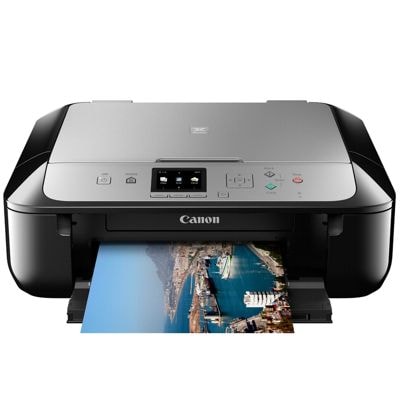
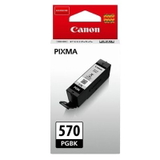
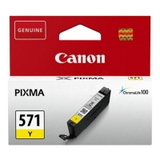
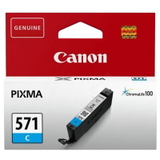
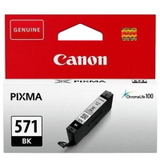
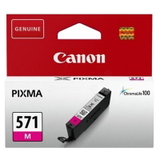
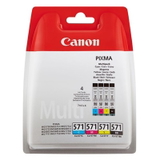
Canon Pixma MG5752 – a versatile home and office all‑rounder The Canon Pixma MG5752 (also searched as Canon MG5752 or Canon MG5000 Series) is a popular inkjet multifunction printer built for everyday printing, copying and scanning. It’s well known for crisp text, vibrant colour photos and convenient wireless printing. To keep that quality consistent, choosing the right ink for Canon Pixma MG5752 matters—especially when you print often or expect reliable colour accuracy. What ink cartridges does Canon MG5752 use? This model works with the Canon PGI-570 and Canon CLI-571 cartridge family. In practice, that means a pigment black cartridge for sharp documents and separate colour cartridges for rich photo output. In our category “Ink cartridges for Canon Pixma MG5752 – compatible and original OEM” you’ll find both Original OEM and Compatible ink cartridges, including standard and XL capacities—so you can match your printing style and budget without compromising on results. - PGI-570 / PGI-570 XL PGBK – pigment black for clean, readable text
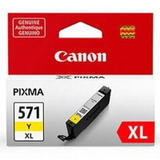
- CLI-571 / CLI-571 XL – dye colours (C/M/Y) plus black and grey for smoother photo tones
- Multipacks (CMYK / sets) – convenient, cost-effective refills for regular printing
Printing results you can rely on: documents, photos and everyday tasks Good ink for printer Canon Pixma MG5752 should deliver consistent colour, no streaks, and predictable page yield. Whether you print school assignments, invoices, shipping labels, presentations or family photos, the right cartridge set helps your MG5752 perform at its best. With properly selected cartridges, you can expect: - sharp black text thanks to pigment black (great for home office use),
- vivid colour output for graphics and photos,
- smooth greyscale transitions when using the grey cartridge,
- less downtime—because you keep the right colours on hand.
Our range: Original OEM and Compatible ink for Canon Pixma MG5752 We stock a wide selection so you can buy exactly what you need—one colour, an XL replacement, or a full set. Popular choices in this category include: - Original OEM Ink Cartridges Canon PGI-570/CLI-571 CMYK (0372C004) (multi pack) – a convenient OEM set for balanced everyday printing.
- Compatible Ink Cartridges PGI-570/CLI-571 CMYK for Canon (0372C004) (multi pack) – a budget-friendly set for frequent printing with excellent everyday quality.
- Original OEM Ink Cartridge Canon PGI-570 XL PGBK (0318C001) (Black) and Compatible Ink Cartridge PGI-570 XL PGBK for Canon (0318C001) (Black) – ideal when you print lots of documents and want fewer replacements.
- Original OEM Ink Cartridges Canon CLI-571 XL CMYK (0332C006) (multi pack) – great for colour-heavy printing and photo output.
- Single colours such as Compatible Ink Cartridge CLI-571 XL C (0332C001) (Cyan), Compatible Ink Cartridge CLI-571 XL M (0333C001) (Magenta), Compatible Ink Cartridge CLI-571 XL Y (0334C001) (Yellow)—perfect when only one colour runs out.
- Photo and greyscale support with Original OEM Ink Cartridge Canon CLI-571 XL G (0335C001) (Gray) or the matching compatible option—helpful for smoother shadows and neutral tones.
Because we offer both OEM and compatible options, you can choose premium manufacturer cartridges or reduce printing costs with high-quality alternatives—without limiting your choice to “one-size-fits-all”. How to choose the best cartridge: OEM vs compatible (and when XL makes sense) When you’re deciding on ink for Canon MG5752, start with how you print: - For maximum manufacturer consistency: choose Original OEM cartridges—especially if you print important business documents or colour-critical photos.
- For cost-effective everyday printing: choose our Compatible cartridges. We select compatible options that are as good as the originals in real-world use—sharp text, strong colours and reliable performance—while helping you lower the cost per page.
- For frequent printing: pick XL versions (e.g., PGI-570 XL, CLI-571 XL). They reduce how often you replace cartridges and are typically more economical over time.
- For convenience: choose a multipack (CMYK/sets) so you don’t run out of colour mid-print.
Tip: if your MG5752 is used for mixed printing (text + colour), the most common pattern is pigment black running low first. That’s why many customers keep an extra PGI-570 PGBK or PGI-570 XL PGBK ready. Common Canon Pixma MG5752 ink issues and how we help Users of the Canon Pixma MG5752 often report a few predictable situations. The good news: most are easy to manage with the right cartridge choice and a bit of routine maintenance. - “One colour is empty, but I still have others” – this is normal with separate inks. We offer single cartridges (C/M/Y/BK/Grey) so you replace only what you need.
- Streaks or faded prints – often caused by infrequent printing. Running a standard cleaning cycle and using fresh, properly stored cartridges usually resolves it.
- High printing costs – switching to Compatible ink for Canon Pixma MG5752 and choosing XL cartridges can significantly reduce cost per page.
- Wrong cartridge family – MG5752 requires the PGI-570/CLI-571 series. If you’re unsure, tell us what you print and which codes you’ve used before—we’ll help you match the correct cartridge.
Order ink for Canon Pixma MG5752 with confidence We make it easy to choose the right ink for printer Canon Pixma MG5752—whether you prefer Original OEM cartridges or want a reliable, cost-saving Compatible option. Browse the multipacks for the best value, stock up on XL for fewer replacements, or pick single colours when you only need one cartridge. CTA: We encourage you to explore our full selection of ink cartridges for MG5752 and choose the set that fits your printing habits. If you have any questions about compatibility, XL vs standard, or which pack is best for your needs—contact us and we’ll help you select the right cartridge quickly. We also offer fast delivery options so you can get back to printing without unnecessary delays. |