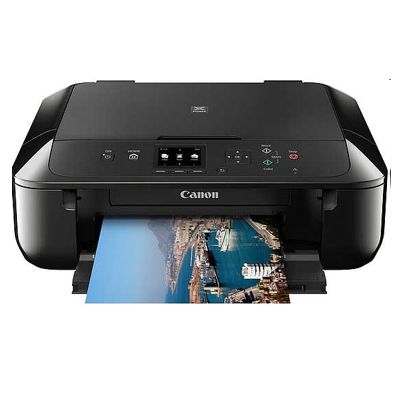
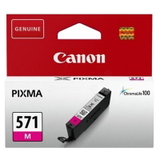
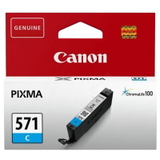
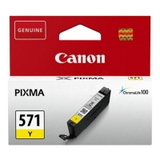
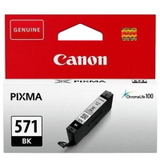
Canon Pixma MG5750 – a reliable home & office all-in-one If you use the Canon Pixma MG5750 (also found as Canon MG5750 or Canon MG5000 Series), you already know why it’s such a popular all-in-one: it prints crisp documents, produces vivid colour graphics, and handles everyday scanning and copying without fuss. To keep that quality consistent, the key is choosing the right ink for Canon Pixma MG5750—matched to your needs and your printing style. Ink for Canon MG5750: what you get with the right cartridge set The MG5750 uses separate cartridges, which is great news for your budget: you replace only the colour that runs out. In this category we offer ink cartridges for Canon Pixma MG5750 in both Original OEM and Compatible versions, including standard and XL capacities. Whether you print mainly text, school materials, invoices, or colourful photos, you can fine-tune your setup by selecting the right black and colour inks. With well-chosen ink for Canon MG5750, you can expect: - sharp, readable black text for everyday documents,
- balanced colour reproduction for charts and presentations,
- better efficiency thanks to XL cartridges for higher page yield,
- convenient multi-packs that help you stay stocked and avoid downtime.
Compatible and Original OEM cartridges – freedom to choose We know customers shopping for ink for printer Canon Pixma MG5750 often compare cost, yield, and reliability. That’s why our shelf includes both options: - Original OEM ink – Canon cartridges designed by the manufacturer for predictable performance and colour consistency.
- Compatible ink cartridges – our proven alternatives that deliver print quality and reliability comparable to Original OEM. If you want to lower printing costs without sacrificing results, our compatible cartridges are an excellent choice.
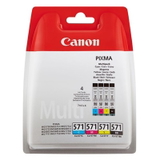
Whichever route you choose, we focus on clear product identification (codes and colours) so you can confidently match the cartridge to your device—especially helpful when searching by phrases like 0557C006AA or simply MG5750. Popular products for Canon Pixma MG5750 ink – bestsellers in one place To make shopping easier, we highlight complete sets and the most frequently replaced colours. In this category you’ll find, among others: - Compatible Ink Cartridges PGI-570/CLI-571 CMYK for Canon (0372C004) (multi pack) – a practical full set for everyday printing.
- Original OEM Ink Cartridges Canon PGI-570/CLI-571 CMYK (0372C004) (multi pack) – the classic Canon combo for users who prefer OEM solutions.
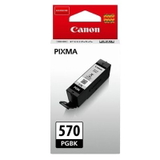
- Compatible Ink Cartridge PGI-570 XL PGBK for Canon (0318C001) (Black) and Original OEM Ink Cartridge Canon PGI-570 XL PGBK (0318C001) (Black) – great when you print lots of text.
- Original OEM Ink Cartridges Canon CLI-571 XL CMYK (0332C006) (multi pack) – a smart choice for frequent colour printing with higher yield.
- Single colours such as Original OEM Ink Cartridge Canon CLI-571 XL C (0332C001) (Cyan) or Compatible Ink Cartridge CLI-571 XL M for Canon (0333C001) (Magenta) – replace only what you need.
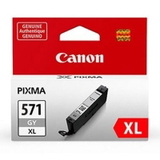
- Extras for more nuanced prints, e.g. Original OEM Ink Cartridge Canon CLI-571 XL G (0335C001) (Gray) and its compatible counterpart for smoother tonal transitions.
Prefer standard capacity? We also stock cartridges like Original OEM Ink Cartridges Canon CLI-571 CMYK (0386C005) (4xpack) and matching compatible sets such as Compatible Ink Cartridges CLI-571 CMYK for Canon (0386C005) (4xpack). Choosing the right Canon MG5750 ink: quick, practical tips When selecting ink for Canon Pixma MG5750, it helps to answer a few simple questions: - Do you print mostly documents? Choose an XL black cartridge like PGI-570 XL PGBK for better efficiency.
- Do you print colour often? Consider a CMYK multi-pack (standard or XL) to keep colours balanced and avoid running out mid-project.
- Do you need consistent photo tones? Adding or replacing Gray (G) can improve gradients and neutral shades.
- Want fewer orders? Multi-packs and 2-packs (e.g. Original OEM Ink Cartridges Canon PGI-570 XL BK (0318C007) (Black) (2-pack)) help you stay prepared.
Original OEM vs compatible? In day-to-day use, customers mainly weigh running costs. Our compatible ink for Canon MG5750 is designed to be a dependable alternative—ideal for home printing, schoolwork, and office documents—while Original OEM remains a great pick for those who prefer manufacturer-branded consumables. Common Canon Pixma MG5750 printing issues – and how the right supplies help The MG5750 is generally trouble-free, but like any inkjet it can run into typical situations. Here’s what we recommend: - Faded prints or missing colours – often caused by an empty cartridge or a clogged nozzle; replacing the correct colour cartridge and running printer maintenance usually resolves it.
- Streaks or banding – can occur after long breaks in printing; fresh ink for printer Canon Pixma MG5750 and a nozzle check can restore smooth output.
- Frequent black ink usage – if you print lots of text, an XL black cartridge reduces how often you need replacements.
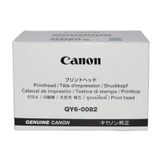
If you ever need a hardware refresh, the category also includes the All-In-One Printer Canon Pixma MG5750, plus service parts like the Original OEM Printhead Canon QY6-0082 (QY6-0082) for situations where print quality issues are not solved by standard cleaning. Order ink for Canon Pixma MG5750 with confidence We make it easy to choose the right Canon Pixma MG5750 ink cartridge—compatible or Original OEM—by offering clearly labelled colours, multipacks, XL options, and expert-grade support. Browse the products in this category, pick the set that matches your printing needs, and keep your MG5750 ready for every task. CTA: We encourage you to explore our full range of ink cartridges for Canon Pixma MG5750 and place your order today. If you’re unsure which cartridge (PGI-570 / CLI-571, standard or XL, single colour or multi-pack) is best for you, contact us—we’ll help you choose quickly so you can get back to printing without delays. |