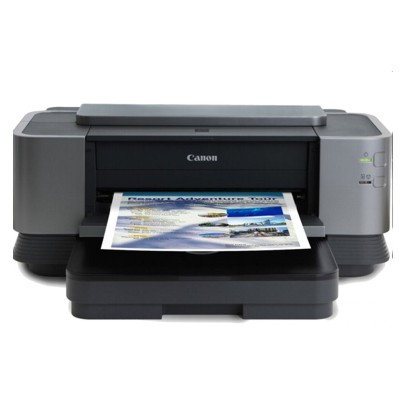
| The Canon Pixma iX7000 is a popular A3+ inkjet printer valued for sharp text, vivid colour and impressive photo quality. Whether you use it at home, in a design studio or in a small business, it’s a model that rewards you with great results—provided you choose the right ink for Canon Pixma iX7000 and keep the print system in good condition. Reliable printing for A3+ projects – why the right ink matters The iX7000 works with Canon’s pigment-based cartridge system, designed for durability and crisp details. Proper ink for Canon iX7000 helps you get: - Clean, sharp documents (especially with matte black for dense text and graphics),
- Consistent colour reproduction for presentations, marketing materials and photos,
- Better resistance to smudging and fading in everyday use,
- Stable printing with fewer interruptions caused by clogging or colour imbalance.
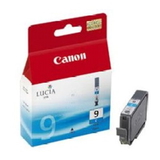
In this category you’ll find everything you need for everyday printing and maintenance: ink cartridges, an original printhead, and a cleaner that supports the glossy finish and proper ink flow. Original OEM ink cartridges for Canon Pixma iX7000 – our selection We offer trusted, factory-original supplies (Original OEM), clearly labelled and easy to match to your printer. If you’re searching by code or phrase such as 3302B002, iX7000, IX7000 or Canon Pixma IX, you’re in the right place. Popular choices in this category include: - Original OEM Ink Cartridge Canon PGI-9 C (1035B001) (Cyan) – for balanced blues and smooth gradients,
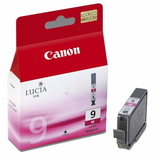
- Original OEM Ink Cartridge Canon PGI-9 M (1036B001) (Magenta) – for vivid reds, purples and accurate skin tones,
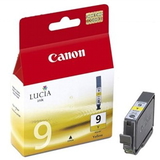
- Original OEM Ink Cartridge Canon PGI-9 Y (1037B001) (Yellow) – for bright highlights and natural warmth,
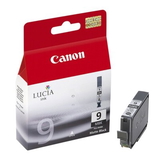
- Original OEM Ink Cartridge Canon PGI-9 MBK (1033B001) (Matte black) – excellent for crisp text, CAD-style lines and deep contrast,
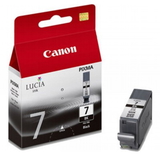
- Original OEM Ink Cartridge Canon PGI-7 BK (2444B001) (Black) – reliable black for everyday printing needs,
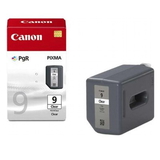
- Original OEM Cleaner Canon PGI-9 Clear (2442B001) (Gloss) – helps maintain a uniform glossy finish and supports consistent output,
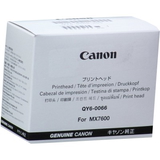
- Original OEM Printhead Canon QY6-0066 (QY6-0066-000) – a key component when print quality issues point to head wear or damage.
Thanks to a focused range, you can quickly pick the exact ink for Canon Pixma iX7000 you need—without guessing. How to choose ink for iX7000 and avoid common printing problems When selecting ink for printer Canon Pixma iX7000, start by matching the cartridge symbol and product code. The iX7000 uses a set of dedicated colours, so replacing only the depleted cartridge is both practical and cost-effective. Typical user issues with the Canon Pixma iX7000 are often maintenance-related rather than printer-related. If you notice: - missing lines or banding,
- faded colours despite a “full” reading,
- uneven gloss on photos,
- persistent nozzle check gaps,
…it may be time to run cleaning, use the dedicated PGI-9 Clear (Gloss) solution, or—when cleaning no longer helps—consider replacing the Canon QY6-0066 printhead. Choosing the right consumable at the right time can restore quality quickly and prevent wasted paper and ink. Original vs compatible cartridges – what you should know In this subpage we focus on Original OEM supplies, which are a great choice for users who want factory-standard colour matching and maximum predictability. At the same time, many customers ask about compatible options. Our experience shows that compatible cartridges from DrTusz.pl are as good as the originals when you want an attractive cost per page and reliable everyday results—especially for frequent printing. If you print photos or colour-critical projects, you may prefer Original OEM. If you print a lot of documents and want to optimise costs, compatible ink can be an excellent alternative. If you’re unsure, we’ll help you choose the best option for your printing style. Order ink for Canon Pixma iX7000 with confidence We encourage you to browse the products in this category and choose the exact ink for Canon Pixma iX7000, printhead or cleaner you need. We focus on clear product descriptions, easy matching by codes, and a range that supports both printing and maintenance. Add your selected cartridges to the cart and keep your iX7000 ready for the next A3+ project. CTA: Choose your Canon Pixma iX7000 ink cartridge today, and if you need help selecting the right colour or diagnosing print quality issues, contact us—we’ll gladly advise and help you place the best order. We also offer fast delivery options so you can get back to printing without delay. |