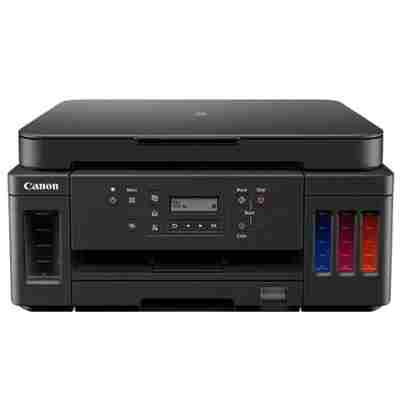
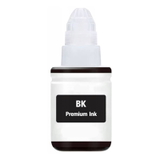
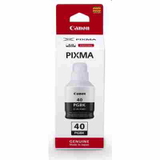
Canon Pixma G6040 – a reliable MegaTank printer for home and small office Canon Pixma G6040 (also searched as Canon G6040 or Canon Pixma G) is a popular inkjet all‑rounder designed for high-volume, low-cost printing. Thanks to the refillable MegaTank system, it’s a great choice for everyday documents, homework, invoices, and even colourful graphics. To keep your device performing at its best, it’s worth choosing the right ink for Canon Pixma G6040—either Original OEM or a proven Compatible option. Ink for Canon G6040: colours, performance and what you can expect The G6040 works with the Canon GI-40 ink series, available in four colours: black (PGBK) plus cyan, magenta and yellow. Choosing the correct ink for Canon G6040 ensures consistent text sharpness, vivid colour output and smooth printing—especially important when you print a lot and want repeatable results. In this category you’ll find both ink cartridge for Canon Pixma G6040 options (bottles from the GI-40 family) and dedicated service parts such as a printhead for Canon Pixma G6040. This means you can maintain your printer comprehensively: replenish colours when they run low and replace a printhead if print quality drops due to wear. Our range: Original OEM and Compatible ink cartridges for Canon Pixma G6040 We offer a wide selection, so you can match the product to your printing style and budget. You’ll find the most frequently chosen items right here, including: - Original OEM Ink Cartridge Canon GI-40 PGBK (3385C001) (Black) – for crisp, dense black text and strong document contrast.
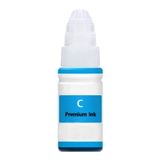
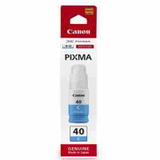
- Original OEM Ink Cartridge Canon GI-40 C (3400C001) (Cyan) – clean blues and smooth gradients.
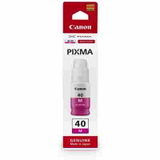
- Original OEM Ink Cartridge Canon GI-40 M (3401C001) (Magenta) – vivid reds and accurate skin tones.
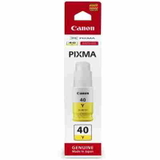
- Original OEM Ink Cartridge Canon GI-40 Y (3402C001) (Yellow) – bright highlights and warmer colour balance.
- Compatible Ink Cartridge GI-40 PGBK for Canon (3385C001) (Black) – a cost-effective alternative for frequent printing.
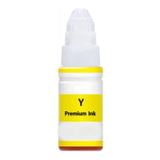
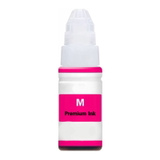
- Compatible Ink Cartridge GI-40 C for Canon (3400C001) (Cyan), Compatible Ink Cartridge GI-40 M for Canon (3401C001) (Magenta), Compatible Ink Cartridge GI-40 Y for Canon (3402C001) (Yellow) – affordable colour printing without compromising everyday quality.
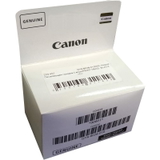
- Original OEM Printhead Canon QY6-8028-020 (QY6-8028-020) (Black) – ideal when maintenance routines no longer restore perfect black output.
Whether you type “Canon Pixma G6040”, “G6040” or “Canon Pixma G” into search, you’ll land in the right place for the correct ink for Canon Pixma G6040 and matching printhead. How to choose: Original OEM vs Compatible ink for Canon Pixma G6040 Many customers ask us which ink for printer Canon Pixma G6040 to pick. The answer depends on your needs: - Original OEM is the go-to choice if you want manufacturer-certified consistency, especially for colour-sensitive prints and long-term archiving.
- Compatible is perfect when you print a lot and want to reduce running costs. Our compatible inks from DrTusz.pl are carefully selected and, in practical day-to-day use, they are as good as the originals—delivering reliable colour, sharp text and stable performance.
To avoid mistakes, always match the code (e.g., GI-40 and the part numbers such as 3385C001, 3400C001, 3401C001, 3402C001) and the colour. If you’re unsure, we’re here to help you choose the best ink for Canon G6040 in minutes. Common issues with Canon Pixma G6040 and how the right supplies help With high-volume MegaTank printers, typical user challenges include: - Faded black or streaks – often resolved with cleaning cycles; if the issue persists, a dedicated printhead for Canon Pixma G6040 (like the OEM black printhead) can restore quality.
- Uneven colour or missing lines – frequently linked to low ink levels or air in the system; topping up with the correct ink for Canon Pixma G6040 and running maintenance helps.
- Printing a lot and running out unexpectedly – keeping a spare black and one set of colours (C/M/Y) is the simplest way to avoid downtime.
Choosing the right ink cartridge for Canon Pixma G6040 and maintaining the print system ensures smooth operation and predictable results, whether you print documents daily or colour materials from time to time. Order your ink for Canon Pixma G6040 with confidence We encourage you to explore our full selection of ink for Canon Pixma G6040—Original OEM and Compatible—plus the matching printhead options. If you tell us what and how much you print, we’ll recommend the most cost-effective set for your Canon G6040. Add your inks to the cart, choose a convenient delivery option, and keep your printer ready whenever you need it. Need help picking the right GI-40 colour or a printhead? Contact us—our team will guide you quickly so you can order with confidence. |