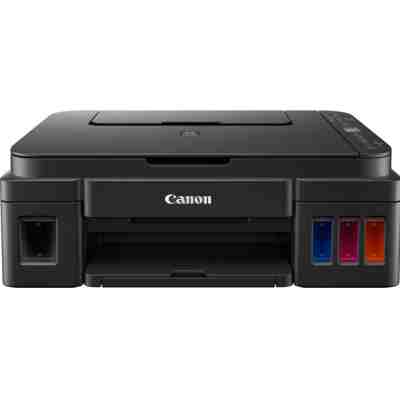
Canon Pixma G3410 – an everyday EcoTank all-in-one you can rely on Dear Customer, the Canon Pixma G3410 (also searched as Canon G3410, Canon Pixma G, or by code 2315C009AA) is a popular all-in-one inkjet designed for home and small office use. It combines printing, scanning and copying in one compact device, and it’s especially valued for economical, high-volume printing thanks to the refillable ink tank system. To keep your prints sharp and your running costs under control, choosing the right ink for Canon Pixma G3410—and replacing key components like a printhead when needed—makes all the difference. Ink for Canon Pixma G3410: what you print and why ink choice matters The G3410 uses the Canon GI-490 ink series in four colors: black, cyan, magenta and yellow. With the right set, you can comfortably handle: - Documents – crisp black text for school, invoices, contracts and forms
- Color materials – charts, presentations, leaflets and learning materials
- Everyday photos – vibrant color output for family prints
Good ink for printer Canon Pixma G3410 means stable color, clean gradients, and fewer interruptions. It also helps reduce issues such as faint prints, streaks or repeated cleaning cycles that can waste ink. In this category you’ll find Ink Cartridges (bottles), Color options for the full CMYK set, and also Printheads—because we know that not every printing problem is solved by ink alone. Compatible and Original OEM options – a wide choice in one place We offer both Original OEM products and carefully selected Compatible alternatives for the Canon G3410, so you can choose what best fits your priorities—maximum OEM conformity or the best value for money. Popular picks in this category include: - Compatible Ink Cartridge GI-490 PGBK for Canon (GI490PGBK) (Black)
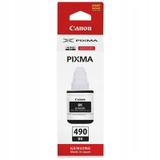
- Original OEM Ink Cartridge Canon GI-490 PGBK (GI490PGBK) (Black)
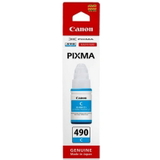
- Original OEM Ink Cartridge Canon GI-490 PGC (GI490PGC) (Cyan)
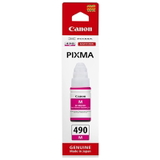
- Original OEM Ink Cartridge Canon GI-490 PGM (GI490PGM) (Magenta)
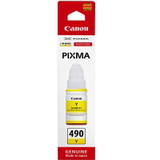
- Original OEM Ink Cartridge Canon GI-490 PGY (GI490PGY) (Yellow)
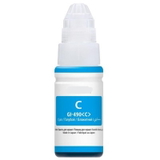
- Compatible Ink Cartridge GI-490 PGC for Canon (GI490PGC) (Cyan)
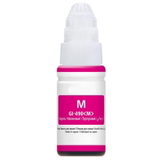
- Compatible Ink Cartridge GI-490 PGM for Canon (GI490PGM) (Magenta)
- Compatible Ink Cartridge GI-490 PGY for Canon (GI490PGY) (Yellow)
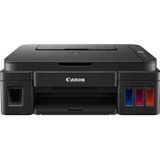
- All-In-One Printer Canon Pixma G3410 (for those replacing or adding a device)
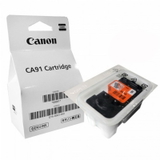
- Original OEM Printhead Canon CA91 (QY6-8002) (Black)
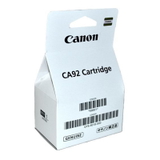
- Original OEM Printhead Canon CA92 (QY6-8018)
Thanks to this selection, you can quickly complete a full color set, top up only the color you use most, or restore print quality with a new printhead—without searching across multiple pages. How to choose ink for Canon Pixma G3410 (and avoid the most common problems) When choosing ink for Canon Pixma G3410, start with your printing style: - Mostly text? Choose a reliable black refill like GI-490 PGBK and keep an eye on your black density settings.
- Color reports and school materials? Make sure you have cyan, magenta and yellow on hand to avoid color shifts and washed-out graphics.
- Printing often and in volume? Consider a full set so you don’t interrupt work mid-task.
Users of the Canon Pixma G3410 most often report issues such as: fading or pale output, streaks/banding, colors not matching, or a printer that insists on cleaning cycles. In many cases, the fix is straightforward: - Faint or streaky prints – run a nozzle check and cleaning; if the issue persists, consider whether a printhead replacement is needed.
- Missing colors – top up the specific color (cyan/magenta/yellow) and confirm correct ink flow.
- Uneven black text – check the black channel and use the correct GI-490 PGBK ink.
Original OEM vs Compatible ink – what’s the difference? We know many customers ask whether compatible ink is “safe” and whether it prints as well as OEM. The practical difference is mostly about brand origin and pricing strategy, not about whether you can get great prints. - Original OEM ink for Canon G3410 is made by Canon and is the go-to choice if you want maximum manufacturer consistency.
- Compatible ink for Canon Pixma G3410 is a smart option for customers who want excellent value. The compatible products we offer at DrTusz.pl are selected to deliver print quality and reliability comparable to original supplies—so you can print confidently and keep costs predictable.
If you’re unsure which route is best for you, we encourage you to compare based on what matters most: budget, print volume, and how critical exact color reproduction is for your work. Printheads for Canon Pixma G3410 – when ink isn’t the only answer Sometimes, even the best ink for printer Canon Pixma G3410 won’t fully solve recurring streaks or missing lines. That’s why we also offer original OEM printheads, including Canon CA91 (QY6-8002) (Black) and Canon CA92 (QY6-8018). Replacing a worn or clogged printhead can restore sharpness, improve color consistency, and reduce ink waste caused by repeated cleanings. Order your Canon G3410 ink today – fast, convenient, and supported We encourage you to explore our full range of compatible and original OEM ink for Canon Pixma G3410, along with printheads and even the Canon Pixma G3410 all-in-one printer itself. Add the right GI-490 colors to your cart, complete your set, and print without interruptions. If you need help matching the correct product to G3410, or want advice on solving print quality issues, contact us—we’re here to help. We also make delivery simple and quick, so you can get back to printing as soon as possible. |