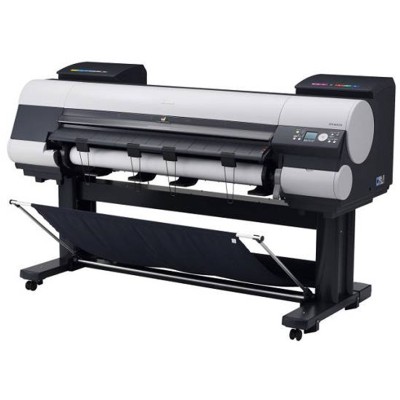
Canon imagePROGRAF 8000S / Canon iPF8000S – large-format quality you can trust The Canon imagePROGRAF 8000S (also searched as Canon iPF8000S, iPF8000S, iPF8000 s, IPF8000 S or iPF8000s) is a professional large-format inkjet printer designed for precise, repeatable colour and smooth gradients. It’s a popular choice for photo labs, graphic studios, proofing workflows and anyone producing exhibition-quality posters or fine art prints. To keep this printer performing at its best, choosing the right ink for Canon imagePROGRAF 8000S and maintaining the print system properly are absolutely key—and that’s exactly what we help you do. Ink for Canon iPF8000S – what it does and why it matters In a device like the iPF8000S, ink is not “just ink”. It directly affects colour accuracy, black density, drying behaviour, and the consistency of long print runs. The right ink cartridge for Canon iPF8000S ensures stable colour reproduction across different media and reduces the risk of banding or uneven fills—especially important in large areas of colour and in monochrome photography. In this category we focus on consumables that keep the whole printing system healthy: - Ink cartridges – for everyday printing, colour-critical work and long runs.
- Printheads – a crucial component for sharp lines and smooth tonal transitions.
- Fluids for cleaning – helpful when you need safe maintenance and recovery after downtime.
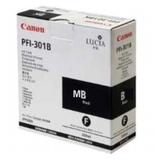
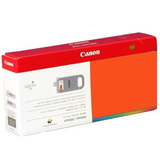
Original OEM cartridges and refill components – choose what fits your workflow We offer both Original OEM solutions and refill components, so you can balance budget, volume, and the level of colour-critical requirements. If you print for clients, exhibitions or proofing, an Original OEM ink cartridge for Canon imagePROGRAF 8000S is a natural choice for maximum predictability. If you print high volumes or want to optimise running costs, our compatible and refill-oriented options are a strong alternative—at DrTusz.pl we focus on solutions that deliver results fully comparable to originals in daily work. Whatever you choose, we encourage you to match the ink set to your usage: different colours deplete at different speeds, and consistent replacement planning helps avoid interruptions mid-job. Popular Canon imagePROGRAF 8000S inks and maintenance items in our range To make shopping easier, here are some of the most commonly selected products in this category—so you can quickly find the exact ink for Canon iPF8000S you need: - Original OEM Ink Cartridge Canon PFI-301BK (1486B001) (Black) and Original OEM Ink Cartridge Canon PFI-301MB (1485B001) (Matte black) – for deep blacks depending on media and finish.
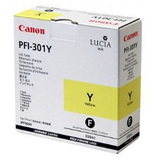
- Original OEM Ink Cartridge Canon PFI-301C (1487B001) (Cyan), PFI-301M (1488B001) (Magenta), PFI-301Y (1489B001) (Yellow) – the core colour set for general photo and poster work.
- Original OEM Ink Cartridge Canon PFI-301PC (1490B001) (Cyan Photo) and PFI-301PM (1491B001) (Magenta Photo) – for smoother highlights and professional photo output.
- Original OEM Ink Cartridge Canon PFI-301PGY (1496B001) (Grey Photo) and Original OEM Ink Cartridge Canon PFI-301GY (1495B001) (Gray) – essential for neutral greys and refined monochrome prints.
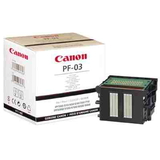
- Original OEM Printhead Canon PF-03 (2251B001) – when you need to restore precision and reliability of nozzle performance.
- Specialistic Fluid for Cleaning Heads Canon 250 ml (Uniwersalny) – a practical support product for maintenance, especially after long idle periods.
We also stock the PFI-701 series items listed in this category (e.g., PFI-701MBK, PFI-701C, PFI-701M, PFI-701PGY), helping you cover specific configuration needs and service scenarios with one trusted supplier. How to choose the right ink cartridge for Canon iPF8000S When selecting an ink cartridge for Canon imagePROGRAF 8000S, we recommend checking three things: - Exact code compatibility – match the cartridge symbol (e.g., PFI-301BK, PFI-301PM) and part number to your needs and printer configuration.
- Colour role in your work – photo inks (PC/PM/PGY) matter most for photography and smooth tonal work; matte/black choices matter for posters, CAD-style graphics and matte media.
- Printing frequency – if you print rarely, consider adding a cleaning fluid and planning nozzle checks to reduce the risk of drying and clogs.
Original vs compatible? Original OEM ink for Canon iPF8000S is ideal when you want the manufacturer’s reference performance and maximum predictability. At the same time, our compatible and refill solutions are designed to be a dependable, cost-effective alternative—at DrTusz.pl we focus on quality that performs like the original in real-world printing, while helping you lower the cost per print. Common user issues with iPF8000S – and how consumables help Large-format printers are robust, but they have typical challenges, especially in environments with irregular printing: - Nozzle dropouts / banding – often linked to dried ink or long idle time; a proper maintenance routine plus cleaning fluid can help.
- Colour inconsistency – can appear when cartridges are mismatched, depleted unevenly, or when the printhead is near the end of its service life.
- Frequent cleaning cycles – may increase ink consumption; choosing reliable cartridges and keeping the printer in regular use helps stabilise operation.
If you’re unsure whether you need a new cartridge, a Canon PF-03 printhead, or simply a cleaning solution, we encourage you to contact us—we’ll help you select the most sensible option for your case. Order ink for Canon imagePROGRAF 8000S with confidence We make it easy to choose the right ink for Canon imagePROGRAF 8000S (Canon iPF8000S) by offering a clear selection of Original OEM products, practical maintenance items, and cost-optimised alternatives. Browse the cartridges, printheads and cleaning fluids available in this category, then add the colours you need to your cart. CTA: We encourage you to explore the full range and place your order today. If you want help matching the correct cartridge code or troubleshooting print quality, write to us or call—our team will guide you and help you get the best results from your iPF8000S. We also ensure fast, secure delivery so you can get back to printing without unnecessary downtime. |