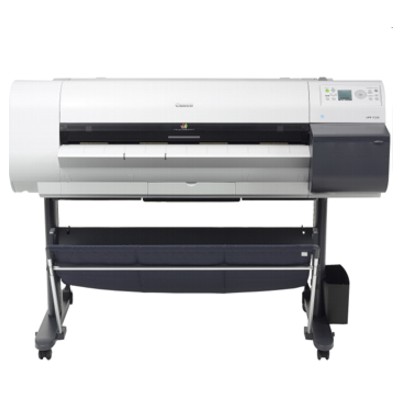
Canon imagePROGRAF 720 / Canon iPF720 – large-format precision you can rely on The Canon imagePROGRAF 720 (also searched as Canon iPF720, iPF720 or IPF720) is a proven large-format printer built for technical drawings, GIS maps, posters and everyday CAD printouts where line sharpness and consistent color matter. To keep this device working at its best, you need dependable ink for Canon imagePROGRAF 720 as well as the right service supplies—because in wide-format printing, uptime and repeatability are just as important as the final image. Ink for printer Canon imagePROGRAF 720 – color stability, sharp lines, predictable results Choosing the right ink for Canon iPF720 impacts every print: line density, grayscale smoothness, color saturation and even how well fine details survive on coated and uncoated media. In this category you will find both Original OEM solutions and high-quality compatible ink for Canon imagePROGRAF 720, plus practical refill and maintenance products. The Canon iPF720 uses pigment inks, which are valued for: - crisp technical lines for CAD and architectural drawings,
- good water and smudge resistance compared to dye inks,
- stable color for posters, presentations and office graphics,
- reliable coverage for filled areas and solid blacks.
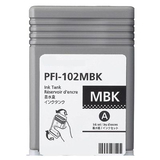
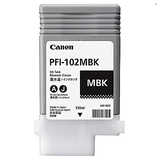
Original OEM and compatible cartridges – a wide choice for every budget We know that different users print differently: some need strict OEM workflows, others want to reduce running costs without sacrificing quality. That’s why we offer both Original OEM ink for Canon imagePROGRAF 720 and compatible ink cartridges for Canon iPF720. Our compatible cartridges available at DrTusz.pl are designed to be as good as the originals in everyday work—clear text, strong blacks and consistent color—while helping you control printing expenses. Popular products in this category include: - Original OEM Ink Cartridge Canon PFI-102MBK (CF0894B001A) (Matte black) and the matching Compatible Ink Cartridge PFI-102MBK – ideal for strong, readable drawings and deep matte black areas.
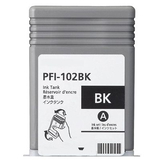
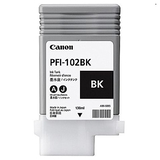
- Original OEM Ink Cartridge Canon PFI-102BK (CF0895B001A) (Black) and Compatible Ink Cartridge PFI-102BK – great for office graphics and dense black elements.
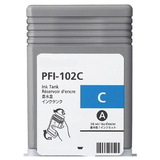
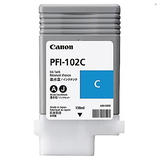
- Original OEM Ink Cartridge Canon PFI-102C (CF0896B001A) (Cyan) with Compatible Ink Cartridge PFI-102C – for balanced blues and clean color transitions.
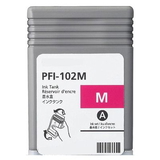
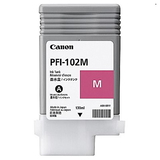
- Original OEM Ink Cartridge Canon PFI-102M (CF0897B001A) (Magenta) with Compatible Ink Cartridge PFI-102M – for vivid accents and accurate pink/red tones.
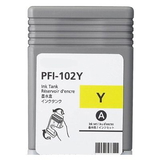
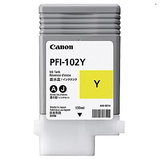
- Original OEM Ink Cartridge Canon PFI-102Y (CF0898B001A) (Yellow) with Compatible Ink Cartridge PFI-102Y – for warm highlights and clean yellows in charts and posters.
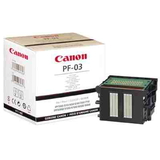
Printheads, waste ink tanks and cleaning fluids – keep your iPF720 in top condition Wide-format printers are systems, not just cartridges. To maintain consistent output, you may also need service components—especially if the printer is used irregularly or runs heavy production cycles. - Original OEM Printhead Canon PF-03 (2251B001) – the key component responsible for nozzle precision. If you see persistent missing lines or repeated nozzle dropouts that don’t improve after cleaning, a printhead replacement can restore quality.
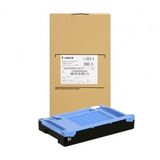
- Original OEM Waste Ink Tank Canon MC-07 (1320B008) – collects waste ink from cleaning cycles. When it reaches its limit, the printer may block printing until it is replaced, so it’s worth keeping one in reserve.
- Specialistic Fluid for Cleaning Heads Canon 250 ml (Universal) – a practical option for maintenance and troubleshooting when standard cleaning isn’t enough (e.g., after long downtime or when inks have partially dried).
How to choose the right ink for Canon iPF720 – practical tips and common issues If you want trouble-free printing, start with the basics: select the correct cartridge code and color (PFI-102 series), and decide whether you prefer Original OEM or Compatible class. Here’s how we recommend choosing ink for printer Canon imagePROGRAF 720: - Match the exact symbol: PFI-102MBK, PFI-102BK, PFI-102C, PFI-102M, PFI-102Y. This avoids installation errors and color mismatches.
- Choose OEM when you need strict compliance for corporate procedures or standardized color workflows.
- Choose compatible cartridges when you want to lower costs while keeping excellent print quality—our DrTusz.pl compatible ink solutions are built to perform like originals in everyday CAD and poster use.
- Print regularly: long breaks can lead to nozzle issues. If you print occasionally, keeping a maintenance routine helps protect the Canon PF-03 printhead.
- Watch for warning signs: banding, missing lines, or frequent cleaning cycles can suggest a clogged nozzle, an aging printhead, or a near-full Canon MC-07 waste ink tank.
Many Canon iPF720 users ask about repeated head cleaning and ink consumption. This is often linked to sporadic use or dried nozzles. In such cases, the right combination of fresh cartridges, proper maintenance, and—when needed—cleaning fluid for heads can quickly bring the printer back to stable operation. Order ink cartridges for Canon imagePROGRAF 720 today – and print with confidence We encourage you to explore our full selection of ink cartridges for Canon imagePROGRAF 720, including Original OEM, Compatible and refill components, as well as essential maintenance items like the PF-03 printhead, MC-07 waste ink tank and cleaning fluids. If you’re not sure which option is best for your workload, contact us—we’ll help you choose the right ink for Canon iPF720 and the supplies that keep your printer running smoothly. CTA: Check the available products in this category, pick your color set, and place your order—if you have questions, we’re ready to advise you on compatibility, maintenance and the most cost-effective setup. |