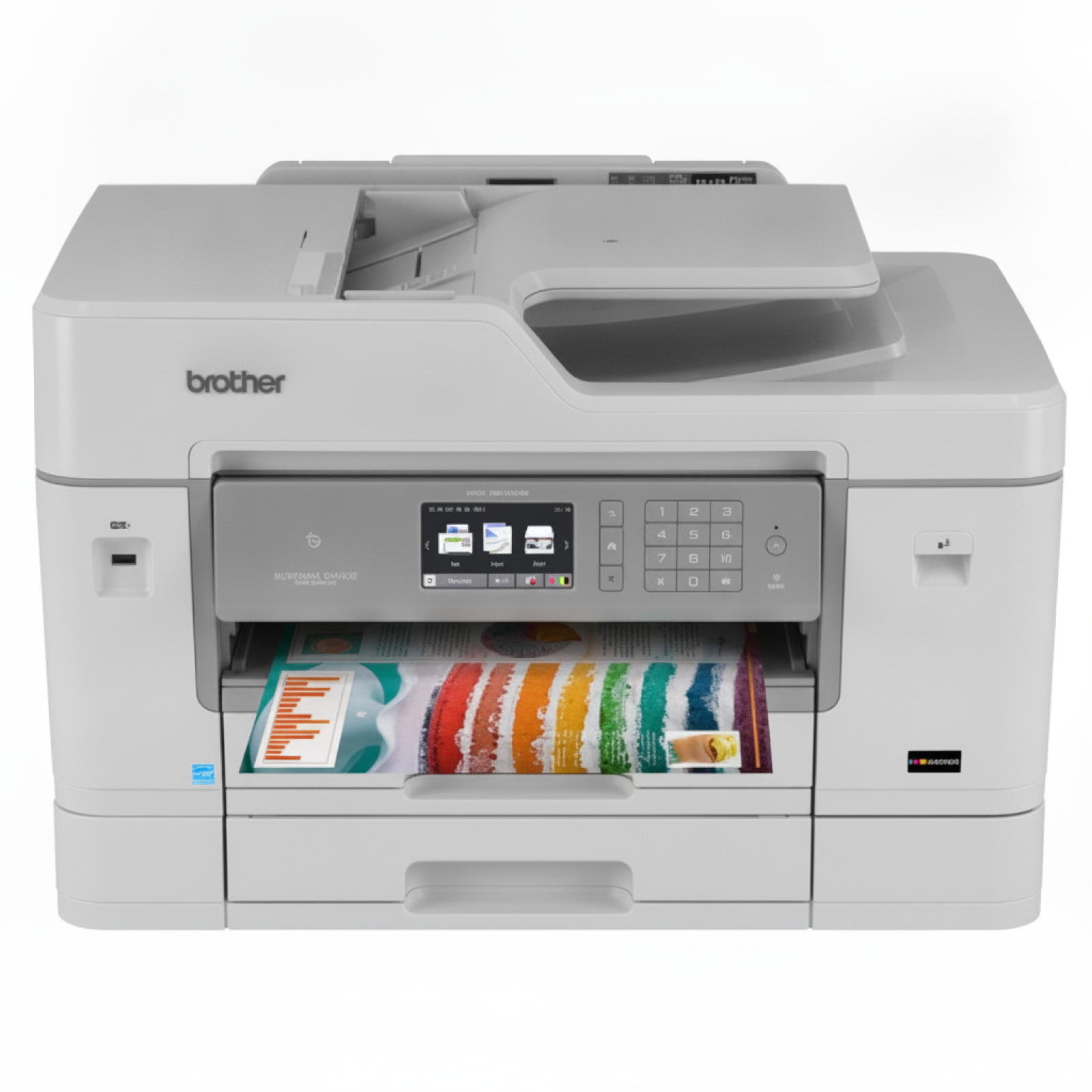
Brother MFC-J6935DW: a powerful A3 all-in-one that deserves the right ink The Brother MFC-J6935DW is a business-class inkjet all-in-one built for busy offices and demanding home workspaces. It’s known for fast document printing, reliable duplex work, network connectivity, and the flexibility of handling larger formats (including A3). To keep this device performing at its best, choosing the right ink for Brother MFC-J6935DW is essential—both for crisp text and clean, vivid color graphics. What makes ink for Brother MFC-J6935DW different? This model uses cartridges from the LC-3217 and high-yield LC-3219 XL family. In practice, that means you can tailor your purchase to the way you print: standard capacity for occasional use or XL versions for heavy workloads. Whether you print invoices, shipping documents, presentations, or color marketing materials, the correct ink cartridge for Brother MFC-J6935DW helps you maintain consistent quality and avoid interruptions. In our category you’ll find: - Ink cartridges (Black + Color CMYK) – for everyday office printing and color graphics
- Color cartridges (Cyan, Magenta, Yellow) – perfect when one color runs out first
- Cleaning fluid – a practical support product when printheads need maintenance
- Devices – including the All-In-One Printer Brother MFC-J6935DW itself
Compatible vs Original OEM ink: choose what fits your priorities Many customers searching for ink for printer Brother MFC-J6935DW ask the same question: original or compatible? We offer both, and we help you choose confidently. - Original OEM ink cartridges (Brother branded) are designed by the manufacturer for maximum predictability and plug-and-play comfort—great if you prefer to stay strictly within OEM supplies.
- Compatible ink cartridges are the smart-value choice for everyday printing. The compatible cartridges from DrTusz.pl are made to deliver results that are as good as originals—sharp text, stable colors, and reliable page yield—while keeping your printing budget under control.
Whichever route you pick, you can buy single colors or multipacks so you don’t get caught off guard when a cartridge runs out mid-task. Popular products for LC-3217 and LC-3219 XL (CMYK + single colors) To make shopping easier, we stock the most commonly chosen combinations and individual colors for Brother MFCJ6935DW (also searched as MFC-J6935DW, MFC J6935DW, or MFC-J6935 dw). Here are some top picks from this category: - Compatible Ink Cartridges LC-3219 XL CMYK for Brother (LC3219XLVAL) (multi pack) – high-yield set for frequent printing and fewer replacements.
- Original OEM Ink Cartridges Brother LC-3219 XL CMYK (LC3219XLVAL) (multi pack) – OEM XL performance for busy offices.
- Compatible Ink Cartridges LC-3217 CMYK for Brother (LC3217VAL) (multi pack) – a balanced set for regular mixed printing.
- Original OEM Ink Cartridges Brother LC-3217 CMYK (LC3217VAL) (multi pack) – OEM standard capacity CMYK set.
- Compatible LC-3219 XL single colors: LC3219XLBK (Black), LC3219XLC (Cyan), LC3219XLM (Magenta), LC3219XLY (Yellow) – ideal when you only need one replacement.
- Original OEM LC-3217 single colors such as LC3217BK, LC3217C, LC3217M, LC3217Y – for precise replenishment of the color that ran out.
- Specialistic Fluid for Cleaning Heads Brother 250 ml (Universal) – helpful when you see missing lines, faded colors, or after longer printer downtime.
How to select the right ink cartridge for Brother MFC-J6935DW If you want a smooth purchase and trouble-free installation, we recommend checking a few simple points: - Match the series: LC-3217 (standard) vs LC-3219 XL (high yield). If you print a lot, XL usually means better convenience and cost efficiency.
- Decide on a set or singles: CMYK multipacks are the safest choice for uninterrupted work; single colors are perfect for targeted refills.
- Think about your print type: for mostly text, Black is consumed fastest; for charts, photos, and presentations, color usage rises.
- Keep maintenance in mind: if the printer stands unused for longer periods, a cleaning fluid can be a real lifesaver.
Common printing issues with Brother MFC-J6935DW—and how ink & cleaning help Even a reliable all-in-one like the Brother MFC-J6935DW can sometimes show typical inkjet symptoms. The good news: most of them are easy to solve with the right cartridge choice and basic maintenance. - Faded prints or streaks – often linked to low ink levels or dried nozzles; replacing the cartridge and/or using a head-cleaning solution can restore quality.
- Missing colors – one empty color can affect the whole output; replace the specific Cyan/Magenta/Yellow cartridge instead of buying a full set.
- Infrequent use problems – if the printer isn’t used regularly, ink can dry in the print system; keeping a cleaning fluid on hand is a practical prevention.
- Too frequent cartridge changes – consider switching to LC-3219 XL for higher yield and fewer interruptions.
Why buy ink for Brother MFC-J6935DW from us? We focus on choice, availability, and real-world printing needs. In one place you can order original OEM ink for Brother MFC-J6935DW, cost-effective compatible ink for Brother MFC-J6935DW, and helpful maintenance products like cleaning fluids. We also include the device itself in the category, so you can equip your workspace end-to-end. Call to action: We encourage you to explore our full selection of ink cartridges for MFC-J6935DW (including Brother MFCJ6935DW queries and all common spelling variations). If you’re unsure whether to pick LC-3217 or LC-3219 XL, compatible or Original OEM, contact us—we’ll help you choose the best option for your printing style. Order today and enjoy fast, convenient delivery and friendly support whenever you need it. |