Haven't found what you were looking for? Click here! ▼
Describe below exactly what you are looking for and we will see how we can help. You will receive a reply to your e-mail address by 09:15 on monday (21 September 2026) at the latest
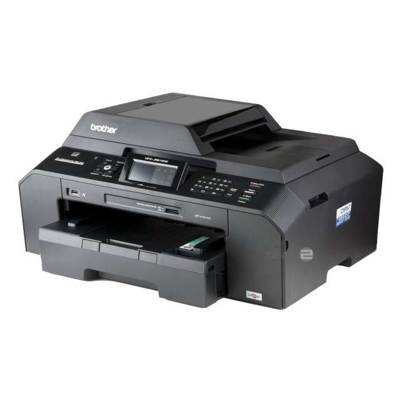
Ink cartridges for Brother MFC-J5910DW - compatible and original OEM
Keep your Brother MFC-J5910DW printing sharp and reliable with our range of inkjet supplies—designed for everyday documents and vibrant colour work. This category includes both Original OEM and compatible ink cartridges, so you can choose between brand-authentic performance or a budget-friendly alternative without sacrificing consistent results.
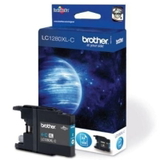
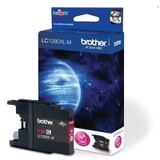
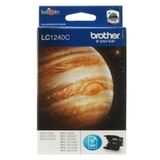
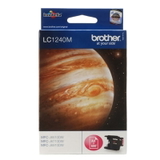
Find the right cartridge format for your needs: standard-yield LC-1240 and high-yield LC-1280 XL options, available as individual colours (Black, Cyan, Magenta, Yellow) or convenient multipacks like CMYK, CMY, plus Black 2-packs and 4-packs. All selections are made to match the cartridge specifications used by the Brother MFCJ5910DW series, ensuring smooth installation and dependable page output.
For maintenance and print-quality recovery, you’ll also find refill components such as a specialist cleaning fluid for print heads—ideal when you’re dealing with clogs or faded lines. Choose your Brother MFC-J5910DW ink cartridges today and print with confidence—explore the full selection and pick the best value for your next replacement.
Brother MFC-J5910DW – wide-format printing that works hard every day
Brother MFC-J5910DW (also searched as: Brother MFCJ5910DW, Brother MFC J, MFC-J5910 DW, MFC J5910DW and similar variants) is a versatile inkjet all-in-one built for busy home offices and small businesses. It is valued for fast everyday printing, convenient wireless work, and the ability to handle larger formats (including A3 printing). To keep this model performing at its best, you need reliable ink for Brother MFC-J5910DW—matched to the printer’s requirements and your printing style.
Ink for Brother MFC-J5910DW – what matters in daily use
Choosing the right ink cartridge for Brother MFC-J5910DW affects not only color and sharpness, but also print stability over time. This printer uses the popular Brother LC series: LC-1240 (standard capacity) and LC-1280XL (high yield). In our category you will find both Original OEM cartridges and carefully selected compatible ink cartridges, plus refill components and fluids for cleaning that help maintain printheads.
Everyday documents – crisp black text for invoices, contracts, shipping labels and school prints.
Color materials – clear charts, presentations and marketing handouts with consistent CMYK reproduction.
Lower cost per page – high-yield XL cartridges help reduce interruptions and frequent replacements.
Maintenance support – cleaning fluid can be a real lifesaver when prints show gaps or faded lines.
Compatible, Original OEM and refill components – a full choice in one place
We know that different customers have different priorities, so we built this selection to cover them all. If you want the manufacturer’s solution, choose Original OEM ink for Brother MFC-J5910DW. If you print a lot and want to cut costs without sacrificing quality, our compatible ink cartridges for Brother MFC-J5910DW from DrTusz.pl are a smart alternative—designed to deliver results as good as the originals, with dependable performance and strong color.
For users who like to maintain the device proactively, we also offer refill components and a dedicated fluid for cleaning, which can help restore smooth ink flow and keep printing predictable.
Popular cartridges for Brother MFC-J5910DW in our offer
To make selection easier, here are some frequently chosen options from this category—covering both standard and XL yield, single colors and multipacks:
Compatible Ink Cartridges LC-1240 CMYK for Brother (LC1240VALBP) (multi pack) – a convenient full set for balanced home/office printing.
Compatible Ink Cartridges LC-1280 XL CMYK for Brother (LC1280XLVALBP) (multi pack) – a high-yield choice for frequent printing and fewer replacements.
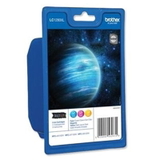
Original OEM Ink Cartridges Brother LC-1240 CMYK (LC1240VALBP) (multi pack) – the manufacturer’s set for users who prefer OEM supplies.
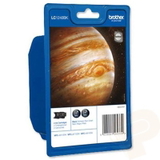
Original OEM Ink Cartridges Brother LC-1280 XL CMYK (LC1280XLVALBP) (multi pack) – OEM quality with XL efficiency.
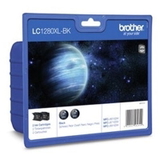
Black multipacks such as LC-1240 BK BP2, LC-1240 BK BP4, LC-1280 XL BK BP2, LC-1280 XL BK BP4 – perfect if you print lots of text.
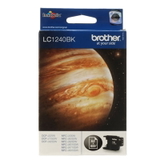
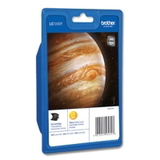
Single colors – LC-1240 and LC-1280XL in Black, Cyan, Magenta, Yellow when you only need to replace the depleted color.
Specialistic Fluid for Cleaning Heads Brother 250 ml (Universal) – helpful for maintenance and troubleshooting print quality.
How to choose the right ink cartridge for Brother MFC-J5910DW
When you shop for ink for Brother MFC-J5910DW, start with two simple questions: how much do you print, and what do you print most often?
Print occasionally – LC-1240 standard capacity is often enough and keeps costs controlled.
Print frequently – choose LC-1280XL to reduce the cost per page and avoid downtime.
Mostly black text – consider black multipacks (BP2/BP4) to stay stocked for busy periods.
Balanced color printing – CMYK multipacks help keep color consistent and convenient.
Original vs compatible – what’s the difference? Original OEM cartridges are made by Brother and are often chosen for brand continuity. Compatible cartridges are produced as alternatives and can offer a much better price-performance ratio. Our compatible ink for Brother MFC-J5910DW from DrTusz.pl is selected to provide the same everyday reliability and print quality you expect—sharp text, clean graphics and stable colors—while helping you spend less on printing.
Common user issues with Brother MFC-J5910DW – and how ink & cleaning fluid can help
This model is designed for regular use, but like many inkjet printers it can sometimes show typical symptoms—especially if it sits unused for longer periods.
Streaks, missing lines, faded colors – often linked to partially dried ink in the printhead. A cleaning cycle and, when needed, a cleaning fluid can help restore proper flow.
One color runs out faster – common in color-heavy documents; replacing a single cartridge (C/M/Y or BK) is the most economical approach.
Frequent replacements – if you print a lot, switching from LC-1240 to LC-1280XL usually improves comfort and reduces interruptions.
Printer not used regularly – we recommend printing a small color test page occasionally to keep ink circulating.
If you’re unsure which ink cartridge for Brother MFCJ5910DW is best for your situation, we are here to help you match the right LC-1240 or LC-1280XL version to your needs.
Choose your ink today and keep your Brother MFC-J5910DW ready to print
We encourage you to explore the full selection of ink for Brother MFC-J5910DW: compatible cartridges, Original OEM options, convenient multipacks, single colors, and practical cleaning solutions. Add the right set to your cart and enjoy smooth, predictable printing—whether you run a home office, print A3 materials, or simply need dependable documents every day.
CTA: Browse the products in this category now, choose the best LC-1240/LC-1280XL option for your printer, and if you have any questions—contact us. We’ll gladly help you pick the right cartridge and get it delivered quickly so your Brother MFC-J5910DW can get back to work.