Haven't found what you were looking for? Click here! ▼
Describe below exactly what you are looking for and we will see how we can help. You will receive a reply to your e-mail address by 09:15 on monday (5 October 2026) at the latest
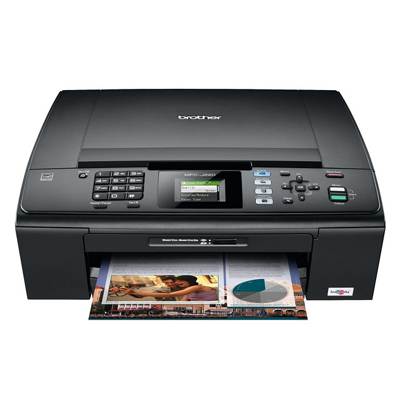
Ink cartridges for Brother MFC-J220 - compatible and original OEM
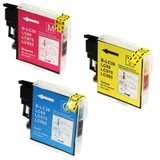
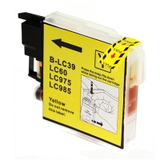
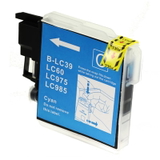
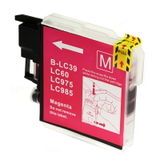
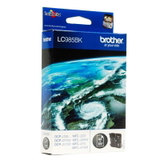
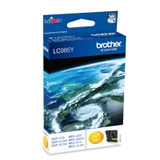
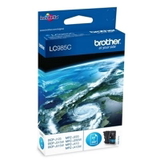
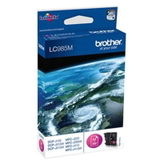
Keep your Brother MFC-J220 printing sharp and reliable with our selection of inkjet supplies, including both Compatible and Original OEM options. In this category you’ll find the most popular Brother LC-985 cartridges in Black (BK), Cyan (C), Magenta (M), and Yellow (Y), available as single cartridges or convenient multipacks (CMYK and CMY) to match your printing needs.
Choose Compatible ink cartridges for a cost-effective alternative, or go with Original OEM cartridges for factory-standard performance and peace of mind. Every option is designed for clean, consistent results and smooth compatibility with Brother MFC-J220 series printers—ideal when you’re searching for ink cartridges for Brother MFC-J220 or need the right Brother LC-985 ink cartridge fast.
For maintenance and recovery of print quality, you can also add specialist cleaning fluid for print heads (250 ml) to help prevent clogs and keep colors accurate. Pick your LC-985 set today and stock up smart—explore the full range and keep your Brother printing at its best.
Brother MFC‑J220 – a compact all‑rounder for home and small office
If you use the Brother MFC‑J220 (also searched as Brother MFCJ220, MFC‑J220, MFC J220 or MFCJ220), you already know why this model is still so popular: it prints, copies and scans reliably, fits easily on a desk, and keeps everyday document and photo printing simple. To keep it working at its best, you need the right ink for Brother MFC‑J220—and that’s exactly what we focus on in this category.
What ink does the Brother MFC‑J220 use?
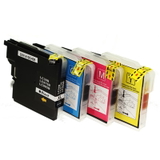
The MFC‑J220 uses the Brother LC‑985 series: black (BK) plus three colour cartridges—cyan (C), magenta (M) and yellow (Y). Choosing the correct ink cartridge for Brother MFC‑J220 ensures consistent colour, crisp text, smooth gradients and trouble‑free cartridge recognition. Whether you print invoices, school materials, forms or occasional photos, the right set of LC‑985 inks makes a visible difference.
In our store you’ll find:
Ink cartridges (black and individual colours)
Multipacks (CMYK and CMY sets)
Cost‑saving black multi‑packs for frequent text printing
Fluids for cleaning to help with clogged nozzles and missing colours
Compatible vs Original OEM – choose what fits your printing style
We offer both Original OEM ink for Brother MFC‑J220 and high‑quality compatible ink for Brother MFC‑J220. Original OEM cartridges are made by Brother and are a safe choice when you want to stick to manufacturer supplies. At the same time, our compatible cartridges from DrTusz.pl are designed to deliver print quality and reliability that are as good as the originals—while helping you significantly reduce your cost per page.
How do they differ in practice?
Original OEM LC‑985: manufacturer ink, consistent output, ideal for users who always choose branded supplies.
Compatible LC‑985: excellent everyday performance, strong value, great choice for frequent printing at a lower total cost.
Refill components & cleaning solutions: helpful when you want to maintain the printhead, improve ink flow and extend smooth operation.
Popular picks in this category (LC‑985 for Brother MFC‑J220)
To make shopping easier, we highlight a few customer favourites. If you print a lot, multipacks are usually the quickest way to stock up on ink for printer Brother MFC‑J220 and avoid sudden “low ink” surprises.
Compatible Ink Cartridges LC‑985 CMYK for Brother (LC985VALBP) (multi pack) – the most convenient full set for everyday home and office printing.
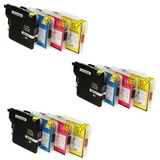
3x Compatible Ink Cartridges LC‑985 CMYK for Brother (LC985VALBP) (multi pack) – a practical option for heavy users who want fewer orders and more savings.
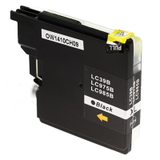
Compatible Ink Cartridge LC‑985 BK for Brother (LC985BK) (Black) – perfect when you mainly print documents and need just black ink.
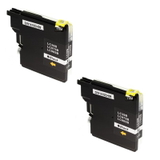
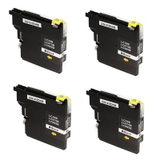
Compatible Ink Cartridges LC‑985 BK BP2 (LC985BKBP2) (2‑pack) and BK BP4 (LC985BKBP4) (4xpack) – ideal for high‑volume text printing.
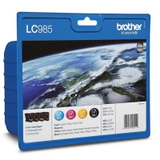
Original OEM Ink Cartridges Brother LC‑985 CMYK (LC985VALBP) (multi pack) – the OEM full set for those who prefer manufacturer cartridges.
Original OEM Ink Cartridge Brother LC‑985 BK / C / M / Y – buy exactly the colour you need, when you need it.
Specialistic Fluid for Cleaning Heads Brother 250 ml (Universal) – a smart addition when you notice gaps in print, fading colours or nozzle issues.
How to choose the right ink for Brother MFC‑J220 (and avoid common issues)
When selecting an ink cartridge for Brother MFC‑J220, start with your printing habits. If you print mostly text, black multipacks (BP2/BP4) are often the best value. If you print mixed content, a CMYK multipack keeps colour balance consistent and prevents downtime.
Common user issues with the Brother MFC‑J220 often relate to ink flow and printhead condition, especially when the printer sits unused for longer periods. If you notice:
missing lines or “striping” in black or colour prints,
faded colours,
one colour not printing even though the cartridge is installed,
uneven text edges,
…it may be time to run maintenance (cleaning cycle) and consider a cleaning fluid for Brother to support head cleaning and ink channel performance. Regular printing (even a quick test page) also helps prevent nozzle drying.
If you’re unsure whether to choose OEM or compatible ink for MFC‑J220, we can help you match the best option to your needs—budget‑friendly for everyday printing or OEM for brand‑only preferences.
Order ink for Brother MFC‑J220 with confidence
We encourage you to explore our full selection of Brother MFC‑J220 ink cartridges: compatible, Original OEM and maintenance products like cleaning fluids. Choose a single colour, stock up with a multipack, or secure extra black for high‑volume printing—whatever keeps your MFC‑J220 ready when you need it.
CTA: Add your chosen LC‑985 ink for Brother MFC‑J220 to the cart today, and if you have questions about compatibility, printing problems or the best set for your usage, contact us—we’ll gladly advise and help you place the right order. We offer fast shipping options and friendly support so you can get back to printing without delays.