Brother MFC-235C – a reliable all‑in‑one that still deserves great prints The Brother MFC-235C is a compact inkjet multifunction printer designed for everyday home and small-office tasks: printing documents, copying, and scanning without taking up much space. If you use it regularly, you already know that the key to consistent quality is choosing the right ink for Brother MFC-235C and keeping the print system in good condition. In this category we’ve gathered everything you need: compatible and Original OEM ink cartridges as well as fluids for cleaning to help your device work smoothly for longer. Ink for Brother MFC-235C – what matters for sharp text and vivid colors For the Brother MFC 235C (also searched as Brother MFC235C, MFC-235C, MFC 235C, MFC235c and similar variants), the printer uses a classic CMYK setup: black plus three color cartridges (cyan, magenta, yellow). The right ink cartridge for Brother MFC-235C affects not only color accuracy, but also drying time, smudge resistance and overall reliability—especially when you print mixed content like invoices, school worksheets, emails, and photos. In our selection you’ll find cartridges that are perfect for: - everyday office printing (clear black text, good coverage),
- home use (balanced cost per page),
- color graphics and presentations (stable CMYK output),
- occasional photo prints (consistent color reproduction with clean nozzles).
Compatible vs Original OEM – choose what fits your needs We offer both Original OEM ink cartridges for Brother MFC-235C and carefully selected compatible ink cartridges for Brother MFC-235C. Original OEM cartridges are made by Brother and are a great option when you want to stay strictly within the manufacturer ecosystem. At the same time, our compatible cartridges from DrTusz.pl are designed to deliver prints that are as good as the originals—with strong black text, stable colors and excellent everyday reliability. They are a smart choice if you want to reduce printing costs without sacrificing quality. When choosing between them, consider: - Printing volume – for frequent printing, compatible multipacks and sets help lower cost per page.
- What you print – for a lot of graphics, a full CMYK pack keeps colors consistent and avoids sudden “one color missing” issues.
- Convenience – multipacks save time and reduce the risk of running out mid-task.
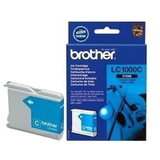
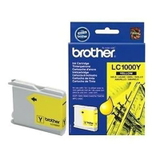
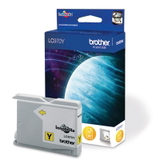
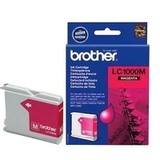
Popular cartridges in this category – black, color and money-saving multipacks To make shopping easy, we included the most commonly chosen items for ink for Brother MFC-235C—both compatible and OEM. Customers often pick: - Compatible Ink Cartridges LC-1000 CMYK for Brother (LC1000VALBP) (multi pack) – a practical full color set for everyday use.
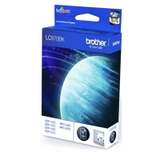
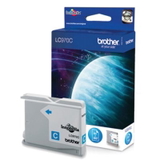
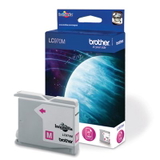
- Compatible Ink Cartridges LC-970 CMYK for Brother (LC970VALBP) (multi pack) – another popular CMYK option, great for keeping a full spare set at home.
- Compatible Ink Cartridge LC-1000 BK for Brother (LC1000BK) (Black) and Compatible Ink Cartridge LC-970 BK for Brother (LC970BK) (Black) – ideal if you print a lot of text.
- Compatible Ink Cartridge LC-1000 C/M/Y and Compatible Ink Cartridge LC-970 C/M/Y – quick replacement when a single color runs low.
- Compatible Ink Cartridge LC-1000 XL BK for Brother (LC1000HYBK) (Black) – a great choice if you want fewer replacements and more pages from black ink.
- Original OEM Ink Cartridges Brother LC-1000 CMYK (LC1000VALBP) (multi pack) and Original OEM Ink Cartridges Brother LC-970 CMYK (LC970VALBP) (multi pack) – for customers who prefer genuine Brother supplies.
- Convenient bundles like 3x Compatible Ink Cartridges LC-1000 CMYK, 3x Compatible Ink Cartridges LC-970 CMYK, 4x Compatible Ink Cartridge LC-970 BK or 4x Compatible Ink Cartridge LC-1000 BK – perfect for heavy users and offices.
Common Brother MFC-235C issues – and how ink & cleaning fluid can help Many users of the Brother MFC-235C experience typical inkjet challenges, especially when printing irregularly. The most common ones include: - Faded prints or missing lines – often caused by partially clogged nozzles.
- Colors not matching – a sign one color is running low or not printing correctly.
- Printer not used for a while – dried ink can affect the print head performance.
That’s why this category also includes a maintenance essential: Specialistic Fluid for Cleaning Heads Brother 250 ml (Uniwersalny). A high-quality cleaning fluid helps restore ink flow, supports head cleaning procedures, and can reduce the chance of repeated cleaning cycles that consume ink. If your Brother MFC235C prints streaks or gaps, cleaning and fresh cartridges often bring a noticeable improvement. How to pick the right ink cartridge for Brother MFC-235C (and avoid mistakes) To choose the best ink for printer Brother MFC-235C, start with the cartridge code used by your device and your printing habits: - If you print mainly documents, consider a strong black option like LC-1000 BK, LC-970 BK or the higher-capacity LC-1000 XL BK.
- If you print mixed content, choose a full set like LC-1000 CMYK or LC-970 CMYK (compatible or Original OEM).
- If you want the best value and convenience, multipacks and multi-sets (3x or 4x) are the most cost-efficient and reduce downtime.
And if you’re unsure which version fits your exact device naming (MFC-235 c, MFC 235C, MFC235 C, etc.), we’re here to help—because choosing the correct ink cartridge for Brother MFC-235C should be simple and stress-free. Order ink for Brother MFC-235C with confidence – we’re ready to help We encourage you to explore our full selection of compatible and Original OEM ink cartridges for Brother MFC-235C and add a cleaning fluid to your order for extra peace of mind. With the right supplies, your Brother MFC-235C can keep producing crisp documents and vibrant color prints for years. CTA: Choose your preferred ink option (compatible, Original OEM, or maintenance products), place your order, and if you have any questions—contact us. We’ll help you match the correct cartridge and get you printing again quickly with convenient delivery. |