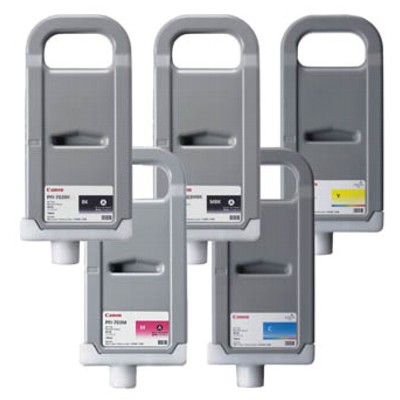
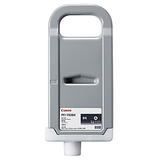
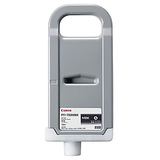
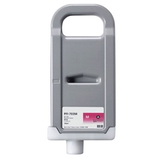
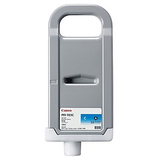
Precision colour starts with Canon PFI-703 ink – keep your imagePROGRAF ready for every job When you print technical drawings, posters, photos, or presentation boards, there’s no room for “almost right”. A single off-tone colour, a muddy black, or a clogged head can ruin an entire run and waste both time and media. In our category Ink cartridges Canon PFI-703 – compatible and original OEM, we focus on what matters most: stable, repeatable colour, clean lines, and dependable workflow for Canon large-format printing. Whether you choose an Original OEM Canon PFI-703 cartridge or a carefully selected compatible alternative from DrTusz.pl, we help you keep your plotter printing confidently—day after day. What’s inside the Canon PFI-703 series – inks, maintenance and cleaning This category is more than just ink for printer jobs—it’s a complete set of essentials to keep your Canon imagePROGRAF working smoothly. You’ll find the most popular Canon PFI-703 ink cartridge colours as well as maintenance items that users often need right when deadlines hit. - Original OEM Ink Cartridge Canon PFI-703MBK (2962B001AA) – Matte Black for crisp technical lines and strong contrast on matte media
- Original OEM Ink Cartridge Canon PFI-703BK (2963B001AA) – Black for deep density and balanced neutral output
- Original OEM Ink Cartridge Canon PFI-703C (2964B001AA) – Cyan for clean blues and smooth gradients
- Original OEM Ink Cartridge Canon PFI-703M (2965B001AA) – Magenta for rich reds and accurate skin tones
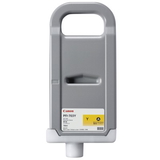
- Original OEM Ink Cartridge Canon PFI-703Y (2966B001AA) – Yellow for bright highlights and vivid colour mixes
- Original OEM Waste Ink Tank Canon MC-09 (1320B012AA) – essential for safe waste ink collection during cleaning cycles
- Specialistic Fluid for Cleaning Heads Canon 250 ml (Universal) – a practical solution for maintenance and printhead care
Compatible with Canon imagePROGRAF – made for professional wide-format work The Canon PFI-703 ink system is used in selected Canon imagePROGRAF plotters, including models such as Canon imagePROGRAF 810, Canon imagePROGRAF 820, Canon imagePROGRAF 815 and Canon imagePROGRAF 825. These machines are often the heart of an office, studio, or print point—so having the right ink for Canon imagePROGRAF on hand means fewer interruptions, fewer emergency purchases, and a more predictable printing schedule. Original OEM vs compatible PFI-703 – how to choose the best option for your needs Dear Customer, the best choice depends on your workflow, quality requirements, and budget—but whichever route you take, we keep the decision simple and safe. - Original OEM Canon PFI-703 ink is the manufacturer’s solution—ideal when you want maximum consistency, strict colour workflows, or you simply prefer Canon’s own consumables.
- Compatible Canon PFI-703 ink cartridges from DrTusz.pl are a smart way to lower printing costs without sacrificing print quality. We select compatible options that deliver results as good as the originals, so you can print confidently while keeping expenses under control.
If you print client-facing posters or colour-critical work, many customers start with OEM to establish a reference output. If you run everyday CAD lines, office posters, or regular production work, a high-quality compatible ink for Canon imagePROGRAF 810 or ink for Canon imagePROGRAF 820 can be the most cost-effective solution—especially when you print often. Common user issues with PFI-703 printing – and how our products help Large-format printers are powerful, but they’re also sensitive to maintenance. Here are the most common problems we see—and what helps: - Faded blacks or weak linework: choosing the right black matters. Matte media often benefits from PFI-703MBK, while other applications may require PFI-703BK.
- Streaks, missing nozzles, or banding: these symptoms can appear after downtime. Regular maintenance and, when needed, a dedicated cleaning fluid for print heads can restore smooth output.
- Printer stops due to maintenance limits: a full waste container can halt your workflow. Keeping an Canon MC-09 waste ink tank ready prevents sudden downtime.
- Unexpected colour shifts: replacing cartridges in time and sticking to reliable supplies (OEM or proven compatible) helps keep colour stable across prints.
Think of it like keeping a studio camera lens clean: your Canon imagePROGRAF can deliver stunning detail, but only if the ink path and head condition stay in top shape. Smart buying tips – pick the right PFI-703 cartridge and reduce downtime We encourage you to choose consumables proactively—before the “low ink” message turns into a production stop. - Match the exact code: if you need Canon PFI-703C (2964B001AA) or Canon PFI-703MBK (2962B001AA), selecting by code prevents mistakes.
- Plan colours based on your work: CAD and technical prints often consume blacks faster; poster printing may drain CMY more evenly.
- Don’t forget maintenance items: the Canon MC-09 waste ink tank is not optional—when it fills up, printing can stop at the worst time.
- Keep cleaning support ready: a universal cleaning fluid for Canon print heads can be invaluable after long idle periods or in dusty environments.
Why buy Canon PFI-703 inks and maintenance supplies from us We build this category so you can find the right Canon PFI-703 ink cartridge quickly, choose between Original OEM and high-quality compatible alternatives, and complete your order with the maintenance essentials that keep your plotter reliable. Instead of searching across multiple places for ink, a waste ink tank, and cleaning solution, you can prepare your Canon imagePROGRAF for uninterrupted work in one go. Get the best out of your imagePROGRAF today – choose your Canon PFI-703 now Stock up on the Canon PFI-703 colours you use most, add the Canon MC-09 waste ink tank for peace of mind, and keep a cleaning fluid ready for quick maintenance. Choose Original OEM or our proven compatible option—and keep your prints sharp, vivid, and professional. Order your Canon PFI-703 ink today and keep your Canon imagePROGRAF printing without interruptions. |