




DrTusz - www.drtusz.com
Language
Polski
English
Information
Opinie o DrTusz.pl - Tusze Tonery Drukarki DrTusz.pl - dożywotnia gwarancja na zamienniki DrTusz.pl - zawsze błyskawiczna przesyłka
Newsletter
Contact
Product Info

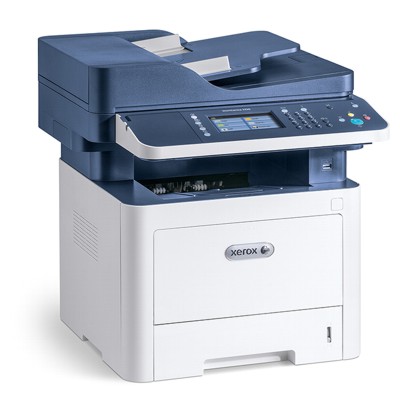
All-In-One Printer Xerox WorkCentre 3335V_DNI

Category Laser Devices Manufactured by Xerox
Class Mono Catalog Number WC3335
Type

All-in-One Printer

Availability Ask for availability
always free delivery always free deliveryalways free delivery
1.659,99 PLN
1.349,59 PLN netto

Product temporarily unavailable

Ask for availability

Opinions about the DrTusz.com store See all ►
”

Wszystko przeszło sprawnie od zamówienia do dostawy!

Marek 30 October 2026 | 13:25
”

Wszystko super i sprawnie. POLECAM!!!

Dariusz 30 October 2026 | 13:18
Specification Related products Ask question Reviews (1)
Ask question
Did not find your answer? Ask us about:
All-In-One Printer Xerox WorkCentre 3335V_DNI (WC3335)
Reviews
Sprzęt naprawdę dobrej jakości, mercedes wśród drukarek wielofunkcyjnych. Obsługa zakupu sprawna i profesjonalna, polecam:)
5,0 /5
based on 1 review
5
1
4
0
3
0
2
0
1
0
Write review:
Oceń jakość produktu:
No rating
This product was added to our catalog on Monday 20 August, 2018.
Compatible Products
❮
of 4❯
Category Laser Devices
Type All-in-One Printer
Class Mono
Manufactured by Brother
Catalog Number DCPL2660
Availability Ask for availability
In stock 0 szt.
1.121,99 PLN
(912,19 PLN netto)
 
Free Delivery
Sold
1 2  3  4 
Next Page
Description

Frequently asked questions about this product

Quick Decision Guide:

1. Determine what you print and how often (documents vs. photos).
2. Choose a technology: laser (lots of text, low cost per page) or inkjet (color, photos).
3. Check the model specifications to ensure the features you need (duplex printing, network connectivity, MFP).
4. Calculate the operating cost based on the cartridge/toner yield.
5. If you provide your monthly print volume, the percentage of color printing, and the features you need, we’ll recommend a specific printer model.

Before making a purchase, we invite you to read these articles, which will help you make the best decision based on your needs:

How to Choose a Printer – A Guide for Customers
Laser and Inkjet Printers – Differences and Uses
Printer Specifications – Mysterious Jargon
Printer Cartridge Yield – How to Calculate the Cost Per Page


Yes, every printer is sold with factory-installed tanks (starter cartridges). These typically hold less ink or toner than standard cartridges sold separately. They are included so you can start printing right away without having to buy additional supplies.

In practice, this means that once you take the printer out of the box, you can start printing right away, but with heavy use, you’ll use up the starter cartridge faster and will need a full-size one sooner.