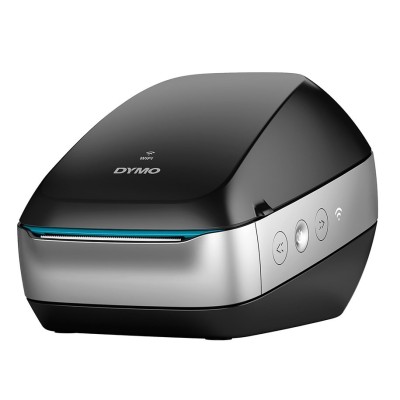
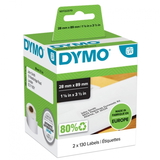
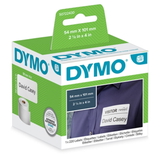
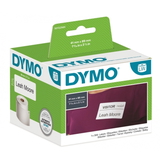
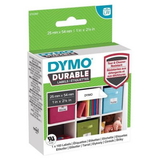
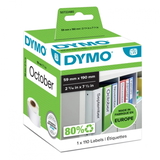
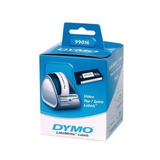
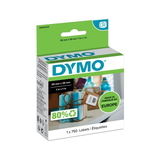
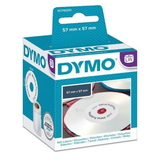
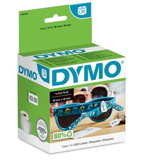
DYMO LW 310 (LW310) – a fast way to label everything The DYMO LabelWriter LW 310 (also searched as DYMO LW310, LW310 or simply 310) is a popular thermal label printer designed for quick, clean and cost-effective label printing. Because it uses direct thermal technology, you don’t need classic ink or toner for DYMO LW 310—what you really need are the right thermal label cartridges for DYMO LW 310. With the proper labels, you can print sharp text, barcodes and addresses in seconds, keeping your office, store or home workspace perfectly organised. Thermal labels for DYMO LW 310 – what you get and where you’ll use them Choosing the right labels for DYMO LW 310 means choosing comfort and reliability. Thermal labels are ready to print: you insert the roll, start printing, and your DYMO LabelWriter does the rest—no smudging, no drying time, no messy replacements. Our Cartridges Thermal (label rolls) for this model work great for everyday tasks such as: - address and shipping labels for parcels and envelopes,
- product and price tags for retail,
- barcode labels for warehouses and stockrooms,
- file/folder organisation in offices,
- home organisation (jars, boxes, drawers),
- special-purpose labels such as jewellery tags.
All labels in this category are in white, ensuring high contrast and excellent readability—exactly what most DYMO LW 310 users expect for professional results. Original OEM and Compatible – a wide choice for DYMO LabelWriter In our store, we make it easy to match the label to your needs and budget. That’s why we offer both Original OEM labels for DYMO LW 310 and carefully selected Compatible labels for DYMO LW 310. You can choose the option you prefer, while still enjoying clear prints and smooth printer operation. Among the most popular formats you’ll find in this category are well-known DYMO references, including: - LW-99012 – available as Original OEM and Compatible,
- LW-99010 – available as Original OEM and Compatible,
- LW-99014 and LW-99015 – popular everyday label sizes in both versions,
- LW-11352, LW-11353, LW-11354, LW-11355, LW-11356 – a versatile family of labels widely used with DYMO LW 310,
- LW-9110 and LW-9120 – compact labels for clear, tidy descriptions,
- LW-11351 – including the jewellery option (1500 pcs, 54 mm x 11 mm),
- LW-2112283 (54 mm x 25 mm, 160 pcs) and LW-1983173 (5.2 mm x 89 mm, 130 pcs) – for specific labelling needs.
Thanks to this variety, you can easily build a consistent labelling system—whether you print a few labels per week or hundreds per day. How to choose labels for DYMO LW 310 – practical tips from our team When customers search for “ink for DYMO LW 310” or “toner for DYMO LW 310”, we always clarify one important thing: DYMO LW 310 is a thermal printer, so instead of ink for DYMO LW 310 or toner for DYMO LW 310, you need the correct thermal label rolls for DYMO LW 310. To pick the best product, we recommend focusing on: - Label size and purpose – address, barcode, folder, jewellery, or product marking,
- Roll capacity (number of labels) – for high-volume work choose higher-count rolls,
- Original OEM vs Compatible – choose what fits your workflow and budget,
- Reference number – e.g., LW99012, LW11354, LW9110; matching the code is the quickest way to avoid mistakes.
Original OEM vs Compatible labels – what’s the difference? Original OEM Label DYMO options are the manufacturer’s rolls—chosen by customers who want to stick to the brand’s own supplies. At the same time, our customers increasingly choose Compatible labels for DYMO LW 310 because they offer excellent value without sacrificing quality. The compatible labels we offer at DrTusz.pl are made to be fully practical in everyday use: they feed smoothly, print clearly and help keep printing costs under control. If you print a lot (shipping, inventory, office administration), compatible labels are often the most economical way to keep your DYMO LabelWriter running—while still getting clean, professional-looking results. Common DYMO LW310 label issues – and how to avoid them Most problems with the DYMO LW 310 are not printer failures, but simple label-matching or setup issues. Here’s what we advise: - Wrong label size selected in the software – always set the exact format (e.g., LW-99012 or LW-11354) before printing.
- Labels feeding incorrectly – check that the roll is seated properly and the labels align with the guides.
- Faded print – thermal printing depends on label quality and storage; keep rolls away from heat and direct sunlight.
- Adhesion issues – make sure the surface is clean and dry; choose the format that best suits your application.
If you’re unsure which label roll your DYMO LW 310 needs, we’re here to help—just tell us what you want to label and which reference you’ve used before. Choose your DYMO LW 310 labels and start printing today We encourage you to explore our selection of Original OEM and Compatible labels for DYMO LW 310 and pick the exact format you need—whether it’s LW-99012, LW-99010, LW-11352 or specialised options like LW-11351 jewellery labels. Add your chosen thermal label cartridge to your basket and keep your DYMO LabelWriter ready for every task. CTA: Browse the available DYMO LW310 label rolls now, and if you need assistance choosing the right reference number or size, contact us—we’ll gladly recommend the best option and help you place your order. We offer fast, convenient delivery and professional support at every step. |