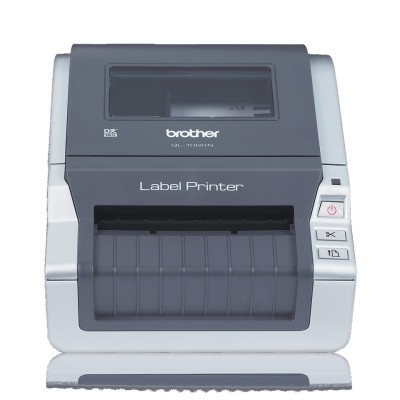
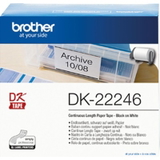
Brother QL-1060 – a reliable label printer for everyday work The Brother QL-1060 (also searched as QL-1060, QL 1060 or QL1060) is a proven thermal label printer designed for fast, clear and repeatable labeling. It’s a popular choice for offices, warehouses, shipping stations, e-commerce, and administration—anywhere you need professional-looking labels on demand. Because it uses thermal technology, you don’t buy classic “ink for Brother QL-1060” or “toner for Brother QL-1060”. Instead, you choose the right thermal cartridges: labels, continuous tapes (ribbons), and film tapes that determine the size, durability and purpose of your prints. Thermal cartridges for Brother QL-1060: labels, tapes and film tapes In this category you’ll find Cartridges Thermal for the Brother QL-1060 in both Compatible and Original OEM versions. These supplies are built for crisp text, readable barcodes and consistent feeding—so your printer can work smoothly even during higher-volume printing. Depending on your workflow, you can choose: - Die-cut labels – ready-to-use shapes and sizes for addresses, shelving, product ID and documentation.
- Continuous tape (ribbon-type) – long rolls you cut to the length you need; ideal for variable-size labels and signage.
- Film tape – designed for specific uses where you want a different surface finish or improved resistance.
Whether you print shipping labels, archive stickers, inventory tags, appointment labels or internal logistics markings, the right cartridge for Brother QL-1060 is what makes the output look professional and stay readable. Popular choices in our Brother QL-1060 range We keep the selection wide, because one company may need multiple label formats for different departments. Among the most frequently chosen items you’ll find both compatible and Original OEM solutions, for example: - Compatible Label DK-11209 (62 mm × 29 mm, 800 pcs) – a versatile size for identification and small address elements.
- Compatible Label DK-11201 (29 mm × 90 mm, 400 pcs) and Compatible Label DK-11215 (29 mm × 42 mm, 700 pcs) – great for folders, shelving and quick product marking.
- Compatible Label DK-11247 (103 mm × 164 mm, 180 pcs) – a larger format often chosen for shipping and logistics.
- Compatible Tape DK-22205 (62 mm, 30.48 m) and Original OEM Tape Brother DK-22205 – continuous tape for flexible label length.
- Compatible Tape DK-22243 (102 mm, 30.48 m) and Original OEM Tape Brother DK-22243 – a wide option for bigger labels and clear layouts.
- Compatible Film Tape DK-22212 (62 mm, 15.24 m) and Original OEM Film Tape Brother DK-22212 – for customers who prefer film-type supplies for specific applications.
You can also choose dedicated sizes like DK-11219 (12 mm, 1000 pcs) or DK-11218 (24 mm, 1000 pcs), and many more in Compatible and Original OEM versions—so it’s easy to match the cartridge exactly to your task. Compatible vs Original OEM: how to choose the best cartridge for Brother QL-1060 When you shop for a cartridge for Brother QL-1060, you usually decide between Original OEM and Compatible supplies: - Original OEM labels/tapes (Brother) – a safe choice if you want the manufacturer’s product line and standardized parameters across multiple sites.
- Compatible labels/tapes from our offer (DrTusz.pl) – a smart option if you want excellent print quality and reliable operation while optimizing costs. Our compatible cartridges are designed to be as good as the originals in everyday use: clear printing, consistent roll feeding and dependable adhesion for typical office and logistics applications.
How do you decide faster? We recommend focusing on three practical points: - Label size and format: die-cut (fixed size like DK-11209) vs continuous tape (like DK-22205) when you need custom lengths.
- Width: e.g., 29 mm, 50 mm, 62 mm, 102–103 mm—choose based on how much information you need to fit (address lines, barcode, SKU, icons).
- Environment: for handling, frequent contact, or specific surfaces, consider tape/film options that better match your conditions.
Common Brother QL-1060 user issues (and how the right supplies help) In daily operation, most problems aren’t caused by the printer itself, but by mismatched or improperly installed consumables. With Brother QL-1060, users most often report: - Label misalignment or wasted labels – often solved by choosing the correct label type (die-cut vs continuous) and ensuring the roll is seated properly.
- Faded or uneven print – thermal printing depends heavily on the media; good-quality labels and tapes deliver stronger contrast and more consistent results.
- Adhesion issues – the right label/tape selection matters when applying to cardboard, plastic, folders or warehouse bins.
- Choosing the wrong size – especially when switching between shipping labels and small identification labels; keeping two or three key DK formats on hand prevents downtime.
If you tell us what you print (shipping, inventory, office files, product labels), we’ll help you select the best cartridge for Brother QL-1060—Original OEM or compatible—so your workflow stays smooth. Choose your Brother QL-1060 labels and tapes and print with confidence We encourage you to explore the full range of Cartridges for Brother QL-1060 in this category: die-cut labels, continuous tapes (ribbons) and durable film tapes—available as Compatible and Original OEM. Add the formats you use most to your cart, and keep a spare roll ready to avoid interruptions during busy days. If you have any questions about choosing the right DK symbol, width or label format for your Brother QL-1060, contact us—we’ll respond quickly and help you match the perfect supplies. Check the available options, choose your preferred version (compatible or OEM), and order today with convenient delivery. |