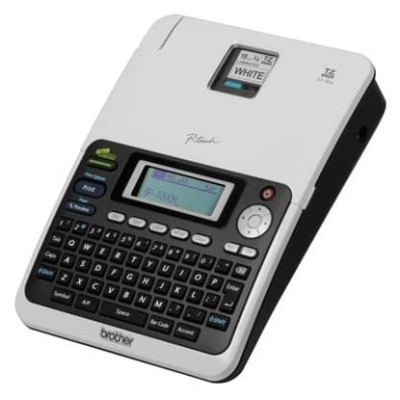
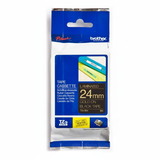
Brother PT-2030AD – a dependable P-touch labelling workhorse Brother PT-2030AD (also searched as Brother P-touch, PT 2030AD or PT2030AD) is a popular thermal transfer label printer designed for fast, clean and highly readable identification. It’s a go-to choice for offices, warehouses, electricians, installers, schools and anyone who needs durable labels for folders, shelves, cables, panels or equipment. To keep your device performing at its best, you need the right thermal transfer cartridge—in this case, quality tapes and tubes that match the job and the surface. Thermal transfer cartridges for Brother PT-2030AD: what matters most In this category we focus on Cartridges Thermal Transfer for Brother PT-2030AD, because that’s what this model uses to produce crisp, long-lasting labels. Instead of liquid ink, your Brother PT-2030AD works with tape cassettes (and specialty media) that deliver strong contrast, sharp edges and excellent durability—especially when you choose the right tape type and width. Our selection includes: - Ribbons / label tapes (TZe) – everyday laminated tapes for universal labeling
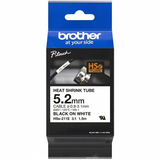
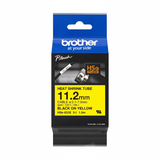
- Heat Shrink Tubes (HSe) – for cable identification and electrical installations
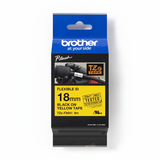
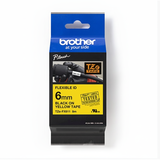
- Flexi Tapes (TZe-FX) – ideal for curved surfaces, wires and tight-radius wrapping
- Laminated Tapes – extra protection for demanding environments (moisture, abrasion, frequent handling)
When customers search for “ink for Brother PT-2030AD”, what they usually mean is “the right tape cartridge for Brother PT-2030AD”. We make it easy: you’ll find exactly the media your Brother PT-2030AD needs—both Compatible and Original OEM. Choose the right tape: width, colour and application Getting the best label from your Brother P-touch PT-2030AD is mostly about matching the cassette to the task: - Width: from narrow 6 mm (small items, cable flags) through 9 mm and 12 mm (universal office/warehouse) up to 18 mm and 24 mm (large, highly visible signage).
- Background & text colour: classic white, warning yellow, strong red, calm blue, practical green, premium gold and silver, plus transparent options for a “printed-on” look.
- Surface and shape: flat plastic/metal, curved housings, textured surfaces, cables—each can benefit from a different tape type (laminated, flexi, or heat shrink).
Popular everyday choices include TZe-231 (white, 12 mm), TZe-221 (white, 9 mm), TZe-211 (white, 6 mm), and for clear “invisible” labeling TZe-121 or TZe-131 (transparent). For safety and organization, many customers pick TZe-631 or TZe-651 (yellow) and for cable work they reach for HSe-211, HSe-221 or HSe-231. Compatible vs Original OEM cartridges – what’s the difference? We offer both Original OEM Brother cartridges and carefully selected Compatible cartridges. Original OEM tapes are made by the printer manufacturer and are a safe default for any environment. At the same time, our compatible cartridges from DrTusz.pl are built to match the required specifications and deliver results that are as good as the originals—sharp print, reliable feeding and strong adhesion—while being a smart choice for customers who print a lot and want to control costs. - Original OEM for Brother PT-2030AD: maximum brand consistency, ideal for strict internal standards and audits.
- Compatible cartridges for Brother PT-2030AD: excellent value, great for frequent labeling in offices, facilities and technical teams.
Whichever route you choose, you’ll find the same practical range: Ribbons, Heat Shrink Tubes, Flexi Tapes and Laminated Tapes. Highlights from our Brother PT-2030AD range To show how broad this category is, here are a few best-selling, practical picks (available as compatible and/or original OEM depending on the model): - Original OEM Tape Brother TZe-231 (White, 12 mm, 8 m) – a universal office favourite
- Compatible Tape TZe-231 (White, 12 mm, 8 m) – the cost-effective everyday equivalent
- Compatible Tape TZe-631 (Yellow, 12 mm, 8 m) – great for warnings and technical labeling
- Original OEM Tape Brother TZe-121 (Transparent, 9 mm, 8 m) – clean, subtle labels on smooth surfaces
- Compatible Heat Shrink Tube HSe-211 (White, 6 mm, 1.5 m) – cable ID for smaller diameters
- Original OEM Flexi Tape Brother TZe-FX231 (White, 12 mm, 8 m) – for curved surfaces and wrapping
- Original OEM Laminated Tape Brother TZe-354 (Black on Gold, 24 mm, 1.6 m) – premium look for asset tags and panels
Need something specific like TZe-S variants, metallic gold/silver (TZe-811, TZe-821, TZe-831, TZe-911, TZe-921, TZe-931, TZe-951) or strong colour coding (red/blue/green)? We’ve got it covered. Practical tips and common PT-2030AD labeling issues When a label doesn’t look right, it’s usually not the printer—it's the cartridge choice or application conditions. Here’s what we recommend: - Labels peeling off: clean the surface (dust/grease is the enemy), choose laminated tapes for heavy handling, and avoid applying to rough/porous materials unless the tape is designed for it.
- Text fading or abrasion: use laminated tape for areas exposed to friction, moisture or cleaning agents.
- Wrapping around cables: pick Flexi Tape (TZe-FX) or go professional with HSe heat shrink tubes for long-term cable marking.
- Choosing the wrong width: for small items and tight spaces, go 6 mm; for most general labeling, 9–12 mm; for signage and visibility, 18–24 mm.
If you’re unsure which “ink for Brother PT-2030AD” to choose, tell us what you label (cables, shelves, folders, panels) and what width you prefer—we’ll help you select the best cartridge for Brother PT-2030AD in minutes. Order your cartridges for Brother PT-2030AD with confidence We encourage you to explore the full range of compatible and Original OEM thermal transfer cartridges for Brother PT-2030AD—from everyday TZe tapes to specialist HSe heat shrink tubes, flexible media and premium laminated options. Add your favourites to the cart and keep your Brother P-touch ready for any labeling task. CTA: Choose your tape today—browse the options above or contact us for quick, friendly assistance. We’ll help you pick the right type, width and colour, and we’ll ship your order fast so you can get back to labeling without delays. |