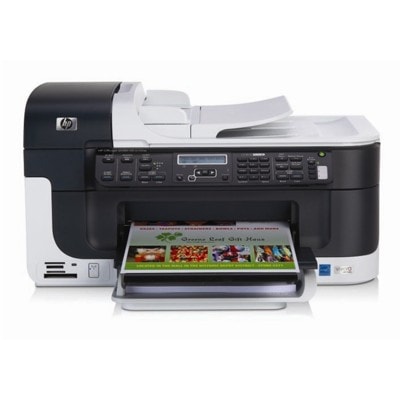
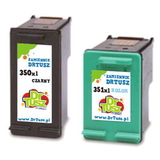
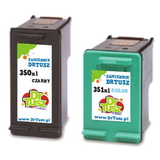
| Language Information Contact | If you cannot find ink or toner for your priner. Click here! ▼ | | Ink cartridges for HP OfficeJet J6400 - compatible and original OEM | Keep your HP OfficeJet J6400 printing sharp and reliable with the right ink—whether you choose Original OEM cartridges for factory-grade performance or compatible ink cartridges for a smart, budget-friendly alternative. This category is built for the HP Officejet J6400 Series and covers popular searches like HP J6400 and J6400, so you can quickly find the exact match for your printer. Choose from black, color, and photo options, including HP 350 / 350 XL (CB335EE, CB336EE), HP 351 / 351 XL (CB337EE, CB338EE), and HP 348 Photo (C9369EE), plus convenient multipacks like 350 XL + 351 XL and OEM sets (SD412EE). Every cartridge type listed here is designed for HP OfficeJet J6400 ink cartridges, delivering clean text, vibrant color, and consistent results for everyday documents or photo printing. Stock up now and avoid last-minute ink runs—pick the capacity and cartridge class that fits your needs and print with confidence. Shop the full selection of ink cartridges for HP OfficeJet J6400 and find your perfect match today. Other names: All-In-One Printer HP OfficeJet J6400 | | | | | Category | Inkjet Cartridges | | Type | Compatible | | Class | Ink Cartridges | | Color
| Black, Color | | Manufactured by
| DrTusz | | Compatible with | Hewlett-Packard (HP) | | Catalog Number
| DT-AH-350XL/K | | Availability
| Available - Delivery Tomorrow! | | In stock | 282 szt. | | Capacity
| 51.3 ml | | Yield
| 2080 pages | | Cost per page
| 5.96 gr/page | 123,99 PLN
129,98 PLN
(100,81 PLN netto) Free Delivery | Category | Inkjet Cartridges | | Type | Compatible | | Class | Ink Cartridges | | Color
| Black, Color | | Manufactured by
| DrTusz | | Compatible with | Hewlett-Packard (HP) | | Catalog Number
| DT-AH-350XL/K | | Availability
| Available - Delivery Tomorrow! | | In stock | 282 szt. | | Capacity
| 51.3 ml | | Yield
| 2080 pages | | Cost per page
| 5.96 gr/page | 123,99 PLN
129,98 PLN
(100,81 PLN netto) Free Delivery | Category | Inkjet Cartridges | | Type | Compatible | | Class | Ink Cartridge | | Color
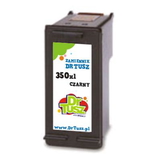
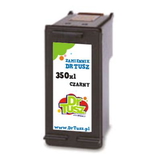
| Black | | Manufactured by
| DrTusz | | Compatible with | Hewlett-Packard (HP) | | Catalog Number
| DT-AH-350XL | | Availability
| Available - Delivery Tomorrow! | | In stock | 182 szt. | | Capacity
| 32.5 ml | | Yield
| 1300 pages | | Cost per page
| 5.00 gr/page | 64,99 PLN
(52,84 PLN netto) Free Delivery | Category | Inkjet Cartridges | | Type | Compatible | | Class | Ink Cartridge | | Color
| Black | | Manufactured by
| DrTusz | | Compatible with | Hewlett-Packard (HP) | | Catalog Number
| DT-AH-350XL | | Availability
| Available - Delivery Tomorrow! | | In stock | 182 szt. | | Capacity
| 32.5 ml | | Yield
| 1300 pages | | Cost per page
| 5.00 gr/page | 64,99 PLN
(52,84 PLN netto) Free Delivery | Category | Inkjet Cartridges | | Type | Compatible | | Class | Ink Cartridge | | Color
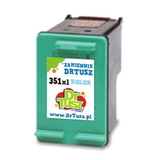
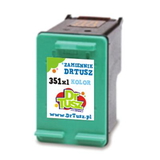
| Color | | Manufactured by
| DrTusz | | Compatible with | Hewlett-Packard (HP) | | Catalog Number
| DT-AH-351XL | | Availability
| Available - Delivery Tomorrow! | | In stock | 349 szt. | | Capacity
| 18.8 ml | | Yield
| 780 pages | | Cost per page
| 8.33 gr/page | 64,99 PLN
(52,84 PLN netto) Free Delivery | Category | Inkjet Cartridges | | Type | Compatible | | Class | Ink Cartridge | | Color
| Color | | Manufactured by
| DrTusz | | Compatible with | Hewlett-Packard (HP) | | Catalog Number
| DT-AH-351XL | | Availability
| Available - Delivery Tomorrow! | | In stock | 349 szt. | | Capacity
| 18.8 ml | | Yield
| 780 pages | | Cost per page
| 8.33 gr/page | 64,99 PLN
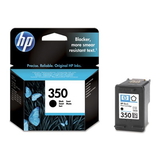
(52,84 PLN netto) Free Delivery | Category | Inkjet Cartridges | | Type | Original OEM | | Class | Ink Cartridge | | Color
| Black | | Manufactured by
| Hewlett-Packard (HP) | | Compatible with | Hewlett-Packard (HP) | | Catalog Number
| CB335EE | | Availability
| Available in 24h | | In stock | 1 szt. | | Capacity
| 4.5 ml | | Yield
| 200 pages | | Cost per page
| 66.49 gr/page | 132,99 PLN
(108,12 PLN netto) Free Delivery | Category | Inkjet Cartridges | | Type | Original OEM | | Class | Ink Cartridges | | Color
| Black, Color | | Manufactured by
| Hewlett-Packard (HP) | | Compatible with | Hewlett-Packard (HP) | | Catalog Number
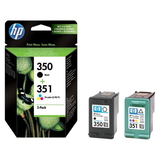
| SD412EE | | Availability
| Ask for availability | | In stock | 0 szt. | | Capacity
| 11.5 ml | | Yield
| 370 pages | | Cost per page
| 63.24 gr/page | 233,99 PLN
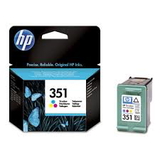
(190,24 PLN netto) Free Delivery | Category | Inkjet Cartridges | | Type | Original OEM | | Class | Ink Cartridge | | Color
| Color | | Manufactured by
| Hewlett-Packard (HP) | | Compatible with | Hewlett-Packard (HP) | | Catalog Number
| CB337EE | | Availability
| Ask for availability | | In stock | 0 szt. | | Capacity
| 3.5 ml | | Yield
| 170 pages | | Cost per page
| 108.23 gr/page | 183,99 PLN
(149,59 PLN netto) Free Delivery | Category | Inkjet Cartridges | | Type | Original OEM | | Class | Ink Cartridge | | Color
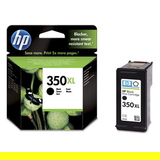
| Black | | Manufactured by
| Hewlett-Packard (HP) | | Compatible with | Hewlett-Packard (HP) | | Catalog Number
| CB336EE | | Availability
| Ask for availability | | In stock | 0 szt. | | Capacity
| 25 ml | | Yield
| 1000 pages | | Cost per page
| 25.00 gr/page | 249,99 PLN
(203,24 PLN netto) Free Delivery | Category | Inkjet Cartridges | | Type | Original OEM | | Class | Ink Cartridge | | Color
| Color | | Manufactured by
| Hewlett-Packard (HP) | | Compatible with | Hewlett-Packard (HP) | | Catalog Number
| CB338EE | | Availability
| Ask for availability | | In stock | 0 szt. | | Capacity
| 14 ml | | Yield
| 580 pages | | Cost per page
| 43.62 gr/page | 252,99 PLN
(205,68 PLN netto) Free Delivery | Category | Inkjet Cartridges | | Type | Original OEM | | Class | Ink Cartridge | | Color
| Foto | | Manufactured by
| Hewlett-Packard (HP) | | Compatible with | Hewlett-Packard (HP) | | Catalog Number
| C9369E | | Availability
| Ask for availability | | In stock | 0 szt. | | Capacity
| 13 ml | | Yield
| 135 pages | | Cost per page
| 197.77 gr/page | 266,99 PLN
(217,07 PLN netto) Free Delivery | | Reliable printing with the HP OfficeJet J6400 Series If you use the HP OfficeJet J6400 (also searched as HP J6400 or HP Officejet J6400 Series), you know it’s a practical all-in-one designed for everyday office and home-office work: clear text documents, occasional colour graphics, and convenient scanning/copying. To keep it performing at its best, you need the right ink for HP OfficeJet J6400—matched to the printer, your print volume, and your expectations for quality and cost. Ink for HP J6400: what matters most in daily use Choosing the correct ink cartridge for HP OfficeJet J6400 affects not only print quality, but also reliability and overall running costs. This model uses cartridges from the HP 35x family, including black and tri-colour options, plus a dedicated photo cartridge for specific printing needs. With the right set, you can expect sharp black text, readable business graphics, and smooth colour output for presentations, school materials, and photos. When you order ink for HP J6400 from us, you can tailor your purchase to how you print: - Everyday documents: black cartridge options in standard and XL capacity
- Colour printing: tri-colour cartridges in standard and XL capacity
- Convenient savings: multipacks that combine black + colour
- Photo output: a dedicated photo cartridge for specific photo tasks
Compatible and Original OEM ink cartridges—one place, many options In our category “Ink cartridges for HP OfficeJet J6400 – compatible and original OEM” you’ll find both Original OEM cartridges and carefully selected compatible ink cartridges. We keep the selection broad so you can choose exactly what you need—whether you prioritise brand-original supplies or want a cost-effective compatible alternative that performs just as well for everyday printing. Popular choices in this category include: - Compatible Ink Cartridge 350 XL for HP (CB336EE) (Black) – high-yield black for frequent printing
- Original OEM Ink Cartridge HP 350 (CB335EE) (Black) and Original OEM Ink Cartridge HP 350 XL (CB336EE) (Black) – dependable OEM black in standard or XL
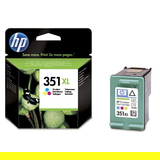
- Compatible Ink Cartridge 351 for HP (CB337EE) (Color) and Compatible Ink Cartridge 351 XL for HP (CB338EE) (Color) – colour options to match your volume
- Original OEM Ink Cartridge HP 351 (CB337EE) (Color) and Original OEM Ink Cartridge HP 351 XL (CB338EE) (Color) – OEM colour for consistent results
- Compatible Ink Cartridges 350 XL + 351 XL for HP (DT-AH-350XL/K) (multi pack) – a convenient high-capacity set
- Compatible Ink Cartridges 350 XL + 351 XL for HP (SD412EE) (multi pack) and Original OEM Ink Cartridges HP 350 + 351 (SD412EE) (multi pack) – multipacks that simplify replenishment
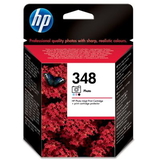
- Original OEM Ink Cartridge HP 348 (C9369EE) (Foto) – a dedicated photo cartridge for selected photo printing needs
How to choose the right ink cartridge for HP Officejet J6400 We encourage you to pick your ink for printer HP OfficeJet J6400 based on three simple criteria: capacity, colour needs, and budget. - Standard vs XL: if you print regularly, XL (high-yield) cartridges can reduce how often you replace ink and may lower cost per page.
- Black + Colour strategy: for mostly text, invest in a strong black (often XL) and replace colour only when needed. For mixed printing, choose a multipack.
- Original OEM vs Compatible: OEM is ideal if you want to stay with the manufacturer’s brand. Our compatible ink cartridge for HP OfficeJet J6400 is a smart alternative—reliable, efficient, and as good as the originals for day-to-day printing, while typically offering better value.
Common HP OfficeJet J6400 ink questions and practical tips Users of the HP OfficeJet J6400 Series most often ask about print quality, cartridge recognition, and ink usage. Here are a few helpful pointers: - Faded black or streaks: this is often solved by using a fresh cartridge and running the printer’s built-in cleaning/alignment tools.
- “Cartridge not recognized” messages: reseat the cartridge, make sure protective elements are removed, and gently clean the contacts if needed.
- Fast ink consumption: choose XL versions and consider multipacks if you print both black and colour frequently.
- Colour doesn’t look right: an alignment cycle and ensuring the correct colour cartridge (351/351 XL) is installed usually helps.
If you’re unsure which cartridge fits your device, tell us the printer name you see on the casing (e.g., HP OfficeJet J6400 / J6400) and the cartridge symbol you currently use (e.g., HP 350, HP 351, HP 348). We’ll help you choose the correct ink for HP OfficeJet J6400 quickly and confidently. Order ink for HP OfficeJet J6400 with confidence We invite you to explore our full range of ink cartridges for HP OfficeJet J6400—both compatible and Original OEM. Choose a single black cartridge, a colour cartridge, or a value multipack and keep your printer ready for anything from invoices to school projects. Add your selected products to the cart and enjoy fast delivery options and helpful customer support. CTA: Browse the available ink for HP J6400 now, and if you have any questions—contact us. We’ll make sure you get the right cartridge and the best printing results. | | | |